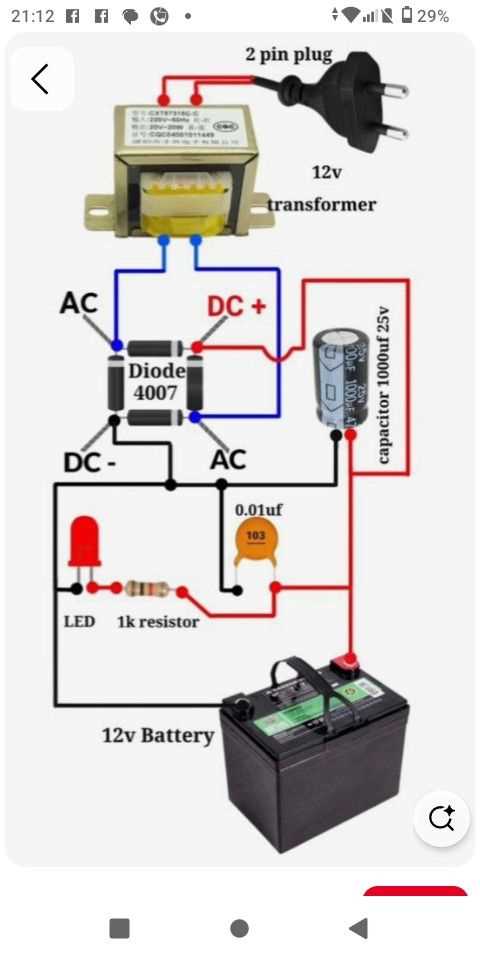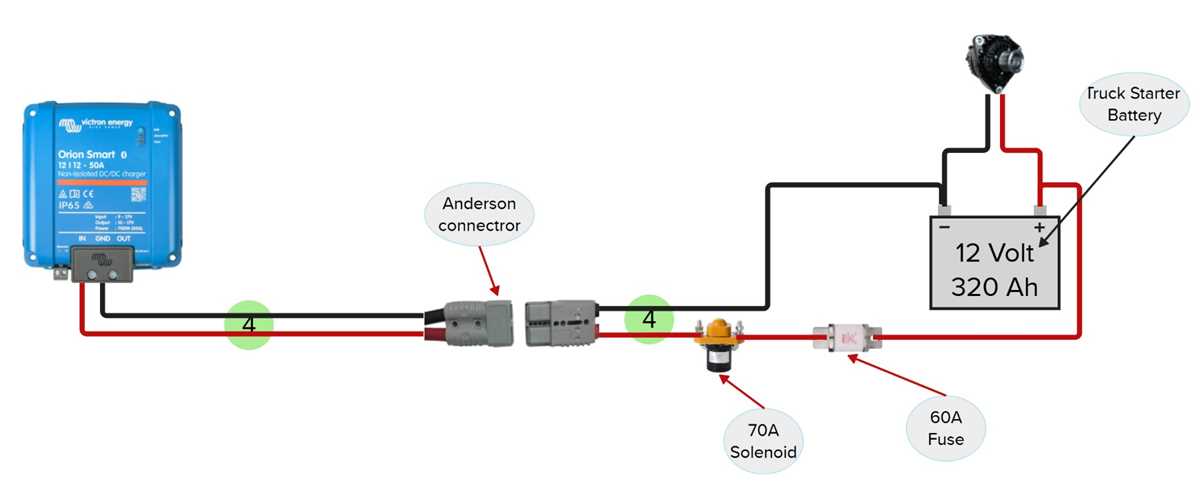
Verify input voltage levels before connecting any load to the power module. Use a precise multimeter to measure the incoming voltage and ensure it falls within the specified range of 5V to 24V, depending on the regulator configuration. Overvoltage can damage switching components instantly.
Check all filtering capacitors and inductors along the power path. Capacitor values typically range from 10µF to 470µF, and inductors may vary from 10µH to 100µH depending on the design. Correct component ratings prevent voltage ripple and maintain stable output under varying loads.
Confirm polarity and solder joints on the input and output connectors. Reverse connections can trigger protective diodes or burn out MOSFET switches. Reflow any cold joints to ensure consistent current flow and avoid intermittent failures during operation.
Measure output voltage at no-load and full-load conditions. A regulated step-down module should maintain output within ±5% of the target voltage. Significant deviation indicates either a damaged regulator IC or incorrectly sized passive components that require replacement or adjustment.
DC to DC Power Conversion Layout Guide
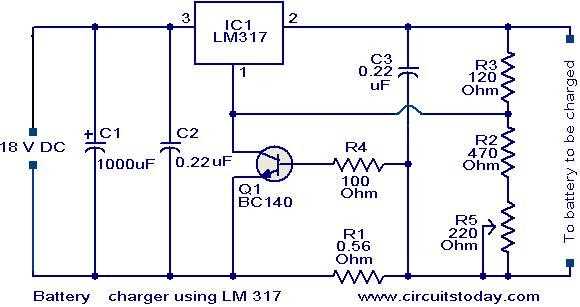
Check input voltage stability before connecting any load to the module. Measure the source voltage with a multimeter and ensure it remains within the 5V to 24V range. Sudden spikes above 26V can damage switching transistors and regulators.
Inspect key switching components such as MOSFETs and diodes. Ensure they match the design ratings for current and voltage. Incorrect components can produce excessive heat, voltage drop, or ripple that reduces output reliability.
- Verify inductor values between 10µH and 100µH for proper energy storage.
- Confirm capacitor ratings from 10µF to 470µF to smooth voltage fluctuations.
- Check that resistors in feedback loops match design tolerances to maintain stable output.
Trace output paths to confirm continuity and proper soldering. Cold joints or loose connections can cause intermittent power loss or voltage irregularities, especially under high load. Reflow joints if necessary to restore stable operation.
Measure performance under load. Record output voltage at no-load, 50% load, and full-load conditions. Variations greater than ±5% suggest either damaged components or miscalculated passive values that need adjustment to achieve consistent power conversion.
Identifying Input and Output Voltage Connections
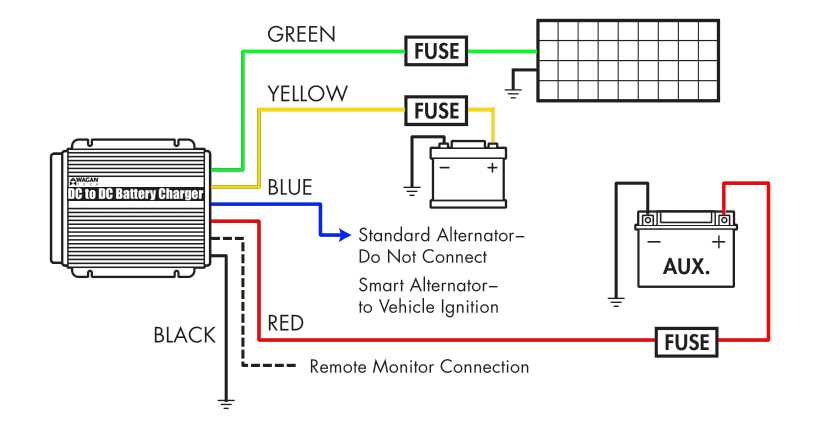
Measure the source voltage before connecting to the module. Use a calibrated multimeter to ensure the input falls within the expected range, typically 5V to 24V. Voltages exceeding this range can damage switching transistors or regulator ICs instantly.
Confirm polarity at all connectors. Positive and negative terminals are often marked, but visual inspection may not be sufficient. Reversing polarity can trigger protective diodes or burn out key components, so double-check with a voltage tester before applying power.
Trace the input path from the connector to the main voltage regulator. Ensure continuity along solder joints and PCB traces. Cold joints, cracked pads, or oxidized contacts can cause voltage drops and intermittent operation, particularly under load.
Verify output voltage rails under no-load conditions first. Measure each secondary line to confirm it matches the design value. Typical output voltages range from 3.3V to 12V depending on the step-down or step-up configuration. Deviations greater than ±5% indicate possible component failure or incorrect passive elements.
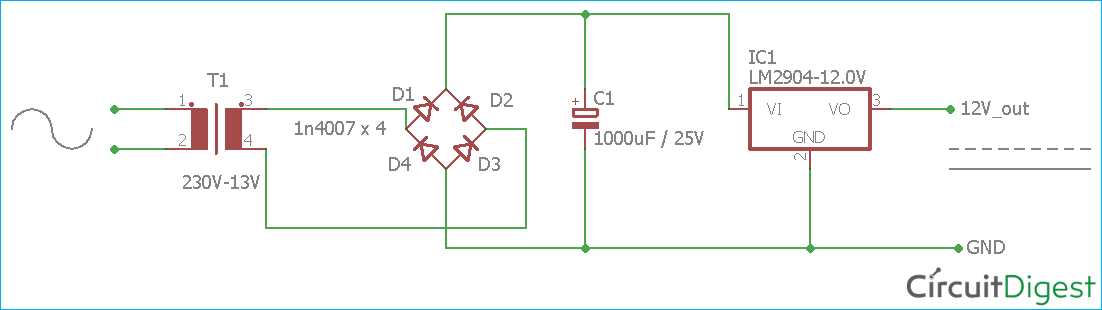
Check feedback loops and reference pins at the regulator. Accurate voltage detection is necessary for stable output. Inspect resistors and capacitors in these loops for correct values and secure soldering, as small errors can cause significant voltage variation.
Document measurements for future reference. Record input voltage, output voltage, and current draw under various loads. This reference log helps identify degradation over time, locate intermittent faults, and verify that replacement components restore correct operation.