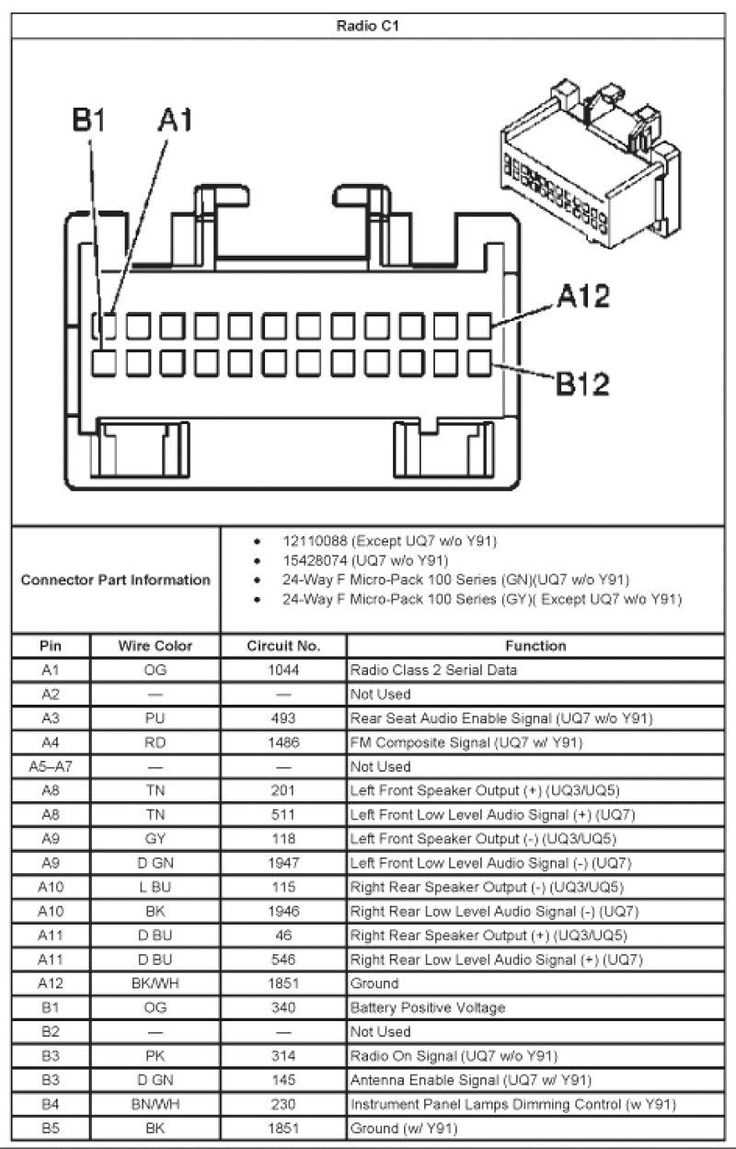
Begin by identifying all terminal points behind the dash and confirm each lead with a voltage tester. Ensure connectors are firmly seated and free of corrosion to prevent intermittent power loss or audio distortion.
Follow the color coding for each conductor carefully. Label each wire before disconnecting or extending to maintain clarity during installation and reduce the risk of cross-connections between power, ground, and speaker circuits.
Test each channel individually before full operation. Verify continuity and signal flow from the main control unit to each speaker to ensure consistent performance and avoid shorts that could damage components.
Truck Dash Connection Layout and Terminal Color Code Guide
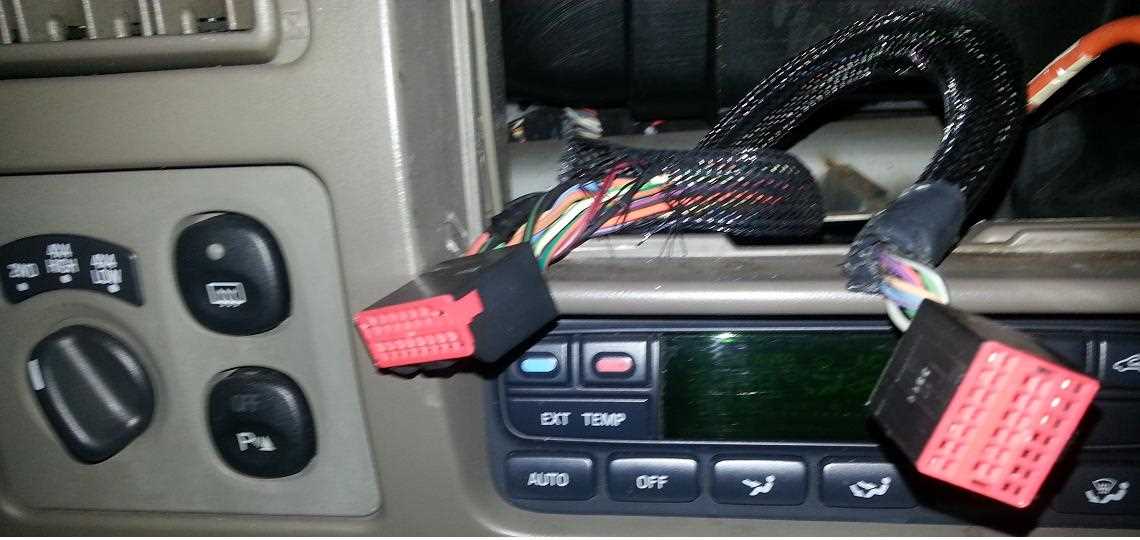
Start by locating the main control unit behind the dashboard and verify all power and ground terminals. Ensure each connector is fully seated and clean to prevent signal loss or intermittent audio interruptions.
Trace the speaker leads and mark them according to their color codes. Red and black typically indicate positive and negative power lines while other colors correspond to front, rear, or subwoofer channels.
Use a multimeter to confirm voltage at each terminal before connecting aftermarket components. Check for consistent readings to avoid damaging sensitive electronics during installation.
- Yellow: constant power from the battery
- Red: switched ignition power
- Black: ground connection
- White and gray: front speaker outputs
- Green and purple: rear speaker outputs
Inspect antenna and auxiliary input leads separately. Secure connectors and verify signal integrity to maintain clear reception and prevent static interference.
Document all connections and note any deviations from standard color codes. Use labels or tape to ensure future maintenance or upgrades are straightforward and accurate.
Test each channel individually before powering the full system. Confirm proper audio output and balance between left, right, front, and rear channels to identify any misrouted or faulty leads.
Finally, inspect fuses and circuit breakers associated with the dashboard unit. Replace any blown or damaged components to ensure protection against shorts and to maintain reliable operation of the complete audio system.
Identifying Terminals and Color-Coded Leads
Begin by inspecting the main audio control unit and locate each terminal. Confirm that all connectors are free of corrosion and seated securely to maintain stable current flow and prevent intermittent operation.
Trace the power leads first. Red wires usually carry switched power while yellow indicates constant battery power, ensuring the system retains memory functions.
Check ground connections carefully. Black leads must have a solid chassis contact to avoid hum or signal interference across the speaker system.
Identify front speaker outputs by their color codes. White and white with black stripe denote left front, gray and gray with black stripe denote right front to prevent cross-channel audio errors.
Map rear speaker leads separately. Green and green with black stripe denote left rear, purple and purple with black stripe denote right rear for consistent channel separation and balanced sound.
Examine auxiliary and antenna connections. Secure all plugs and verify continuity to maintain signal integrity for external devices or FM/AM reception.
Label each conductor after confirmation. Using tape or markers reduces confusion during future upgrades or troubleshooting and ensures proper reconnection of all channels.
Finally, test each terminal with a multimeter. Verify voltage and continuity from the control unit to each speaker and accessory to ensure all connections operate within the correct parameters before full system activation.