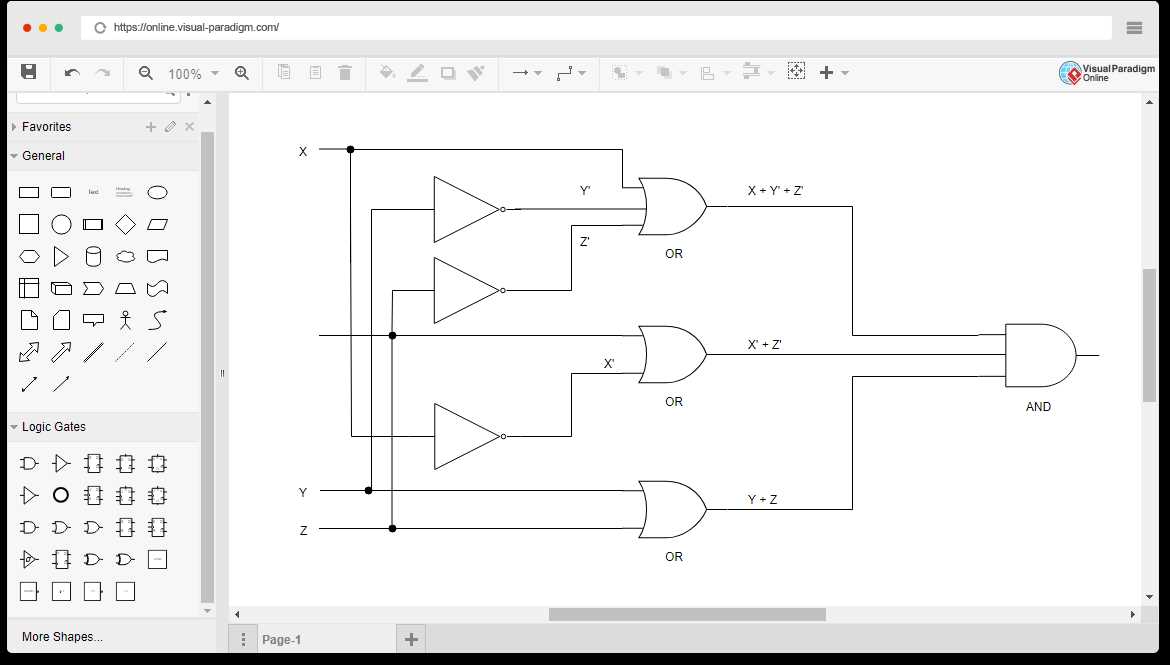
Start by choosing a reliable platform designed for generating electronic layouts. These tools allow you to quickly design and visualize connections between components like resistors, capacitors, and transistors. The interface is typically intuitive, with drag-and-drop features for adding parts and connecting them with wires.
Once you’re familiar with the interface, focus on the accuracy of your design. Pay attention to the proper placement of components and ensure that connections follow correct paths to avoid errors. Most platforms provide a real-time simulation feature to test your layout before physical implementation, which helps avoid common mistakes.
If you are designing for a specific project, like a microcontroller-based system, make sure to follow the pinout diagrams and use the correct components for your needs. Verify that each component has the right specifications to ensure the design operates as expected. Remember, planning your layout thoroughly beforehand will save time during the actual construction or assembly phase.
Create Your Electrical Layout with Web Tools
To start creating your design, select a platform that supports a wide range of components. Many free and paid tools offer a variety of symbols like resistors, capacitors, transistors, and more. These components can be placed on a virtual canvas for easy arrangement.
After selecting the components, it’s important to understand their functionality within your system. For example, if you are working with an oscillator, make sure the configuration supports your intended frequency. For power systems, double-check the current and voltage ratings for each part to avoid misconfigurations.
When designing, maintain clarity in the connections. Avoid overlapping wires, as they can lead to confusion. Most platforms offer automated alignment tools that ensure your connections are clean and well-organized. It’s also wise to color-code the connections based on their type (ground, power, signal), helping with easier identification.
Test your design in simulation mode before physical assembly. Most platforms provide real-time simulation features where you can check how the circuit will perform. This step will help catch any issues, such as incorrect connections or incompatible components, before they become a problem.
Choosing the Right Components
In any layout, selecting the correct components is crucial for functionality. For digital designs, pay attention to logic gate types, ICs, and other microelectronic parts. If designing for an analog system, make sure to use proper resistances, capacitances, and other passive components that meet the specifications of your design.
When using a simulation tool, keep in mind that each part’s behavior can be affected by its environmental conditions. For example, a transistor might perform differently depending on the temperature or load. Factor these variations into your design to ensure accurate results during testing.
Finalizing Your Layout
After completing your schematic, review it for consistency. Ensure all power sources and ground connections are properly placed. It’s also helpful to include labels for each part, especially for complex systems, so you can easily identify and troubleshoot if necessary.
Once you’re satisfied with your design, export it in a format that suits your needs. Most platforms allow you to download your layout as a PDF or image file. You can use this for further reference or share it with colleagues or manufacturers for assembly.
Step-by-Step Guide to Drawing Schematics Using Web Tools
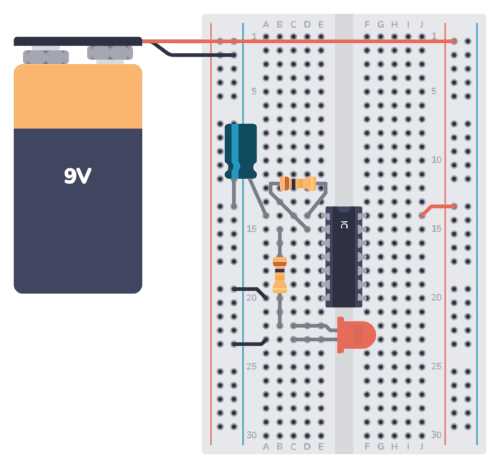
Start by choosing a platform that offers the tools needed for creating electrical layouts. Websites like Fritzing, Tinkercad, and EasyEDA provide intuitive interfaces with a wide variety of components to place on your virtual workspace.
Once you’ve selected a platform, begin by setting up the workspace. Choose the appropriate grid size to ensure that components align properly. Many platforms offer templates for specific types of designs, whether you’re creating a basic system or a more complex setup. Adjust the grid settings to suit your project needs.
Next, add components like resistors, capacitors, and transistors from the library. For precision, search for the components by name or type to quickly find them. Drag and drop them onto your workspace, making sure to arrange them logically to minimize clutter and make connections easy to follow.
Use the platform’s connection tools to draw links between components. Most web tools offer a simple click-and-drag feature to create the wires. As you connect each part, ensure that the connections are clear and logical to avoid errors during simulations or real-world implementation.
Testing Your Layout
Before finalizing your design, test the layout using built-in simulation tools. These allow you to simulate the functionality of your design in real time. For example, check if the power flows correctly, and ensure that each component works as expected. If any issues arise, adjust the wiring or component values as necessary.
If you’re designing for a specific application, pay attention to voltage and current ratings. Some platforms let you input custom parameters to check if the parts can handle your requirements. This feature is crucial when designing systems that involve power electronics or high-current circuits.
Finalizing and Exporting the Design
Once your design is working correctly in the simulation, it’s time to clean up the layout. Organize components neatly and label them for easier reference. Add text annotations where necessary, such as part numbers or values, to provide further clarity for anyone reviewing your work.
Finally, export your design in the desired format. Most platforms offer several options, including downloadable PDFs, images, or shareable links. You can use these files to print your design, share it with colleagues, or submit it for production or assembly.