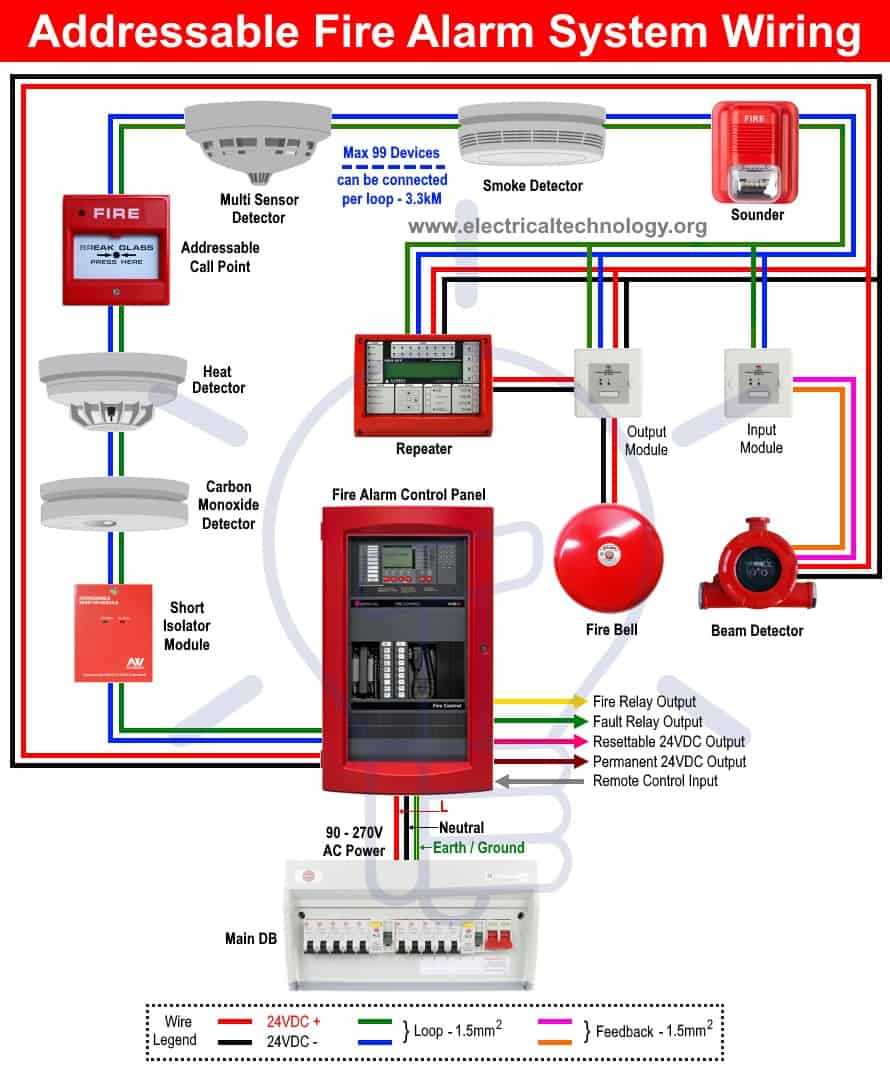
Start by connecting the control panel to a reliable power source, making sure the input is fused properly to protect against overloads. A stable 12V power supply is necessary for proper operation. Secure the positive wire to the terminal and ensure a solid ground connection to avoid false signals or malfunction.
Next, connect the detection devices such as smoke or heat sensors. These should be positioned according to manufacturer guidelines to ensure accurate detection. Each sensor is connected with a dedicated wire to the control unit, with attention to correct polarity for consistent signal transmission.
Finally, verify the circuit’s continuity by testing with a multimeter. This step ensures that all components are properly connected and there are no breaks in the system. After completing the setup, test each device individually to make sure the signals are being correctly sent to the control unit.
Fire Alarm System Wiring Diagram
Connect the central control panel to a dedicated power supply, ensuring the voltage requirements match the specifications. Use a fused connection to protect the entire network from power surges. The connection should be made with high-quality, corrosion-resistant terminals to ensure a solid connection, especially in environments prone to moisture.
Connecting Sensors and Devices
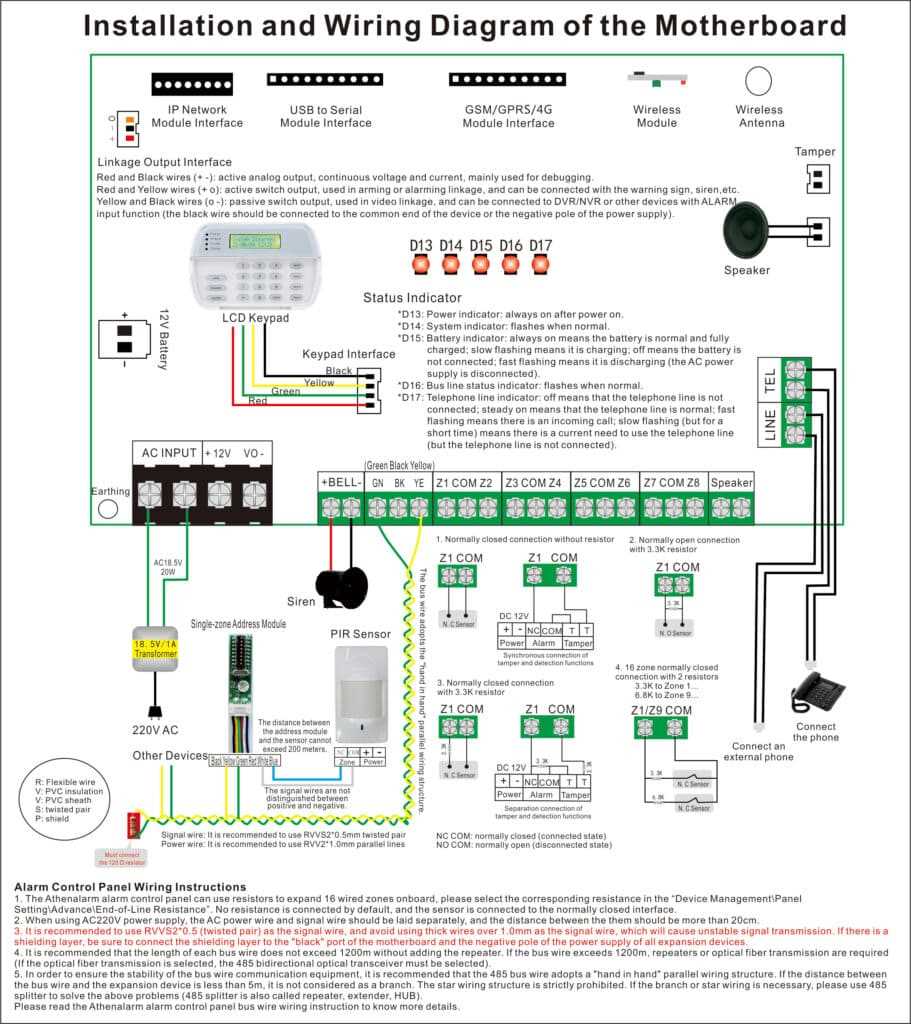
Link smoke detectors, heat sensors, and manual pull stations to the main control unit. For optimal performance, ensure that each sensor is correctly polarized and securely wired to avoid false readings. When placing the devices, adhere to the manufacturer’s installation guidelines, ensuring the devices are positioned to cover the most sensitive areas while maintaining the correct distances from obstructions.
How to Connect the Power Supply to the Fire Alarm System
Begin by selecting a suitable 12V DC power source, ensuring it matches the requirements of your setup. Use an isolated circuit to avoid interference with other electrical systems in the building. Attach the positive wire from the power supply to the main control panel’s power input terminal. Secure the connection with a reliable terminal block or screw connector to ensure a solid connection.
Next, connect the negative terminal of the power supply to a clean, non-painted metal grounding point on the control panel. This will provide a safe return path for the current. If possible, use a separate grounding wire to prevent shared ground issues that could interfere with signal transmission from the connected devices.
It is highly recommended to install a fuse or circuit breaker in the power line close to the panel to prevent damage due to power surges or short circuits. Verify all connections with a multimeter to check for proper voltage and continuity. Once confirmed, power up the control panel and ensure it is functioning correctly before proceeding with the rest of the installation.