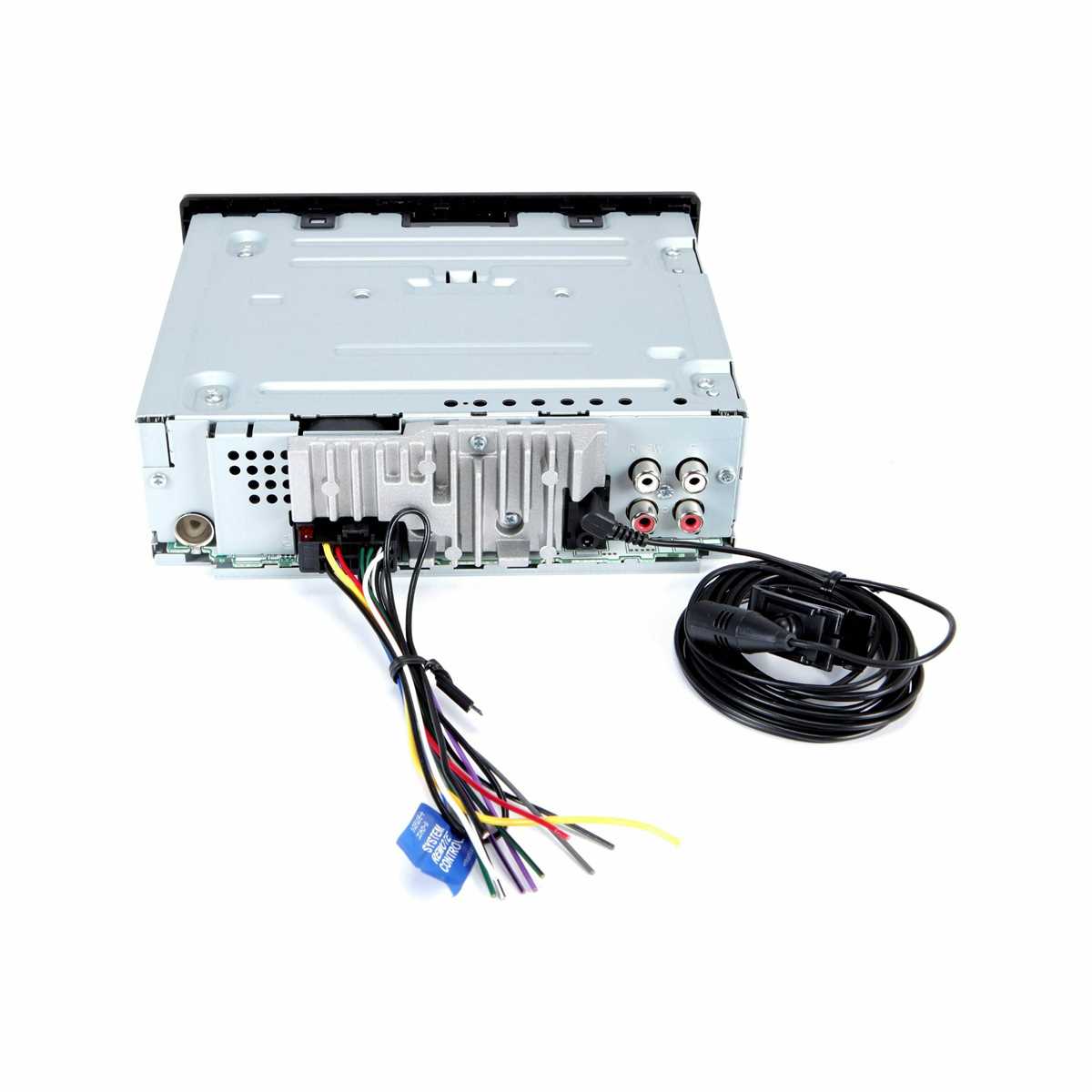
Match each wire by color code to the vehicle harness: red is always switched power, yellow connects to constant 12V, black goes to ground. Incorrect pairing can trigger short circuits or failure to power on.
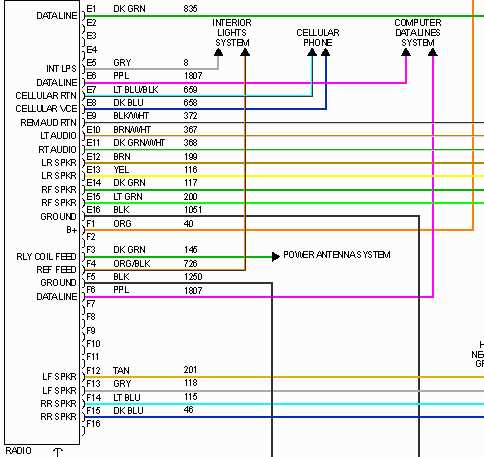
Speakers require careful identification: front left uses white and white/black stripe, front right uses gray and gray/black stripe, rear left and right are green/green-black and purple/purple-black. Confirm continuity with a multimeter before final attachment.
Ignition and accessory leads must align with the dash circuit to avoid drain on the battery. Fuse protection on the main feed prevents damage during sudden surges.
Auxiliary inputs and outputs such as subwoofer, amplifier, and antenna connectors have distinct pin layouts; cross-connection can reduce sound quality or mute channels. Label each terminal prior to insertion.
Secure all connections with insulated crimp terminals or soldering to prevent vibration-induced loosening. Route cables along factory channels and use zip ties to minimize interference and maintain dashboard clearance.
Installation Connections for Pioneer Audio Unit
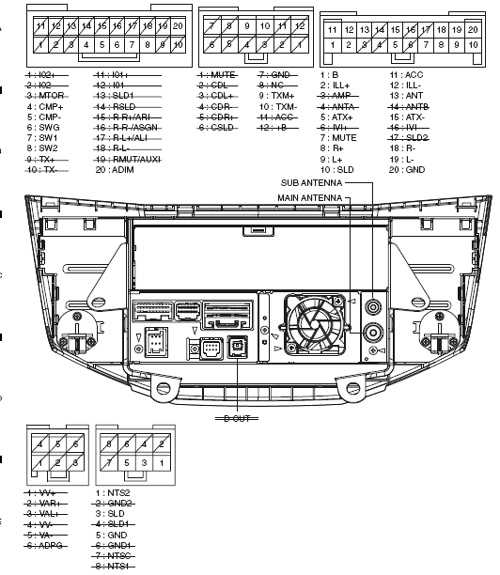
Connect the red lead to the ignition switch to ensure the stereo powers on with the vehicle, while the yellow cable must attach directly to the battery to maintain memory functions. Black grounding should secure to bare metal on the chassis to avoid static or signal loss.
Speaker terminals are color-coded: white and white/black pair with the front left, gray and gray/black with the front right, green and green/black with the rear left, purple and purple/black with the rear right. Match positive and negative indicators carefully to prevent phase issues.
Auxiliary and Control Interfaces
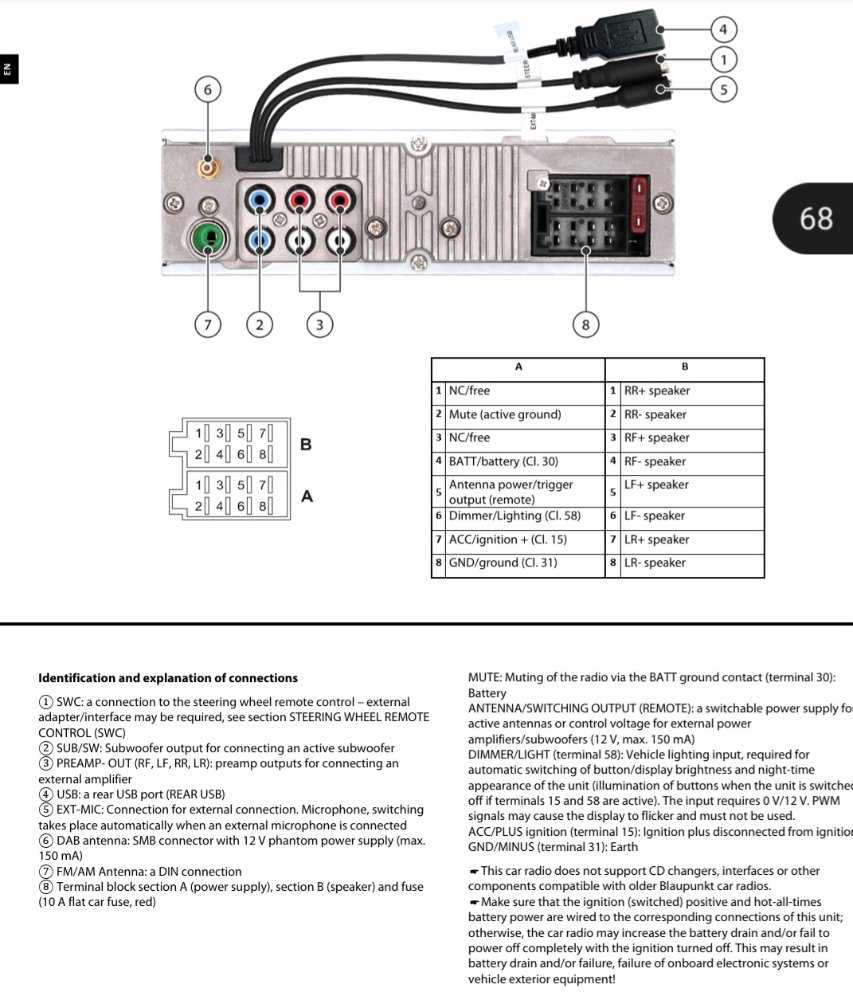
Blue/white wire connects to the power amplifier trigger if an external amp is installed. Orange illumination wire integrates with the dashboard lights so that the display adjusts with ambient brightness. RCA outputs handle subwoofer and external speaker feeds separately, keeping low and high frequencies isolated.
Tip: Before finalizing, check continuity with a multimeter to confirm all leads are secure and no short circuits exist. Routing cables behind panels reduces interference and keeps the cabin tidy, preventing rattles or accidental disconnections during driving.
Identifying Pioneer Radio Wire Colors and Functions
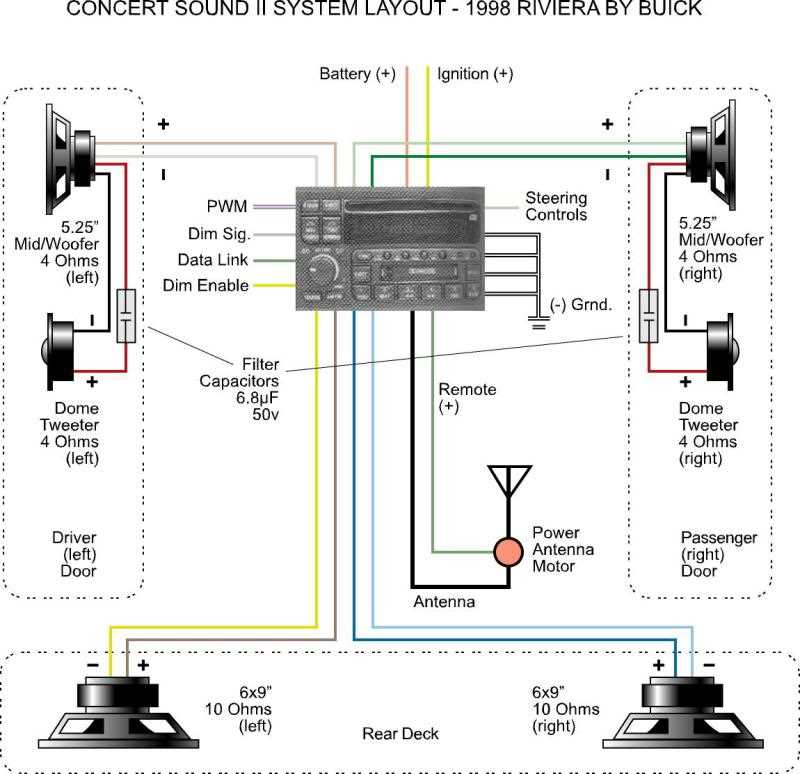
Connect the red lead directly to the ignition switch to provide switched power, while the yellow wire must link to a constant 12V source to maintain memory settings. Black wires always serve as ground connections, attaching securely to the chassis or negative terminal. For speakers, match colors in pairs: white and white/black for front left, gray and gray/black for front right, green and green/black for rear left, purple and purple/black for rear right.
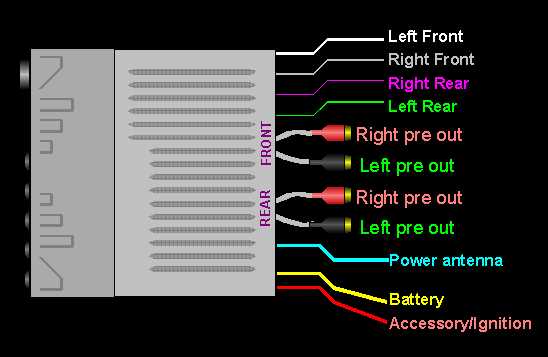
Blue leads carry remote turn-on signals; the solid blue typically triggers an external amplifier, whereas blue/white may control antenna actuators. Orange wires adjust illumination brightness when connected to the vehicle’s dash lighting. Avoid mixing speaker pairs with power lines, as this can create shorts or distortion.
Confirm each connection using a multimeter to verify voltage and continuity before finalizing. Strip insulation precisely 5–7 mm to expose bare copper, twist tightly, and secure with crimp connectors or solder. Label each wire with tape if multiple colors appear similar in older harnesses, ensuring accurate assembly and preventing future troubleshooting errors.