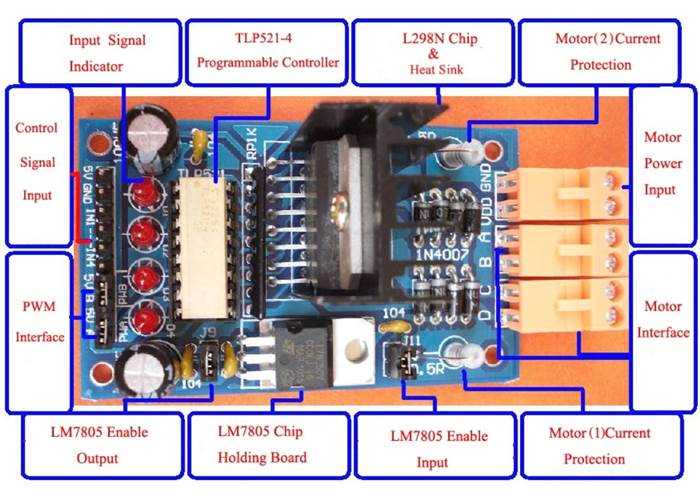
For effective control of electric motors, it’s important to know the correct way to wire a motor control module. This allows precise movement control by adjusting the direction and speed of the motors. A well-designed setup ensures that your system operates smoothly and without risk of damaging the components.
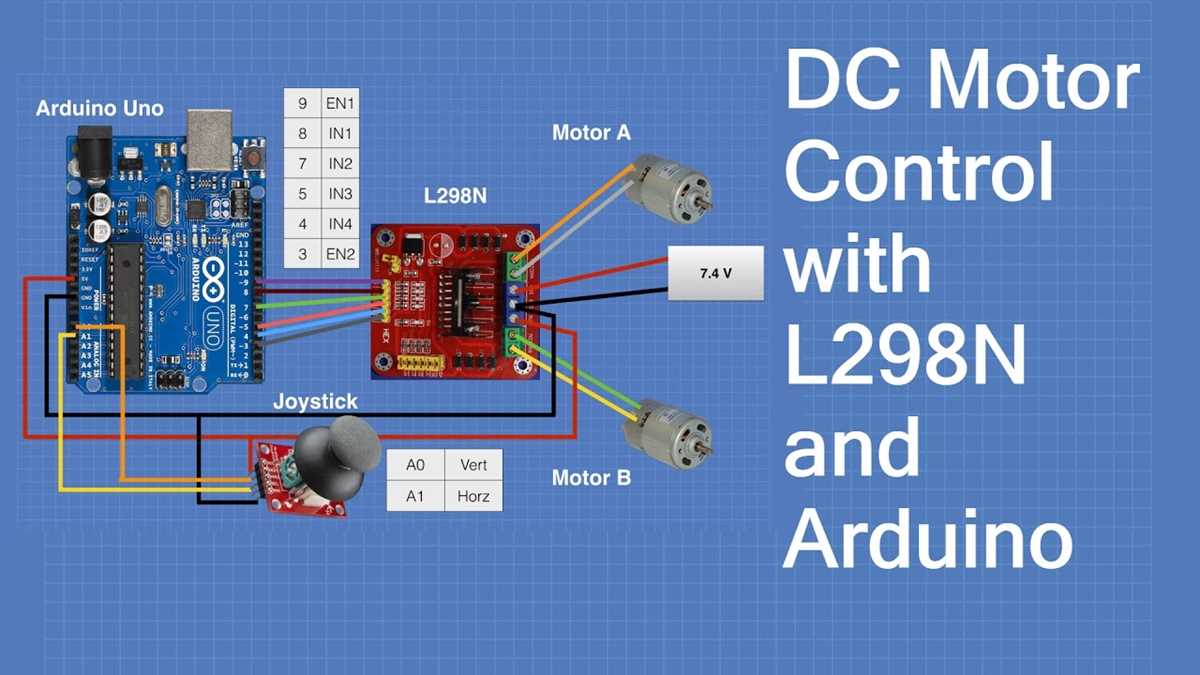
One of the most widely used components in such applications is the dual H-bridge controller, which allows for both forward and reverse motor rotation. Ensuring proper voltage ratings and connections is crucial to avoid issues such as overheating or instability in the motor’s operation.
To wire this module, focus on properly connecting the power source, the control pins, and the motors. The connections should be checked thoroughly before powering the system to ensure no shorts or incorrect connections. Once connected, you will be able to control the motor’s speed by adjusting the input signals to the control pins, making your setup more flexible and adaptable to your needs.
L298 Motor Driver Circuit Diagram
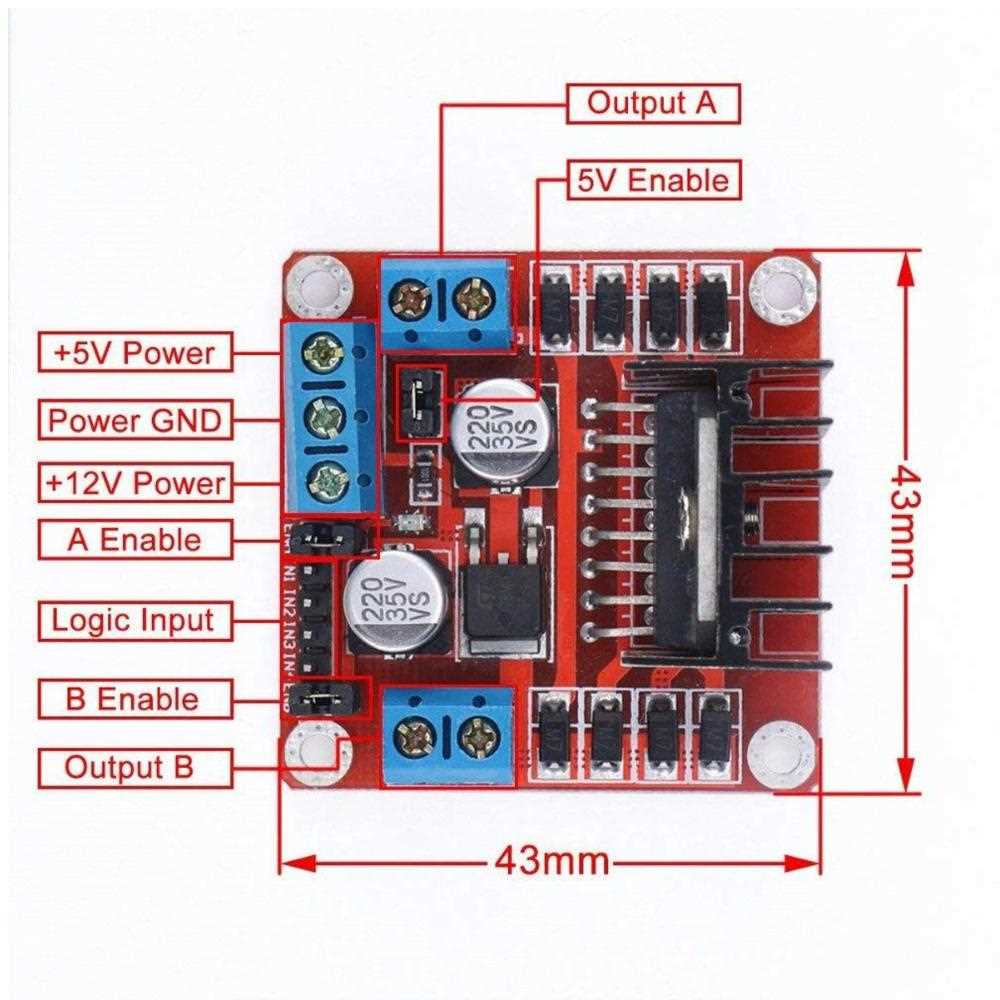
To begin, make sure to connect the input control pins of your device to the microcontroller or controller unit. These pins typically manage the direction and speed of the connected load. Pay special attention to the logic voltage levels to ensure compatibility between your control unit and the power module. The input pins will determine whether the connected load moves forward, backward, or stays idle, depending on the signals they receive.
Next, connect the output terminals to the load device, such as a DC motor or actuator. You may need to incorporate a flyback diode to protect the system from voltage spikes caused by the inductive load. Adjust the enable pins to switch between active and idle states. Proper grounding is key–ensure the ground from your power source, controller, and driver unit are all linked together to avoid signal issues. This configuration allows the precise control of the load, including both direction and speed, using the provided signals from the microcontroller.
Wiring the L298 Motor Driver for Basic Motor Control
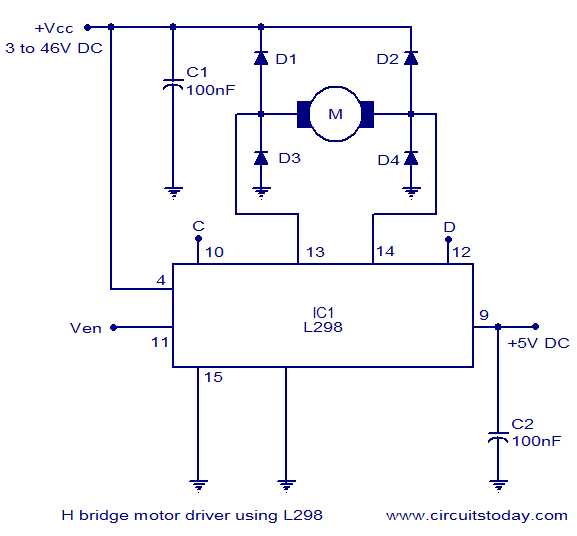
Start by connecting the power supply to the appropriate pins. Ensure the positive terminal of your power source is connected to the VCC pin, while the ground connects to the GND pin. For proper functionality, it’s important that your voltage source is sufficient to power both the driver and the load. Depending on your load requirements, the voltage should be in the range specified in the datasheet, often between 4.5V and 46V.
Next, link the control pins to your microcontroller or control unit. These include the IN1, IN2, IN3, and IN4 pins, which manage the direction and operation of the connected load. Wire these pins to the I/O pins of your microcontroller. Setting specific logic levels on these input pins will determine whether the load moves forward, backward, or stays idle. You can use PWM signals to vary the speed of the load by adjusting the duty cycle.
Finally, connect the output terminals to the load. Make sure the correct pair of output pins (OUT1/OUT2 or OUT3/OUT4) is used to drive the load in the desired direction. If necessary, incorporate a flyback diode in parallel with the load to safeguard against voltage spikes that may occur when the load is turned off. This simple wiring setup enables the basic functionality of controlling the movement and speed of the load using the input signals from the microcontroller.