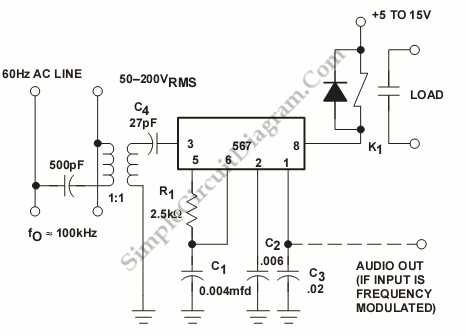
Install a 12-volt power supply with stable output to prevent fluctuations that can damage sensitive modules. Use insulated terminals rated for at least 10 amps to maintain secure connections and reduce voltage drop across long runs. Label each conductor immediately after installation to simplify future maintenance or expansions.
Run twisted-pair wires between control units to minimize electromagnetic interference. Keep signal lines separated from high-current feeders by at least six inches to prevent cross-talk and noise in audio transmission. Test each segment with a multimeter before final mounting to verify continuity and polarity alignment.
Integrate surge protection at the main junction to safeguard against voltage spikes from nearby lightning or power irregularities. Choose connectors that provide a snug fit while allowing easy disengagement for troubleshooting. Document the routing with a simple sketch showing terminal assignments, wire colors, and junction points.
Finalize the installation by performing a full functional test of all units, including call initiation, audio clarity, and response timing. Adjust volume and tone settings to suit room acoustics and ensure consistent performance. Schedule periodic inspections every six months to detect loose connections or corrosion early.
Intercom Circuit Layout and Connection Guide
Connect the master unit to each remote station using a 4-conductor shielded cable to ensure clear audio and reliable signaling. Maintain consistent polarity across all terminals to prevent malfunction, and secure all connections with insulated crimp terminals rated for 10 amps. Route the cables away from high-voltage lines to reduce interference and avoid running along metal pipes, which can induce noise.
Install a dedicated 12-volt DC power supply near the master unit and verify output stability with a multimeter before energizing the system. Test each station individually to confirm call activation, voice clarity, and response timing. Document all connections with a simple table showing color codes, terminal numbers, and station locations to simplify future troubleshooting or expansion.
Selecting Compatible Power Sources and Components
Use a regulated 12-volt DC supply rated at least 5 amps to support multiple stations and maintain consistent performance. Verify voltage output with a multimeter before connecting any devices to prevent damage from overvoltage or fluctuation.
Choose capacitors and resistors that match the manufacturer’s recommended values to stabilize signal transmission and reduce audio distortion. Check tolerances carefully, as deviations greater than 5% can affect response timing across all units.
Opt for terminals and connectors rated above the maximum current draw, typically 10–12 amps, to handle peak activation loads. Insulated crimp connectors prevent accidental shorts and improve long-term reliability in high-use installations.
Use shielded 4-conductor cables to minimize electromagnetic interference from nearby appliances and power lines.
- Maintain separation of data and power lines
- Secure cables with cable ties at intervals no greater than 12 inches
- Avoid sharp bends that stress insulation
Select pushbuttons and call relays with DC ratings equal to or above the supply voltage. Test each component individually before integration to ensure smooth actuation and consistent feedback signals.
Include a fuse rated 1–2 amps higher than the total draw of the system on the main supply line. This safeguards devices against accidental surges while providing a simple replacement procedure if triggered.
Document all selected components with their specifications and locations.
- Power supply voltage and current
- Capacitor and resistor values
- Connector types and ratings
- Fuse specifications
This reference improves troubleshooting and future expansion of the communication network.