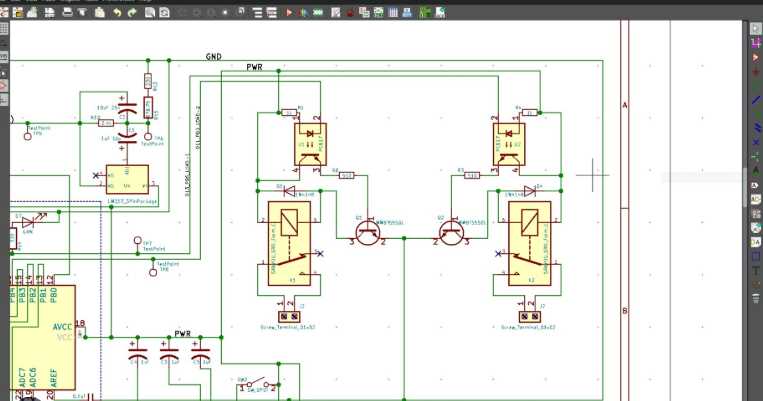
To begin designing electrical layouts, select a reliable application with a range of built-in shapes and templates. Popular options like AutoCAD Electrical or Fritzing provide comprehensive toolsets tailored to your specific needs. They simplify the process of organizing components and defining the flow of electricity between them.
Each element in your design requires precise positioning. Place components such as resistors, capacitors, and switches in a way that clearly shows how the power flows from the source to the output. Take advantage of snap-to-grid features to ensure proper alignment and prevent errors during construction.
It’s also important to use color-coding or clear labeling to differentiate between various components and connection types. Use colored wires for distinct paths and maintain consistent naming conventions to avoid confusion, especially in larger layouts.
Creating a Functional Electrical Schematic on Digital Platforms
Select a design tool with a user-friendly interface and a comprehensive library of components. Popular options like Fritzing or Lucidchart offer a drag-and-drop interface, making it easy to place elements on the workspace and connect them accurately.
Before placing any components, plan the layout of the system. Identify key elements such as power sources, loads, and control points. Organize components in a logical sequence to ensure clarity. For instance, place the power source at the top or left, and flow through the system to the output at the bottom or right.
Choosing the Right Components
Components such as switches, resistors, and LEDs must be chosen based on their role in the design. Use the software’s component library, which will include standard electrical symbols, or create custom symbols for more specialized parts. Ensure each symbol is clear and easily identifiable to prevent confusion during assembly.
When placing elements, ensure correct orientation. For example, diodes and polarized capacitors must be oriented in a specific direction to function correctly. Use the built-in alignment tools to ensure everything is positioned accurately and doesn’t overlap unnecessarily.
Connecting the Components
Draw connections between the components using lines or wires provided by the software. Make sure the lines do not cross each other unnecessarily, which can make the schematic confusing. Use junctions where wires meet, and avoid unnecessary bends to keep the layout clean and professional.
Label the components clearly to make the schematic easy to read. Use a consistent naming convention for parts and ensure all connections are labeled. This will help others understand the design and troubleshoot any issues later.
Once the schematic is complete, check for errors by using the built-in simulation tools if available. Some software offers the ability to test the design digitally, highlighting potential issues with connections or components.
Finally, export the finished schematic in a widely supported format like PNG, PDF, or SVG. These formats allow you to easily share the design with others, whether for collaboration or printing for physical assembly.
Choosing the Right Software for Electrical Design
Select a tool that aligns with your project complexity and budget. For basic projects, Fritzing is a good option. It offers a straightforward, intuitive interface with a wide selection of components. More advanced software like AutoCAD Electrical or KiCad is suitable for larger, more intricate designs, providing a range of professional-grade features.
Consider Ease of Use
Choose software with an interface that suits your skill level. Beginners should opt for tools like EasyEDA, which offers drag-and-drop components and real-time error checking. For experienced users, advanced software like Altium Designer or SolidWorks Electrical provides deeper functionality, but might have a steeper learning curve.
Integration with Other Tools
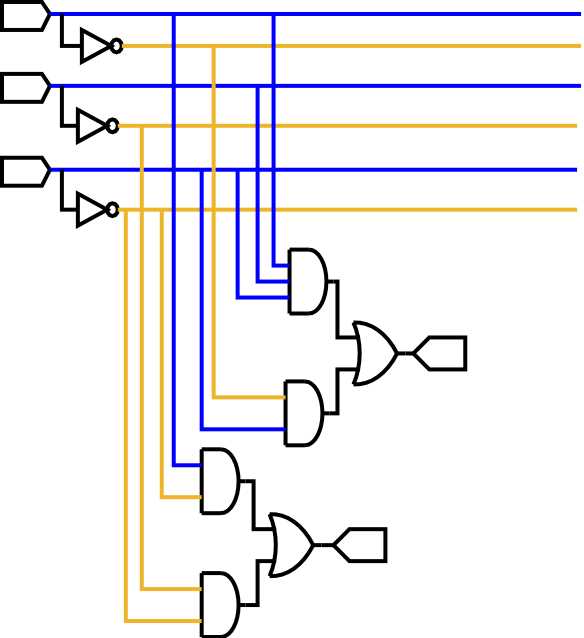
If you’re working on a broader engineering project, ensure the program integrates well with other design tools. For instance, AutoCAD Electrical allows seamless integration with mechanical design software, streamlining the workflow for multi-disciplinary projects.
Another factor to consider is the support for simulation features. Software like LTspice offers simulation capabilities, which allow you to test the design before implementation, reducing potential errors and optimizing performance.
Finally, factor in the cost. Many free options like Fritzing or KiCad are excellent for hobbyists and small projects. However, for large-scale, professional work, investing in software like AutoCAD Electrical or Altium might be worth the cost due to their advanced features and customer support.