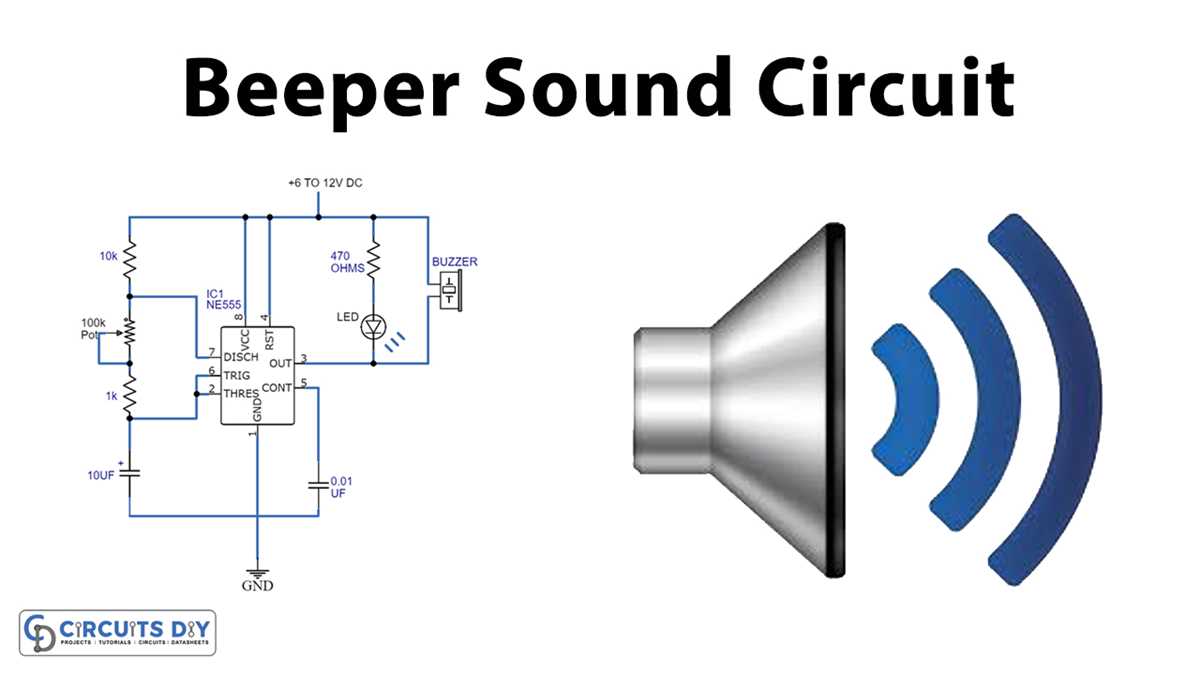
Ensure the module receives the correct voltage by matching the positive and negative leads precisely to the power source. Use a regulated supply between 3V and 12V for standard components and avoid fluctuating currents that may distort output.
Verify the terminals before applying power: the longer pin typically denotes the positive input, while the shorter pin is the ground connection. Reversing polarity can cause no sound or permanent damage to the internal oscillator.
For controlled activation, integrate a series resistor of 100Ω to 470Ω to limit current, especially when connecting to a microcontroller output. This protects both the module and the controlling device from excessive load.
Use short, insulated leads to minimize signal interference and maintain a clean, consistent tone. Solder joints should be solid with minimal exposure to avoid accidental shorts between pins or nearby conductive surfaces.
Test the setup incrementally: first power the module alone, then introduce switching components such as transistors or mechanical relays. Confirm audible output at each step to isolate potential faults quickly.
Complete Guide to Setting Up an Audible Alert Module for Reliable Operation
Connect the module directly to a stable power source, ensuring correct polarity: the longer pin should link to positive voltage while the shorter pin connects to ground. Apply a regulated supply of 3V to 12V to prevent distortion or component damage. For microcontroller integration, insert a series resistor of 100Ω to 470Ω to limit current and protect both the control device and the module from overload.
Mount the component on a secure surface with minimal lead length to reduce interference. Use solid solder joints and insulated wires to prevent accidental shorts. Test the setup incrementally: first verify the standalone response, then introduce switching elements such as transistors or relays. Observe the output at each step to isolate faults, ensuring consistent and reliable tone activation under all intended operating conditions.
Identifying Buzzer Terminals and Polarity for Proper Connection
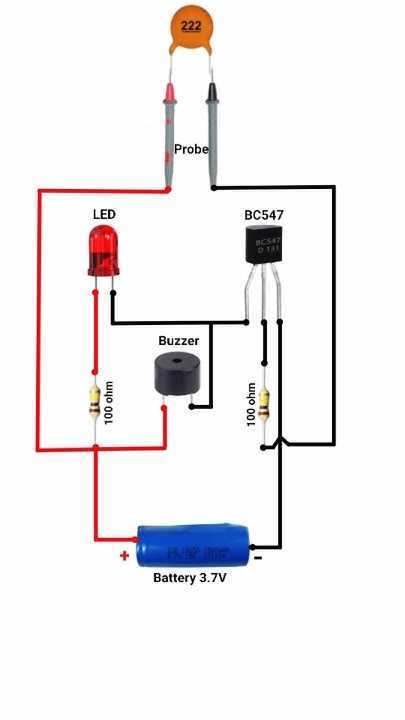
Always identify the longer pin as the positive lead and the shorter pin as negative before connecting to a power source. Connecting in reverse can prevent operation or cause permanent damage. Verify with a multimeter if markings are unclear.
For devices with color-coded leads, red usually indicates positive and black negative. Cross-check the manufacturer’s datasheet to confirm, especially for modules without standard markings.
When integrating with a control board, insert a series resistor of 100Ω to 330Ω on the positive line. This limits current, protecting both the module and microcontroller pins during activation.
Mount components on a non-conductive surface to avoid accidental shorts. Ensure leads are straightened and trimmed to minimize exposed wire that can contact adjacent traces or metal parts.
Testing Polarity Before Final Installation
Before soldering, connect the module temporarily using alligator clips or jumper wires. Apply low voltage to confirm sound output and correct pin orientation. This prevents costly errors in permanent installations.
If the module produces weak or intermittent sound, check for reversed polarity or loose connections. Adjust wiring and retest, keeping wire lengths short to reduce resistance and signal loss.
Additional Precautions for Reliable Connections
Use insulated wires and avoid twisting positive and negative leads together. Solder joints should be shiny and firm; cold solder can cause high resistance or intermittent operation. Verify polarity markings remain visible after assembly for future maintenance.
For repeated testing or prototyping, consider using a socket or header pins. This allows easy removal and replacement without damaging the component or board while maintaining correct terminal orientation.