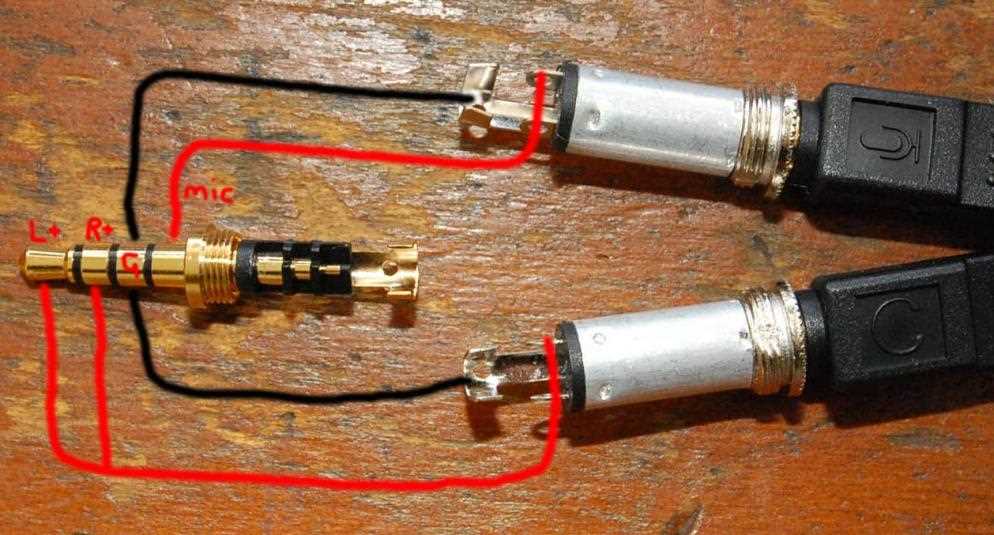
Connect the tip conductor to the left audio channel and the ring conductor to the right channel when handling stereo interfaces. Ensure the sleeve is firmly grounded to prevent signal leakage and unwanted noise.
Use shielded cables with precise solder points to maintain clear transmission. Verify continuity between contacts using a multimeter before sealing the housing to avoid cross-channel interference or partial sound loss.
Label each lead clearly and avoid twisting multiple strands together. Maintaining separation between hot and ground lines reduces the risk of crosstalk and preserves audio fidelity even in long extension runs.
Check polarity markings on each contact; incorrect connections can invert channels or mute one side entirely. Test connections at low volume first to detect miswiring without risking speaker damage.
When working with balanced or TRRS configurations, confirm that microphone and control lines are properly routed. Misplacement can cause echoing, static, or failure of inline functions such as play/pause and volume adjustments.
Earphone Jack Connection and Pin Configuration Guide
Start by identifying the tip, ring, and sleeve contacts on the connector. The tip usually carries the left audio signal, the ring carries the right channel, and the sleeve acts as the common ground.
Use a multimeter to verify each contact before soldering. Confirm continuity between the signal lines and their corresponding leads to avoid channel reversal or signal loss.
Maintain separation of the conductors inside the housing. Keep the left and right lines apart from the ground to prevent crosstalk and preserve clean audio transmission.
TRRS and Four-Conductor Configurations
For connectors with four contacts, assign the second ring to the microphone line or control signal. Ensure that the sleeve still remains the ground path and verify polarity for proper operation.
Trim and tin each conductor before attaching it to the contact. This prevents stray strands from creating shorts and ensures a stable mechanical and electrical connection.
Use heat shrink tubing or insulating tape between conductors to prevent accidental contact. This is particularly important for compact connectors with tight spacing between contacts.
Final Testing and Adjustment
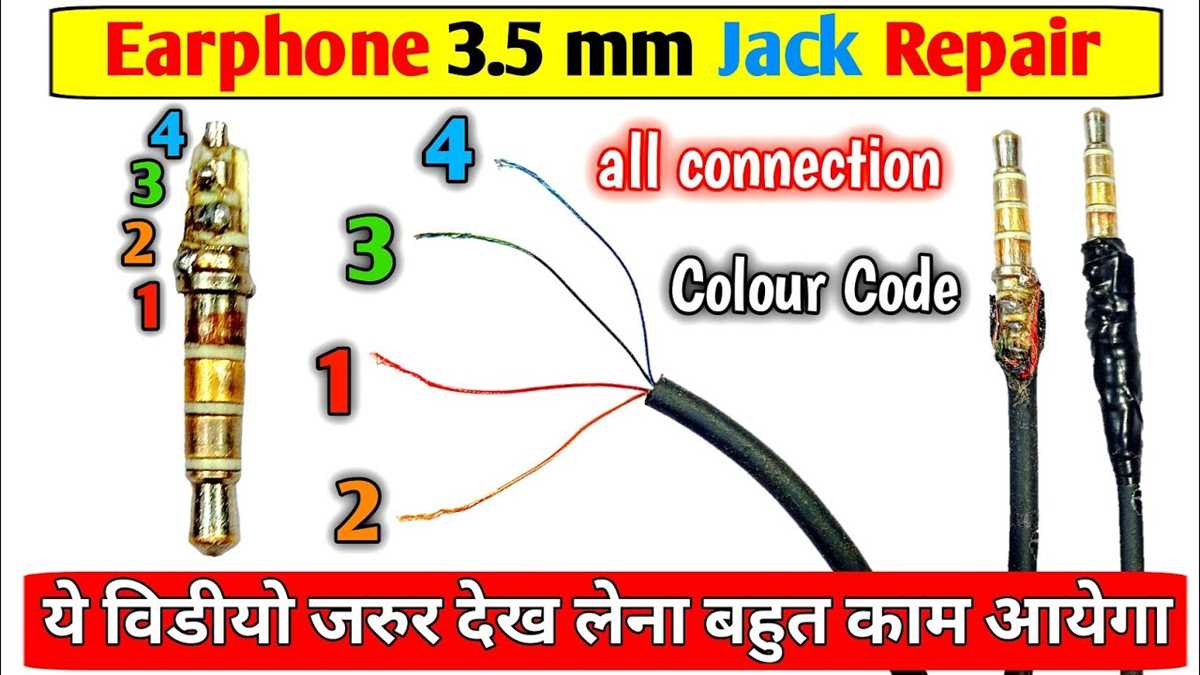
After assembly, plug the connector into a test device at low volume. Check for channel clarity, ground stability, and any interference. Adjust solder points if necessary to eliminate hum, static, or muted signals.
Understanding Terminal Layouts for Audio Jacks
Identify each contact on the connector before connecting any conductors. The tip usually carries the left channel, the first ring handles the right channel, and the sleeve serves as a shared ground reference.
For four-contact versions, the second ring typically manages microphone or inline control signals. Verify the position with a continuity test to avoid misrouting audio or control lines.
Separate conductors inside the housing to minimize interference. Keep signal lines isolated from the common ground to maintain channel clarity and prevent unwanted noise.
Label or mark each terminal before soldering. This prevents accidental swaps between the left, right, and microphone lines, which could cause muted audio or distorted signals.
Trim and prepare the ends of each conductor by stripping and tinning before attachment. This ensures consistent electrical contact and reduces the risk of shorts caused by stray strands.
Use insulating sleeves or tape to protect adjacent terminals. Compact connectors often have minimal spacing, so insulation prevents accidental bridging and ensures stable performance.
After assembly, test the connector with a compatible device at low volume. Confirm that all channels transmit clearly, ground connections are stable, and there is no static or hum, adjusting contacts as needed.