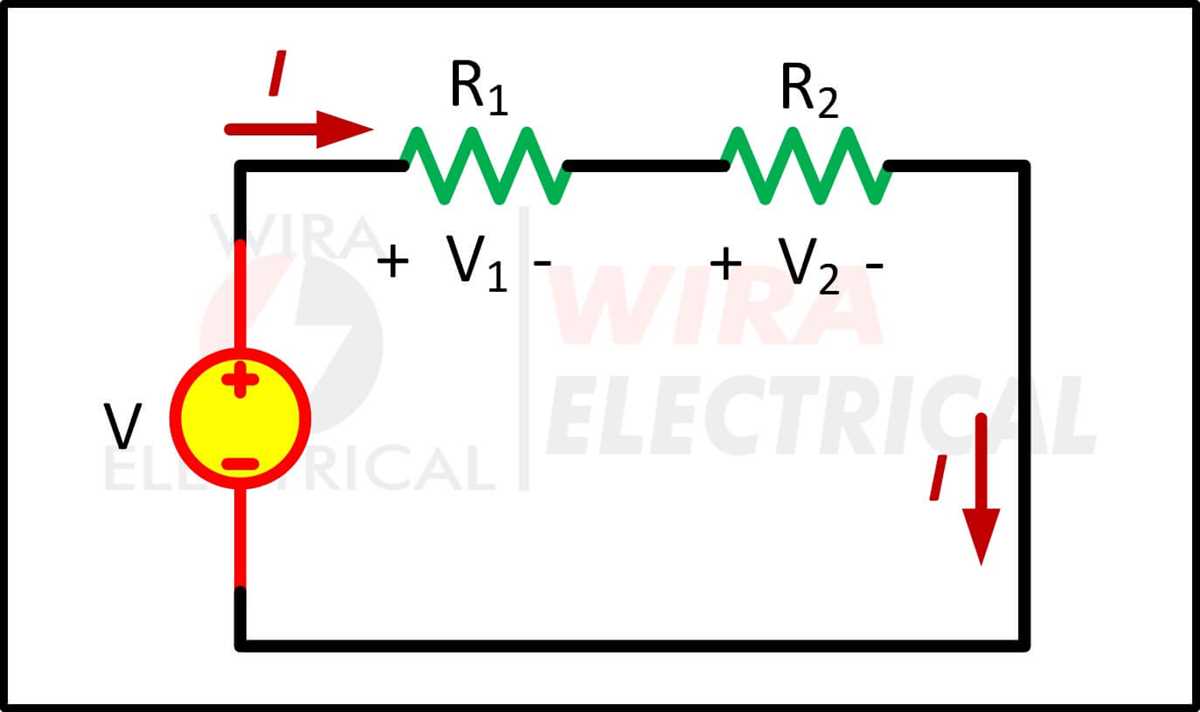
Connect the positive and negative leads according to the component specifications to maintain correct flow. Ensure all terminals are clean and stripped to the proper length for firm attachment.
Use a multimeter to verify voltage between power sources before linking modules. Incorrect polarity can damage sensitive devices or cause overheating in resistive elements. Always secure the grounding line to the chassis for protection against short circuits.
Plan the layout to minimize long wire runs and sharp bends, which can increase resistance and heat. Keep conductors separated to prevent accidental contact and reduce electromagnetic interference between coils or sensors.
After assembly, perform a functional check by measuring voltage at key nodes and ensuring continuity through each path. Label each connection to simplify maintenance and reduce errors during future modifications.
Low Voltage Layout with Step-by-Step Instructions for Safe Module Connections
Start by identifying the positive and negative terminals on each component. Match colors carefully: red or brown for positive, black or blue for negative. Ensure stripped ends are approximately 6–8 mm for firm contact.
Follow these steps for assembly:
- Disconnect all power sources before touching connectors.
- Secure the power supply to a stable mounting point.
- Connect the positive lead first, followed by the negative line.
- Attach a protective grounding wire to the frame or chassis.
- Double-check all screws for firm attachment without over-tightening.
Route wires to avoid crossing or tangling, keeping high-resistance paths short. Minimize bends and loops to reduce voltage drops and heating. Use cable ties to maintain separation between signal and power lines.
Once all connections are in place, measure voltage across key points with a multimeter. Verify correct polarity and ensure no short paths exist between the positive and negative rails.
Perform a functional check by powering the system briefly. Observe modules for abnormal heating, flickering, or unexpected responses. Address any irregularities immediately by disconnecting and rechecking each connection.
Label all leads for future maintenance. Marking positive, negative, and ground prevents mistakes during upgrades or repairs. Regular inspection of terminals ensures reliable operation and reduces the risk of component failure.
Maintain a clean working area free of debris or conductive materials. Ensure insulation around exposed wires is intact, and avoid placing connectors near metal edges that could cause shorts.
Identifying Positive Negative and Ground Connections in a Low Voltage Setup
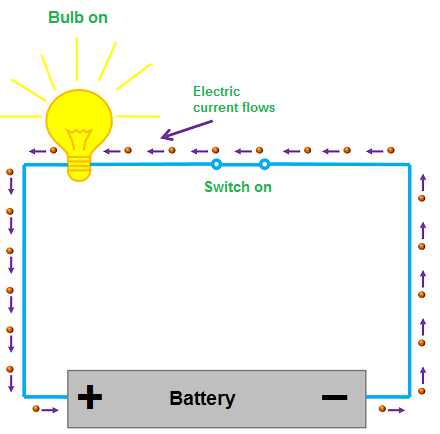
Connect the red or brown lead to the positive terminal and the black or blue lead to the negative terminal to maintain proper polarity. Check that stripped ends are clean and measure 6–8 mm for firm attachment.
Secure the ground wire to the chassis or designated grounding point. Improper grounding can result in shorts or module damage. Ensure all screws are tightened without over-torquing to prevent stripped threads.
After installation, use a multimeter to confirm voltage between positive and negative and verify continuity between ground and frame. Label each connection to simplify future maintenance and prevent polarity errors during component replacements.