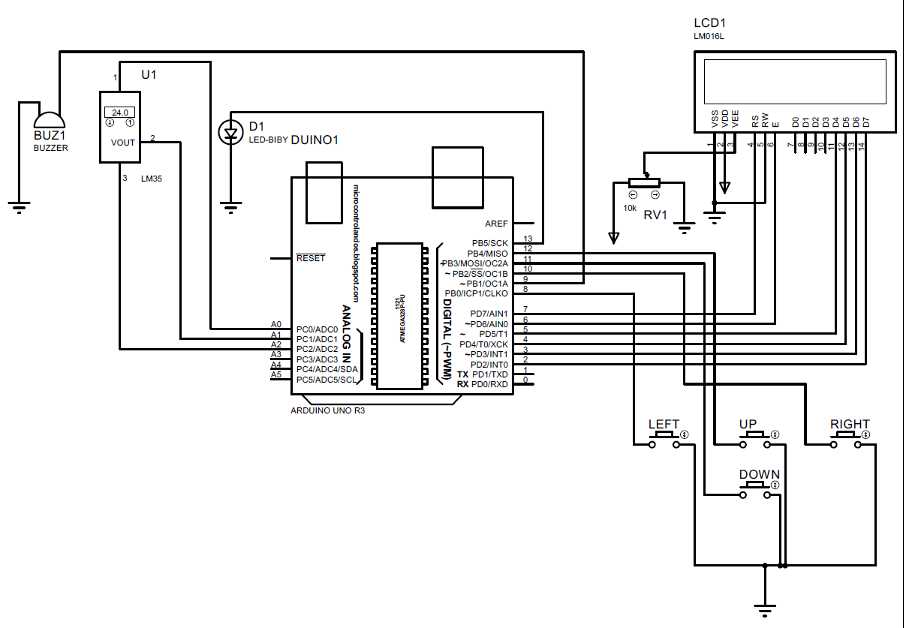
Start by selecting all necessary modules including sensors, LEDs, resistors, and microcontrollers. Keep a checklist of pin requirements to prevent connection mistakes and ensure proper voltage levels.
Arrange components on a breadboard before soldering or final assembly. Position power sources and grounds first, then integrate signal paths to minimize wire overlaps and reduce interference.
Label each connection clearly using colored wires or markers. Document pin assignments in a simple table to track inputs and outputs, which helps when troubleshooting unexpected behavior.
Test each section individually before linking the full system. Measure voltages and continuity across nodes to catch short circuits or miswiring early and avoid damage to delicate modules.
Adjust spacing and routing to allow easy modifications. Leave room for additional components or sensors, and maintain clear separation between high-current and low-current lines to prevent signal disruption.
Step by Step Layout for Electronic Projects
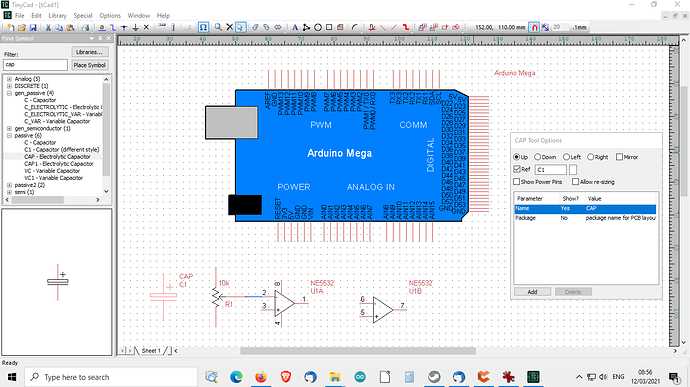
Begin with a detailed parts list including microcontrollers, resistors, capacitors, sensors, and LEDs. Note voltage and current requirements for each module to avoid overloading components.
Arrange components on a test board before final connections. Place power rails and grounds first, then position modules based on signal flow to reduce wire crossing.
Use color-coded wires for different signal types. Red for power, black for ground, and other colors for data lines help track connections visually and prevent miswiring.
Check each pin assignment against datasheets before linking devices. Confirm that digital and analog inputs are correctly mapped to avoid errors during programming.
Test voltage levels with a multimeter across key points. Measure before activating any microcontroller to detect shorts or missing connections early.
Document your assembly step by step with labeled photos or sketches. Keeping a record simplifies troubleshooting and allows repeating the layout for future projects.
Adjust spacing to prevent overheating. Place high-current components apart from sensitive sensors to minimize interference and ensure stable readings.
Finalize connections incrementally by testing each section individually. Confirm LED responses, sensor outputs, and motor movements before integrating the full system.
Choose Components and Gather Required Tools
List all necessary modules before starting assembly. Include microcontrollers, LEDs, resistors, sensors, potentiometers, and any display units. Confirm voltage and current specifications for each item.
Select power sources carefully matching the combined current draw of all modules. Consider using regulated batteries or USB power banks to maintain stable operation.
Prepare essential tools such as:
- Soldering iron with adjustable temperature
- Wire strippers and cutters
- Multimeter for voltage and continuity checks
- Small screwdrivers and pliers
- Breadboards and jumper wires for temporary setups
Check compatibility of connectors including male and female headers. Ensure sensors and actuators match the pin layout of your control board to avoid rewiring later.
Organize components in labeled containers or trays. Group similar parts together to speed up assembly and reduce the chance of using the wrong resistor or capacitor.
Verify sensor ranges and ratings before integrating. For example, check analog voltage limits, current ratings for motors, and maximum LED forward current to prevent damage.
Keep reference materials handy including datasheets, wiring charts, and module specifications. Having detailed information on hand ensures correct connections and reduces troubleshooting time.