
Connect each component carefully following the numeric markings on the plan to avoid short circuits or misaligned flows. Use color-coded wires to distinguish between power lines, ground paths, and signal routes for quicker troubleshooting.
Test each junction before moving on to the next segment. Measuring voltage and continuity at critical points ensures stability and prevents damage to sensitive parts. Keep a multimeter nearby for precise readings.
Document every modification by sketching updated pathways or labeling nodes. This habit reduces confusion when revisiting the setup or scaling the layout with additional modules. Clear notation simplifies collaboration if working in a team environment.
Verify component ratings against expected current and voltage levels. Matching resistors, capacitors, and transistors to the plan prevents overheating and enhances reliability. Double-check connections for polarity-sensitive parts to maintain proper operation.
Organize workstations with adequate lighting and separation of parts. Small containers for screws, connectors, and leads minimize mistakes. A tidy area accelerates assembly and allows faster identification of potential faults during testing.
Practical Steps to Improve Skills with Circuit Diagram Exercises
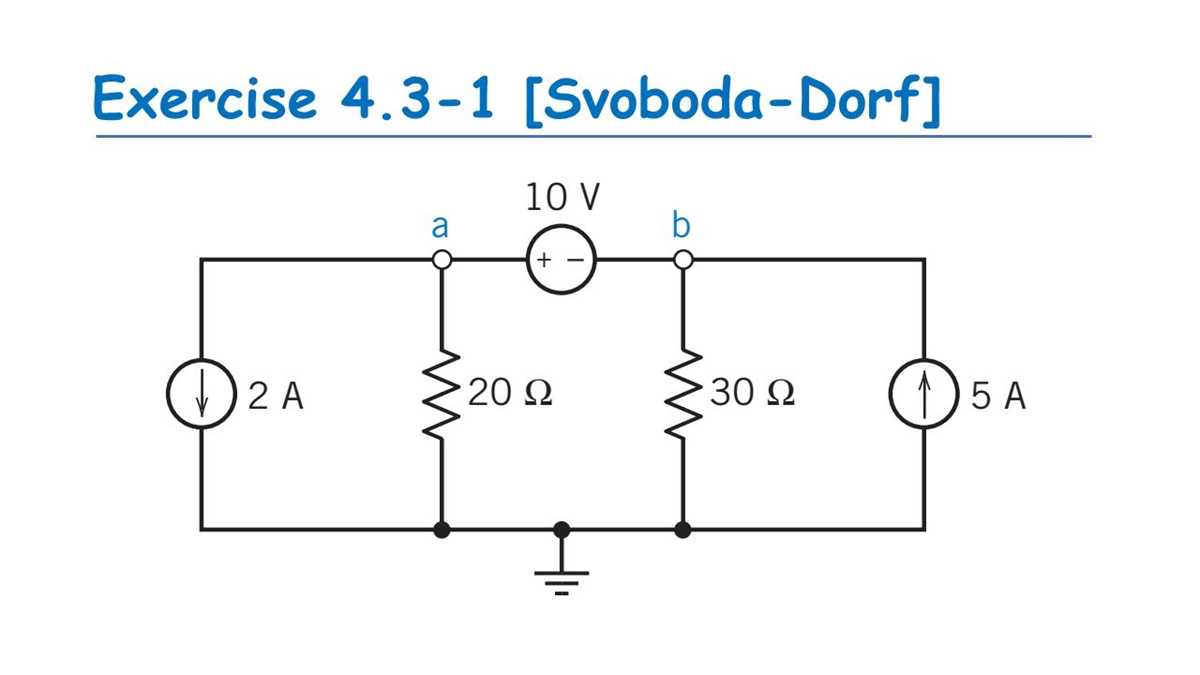
Focus on tracing connections visually and mentally simulating current flow through various paths. Use colored markers or highlighters to distinguish different voltage levels and signal types, which helps internalize the relationships between components.
Work with small modules first, such as simple voltage dividers or basic amplifiers, before tackling more complex arrangements. Break down each segment into its functional blocks and predict the outcome at each node before confirming with measurements or simulation tools.
Maintain a detailed log of observations while testing or building prototypes. Note discrepancies between expected and actual behavior, and annotate the reasons behind component choices, tolerances, and configuration patterns. This method strengthens analytical thinking and retention.
Compare your solutions with alternative layouts from textbooks or online resources. Identify how different arrangements achieve the same function and evaluate trade-offs such as power efficiency, signal integrity, and component stress levels.
Incorporate Repetition Strategically
Revisit previously completed projects and attempt variations by swapping components or changing supply conditions. This iterative practice reinforces recognition of functional motifs and common mistakes, accelerating problem-solving speed.
Simulate Under Realistic Conditions
Use simulation software to test hypothetical modifications, including voltage fluctuations, temperature changes, or load variations. Observing how theoretical models respond under practical constraints enhances your ability to predict behavior in physical builds and refines diagnostic skills.
Identifying and Understanding Common Circuit Symbols
Begin by familiarizing yourself with frequently used symbols such as resistors, capacitors, diodes, and switches. Recognize that a resistor is typically represented by a zigzag line, while a capacitor appears as two parallel lines separated by a gap. Diodes have a triangle pointing to a line, indicating current direction. Switches can vary, showing either open or closed positions. Keep a reference chart handy and practice labeling these symbols on sample layouts to reinforce recognition.
Differentiate symbols that look similar by focusing on small distinguishing marks. For instance, polarized capacitors include a plus sign near one terminal, and light-emitting diodes feature arrows indicating light emission. Organize symbols into categories such as passive components, semiconductors, and connectors. Use lists to memorize:
- Passive: resistor, capacitor, inductor
- Semiconductors: diode, transistor, LED
- Connectors and switches: toggle switch, push button, terminal
Practicing sketches repeatedly improves speed in identifying each element within larger layouts and enhances understanding of how each symbol functions in a practical setup.