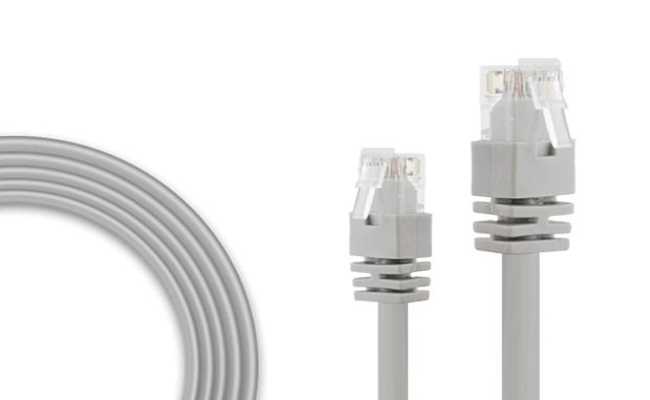
Verify the color sequence on both ends before attaching connectors. Standard B layout uses white-orange, orange, white-green, blue, white-blue, green, white-brown, and brown. Matching the order prevents signal interference and ensures proper data transmission.
Strip insulation carefully without nicking the copper cores. Exposed wires should be clean and untwisted just enough to insert into the connector. Overstripping can lead to shorts, while understripping may cause poor contact and packet loss.
Crimp connectors securely with a suitable tool. Ensure each conductor seats fully in its slot and the plastic clip grips the cable jacket. Loose crimps reduce network reliability and can trigger intermittent disconnections during use.
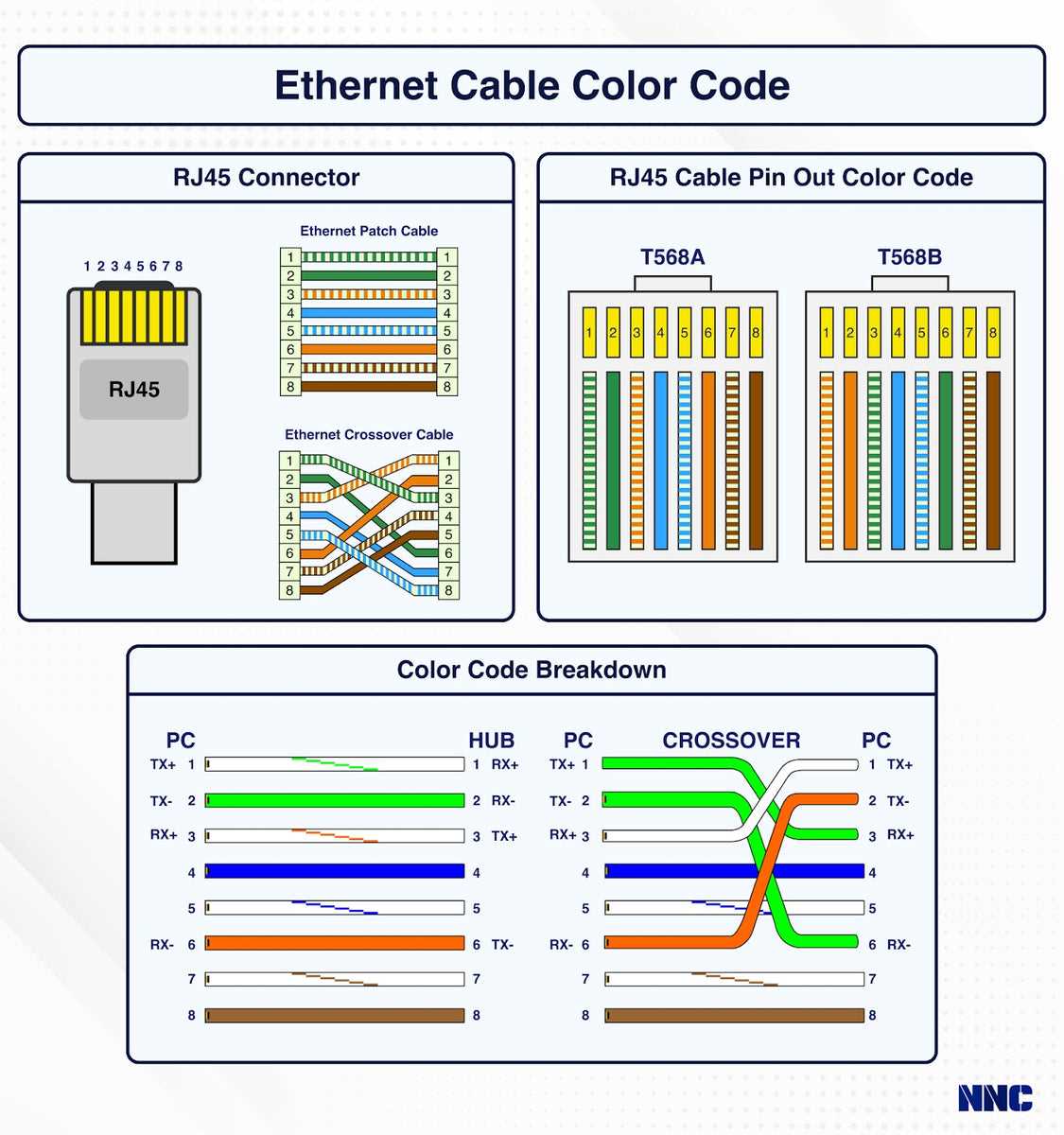
Test connectivity with a continuity tester or network cable checker. Verify that each pair transmits correctly and there are no crossed signals. Early testing identifies misaligned pins or faulty connectors before installation into devices.
Maintain consistent pair twisting up to the connector. Twists reduce crosstalk between adjacent pairs and maintain signal integrity over longer runs. Untwisting beyond recommended length can degrade network performance.
Cat 5 Cable B Pin Layout and Connection Guide
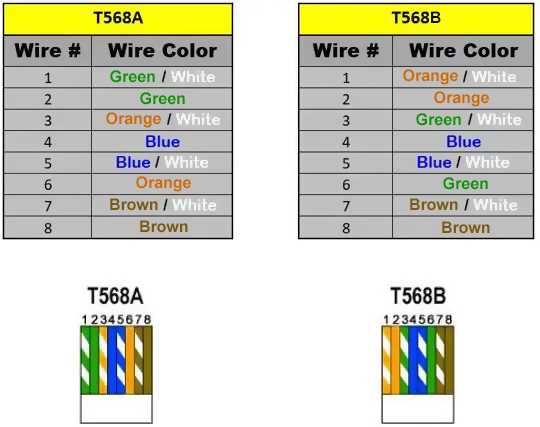
Identify the eight conductors and arrange them in the standard B sequence: white-orange, orange, white-green, blue, white-blue, green, white-brown, and brown. Correct placement ensures proper network signaling and reduces interference.
Strip the outer jacket carefully, exposing about one inch of individual wires. Avoid cutting or nicking the copper strands, as damaged cores can cause intermittent connectivity and data loss.
Untwist each pair only as much as necessary to insert into the connector slots. Maintaining twists as close to the termination point as possible minimizes crosstalk between pairs and preserves transmission quality.
Insert wires fully into the plug so that each conductor reaches the end of its metal channel. The jacket should sit under the strain relief tab, providing mechanical support and preventing the conductors from pulling out.
Use a proper crimping tool to secure the plug. Apply firm pressure to ensure that the metal contacts pierce the insulation and establish a solid connection with each conductor. Loose crimps result in poor signal and frequent disconnections.
Check continuity with a tester after assembly. Verify that all pairs connect correctly from one end to the other, with no crossed or open lines. This step confirms functional integrity before connecting to network equipment.
Label both ends if creating multiple cables. Consistent labeling prevents confusion during installation and maintenance, ensuring that each run can be traced and replaced quickly without disrupting other connections.
Identifying Pin Colors and Corresponding Functions
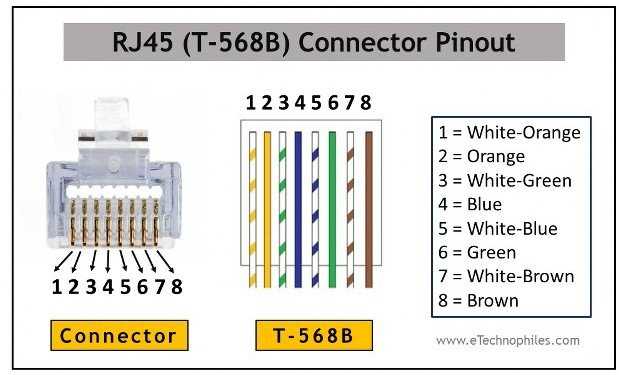
Follow the standard B sequence to ensure proper connectivity. The order of the eight conductors determines signal paths and network performance. Use this arrangement:
- White-Orange: Transmit +
- Orange: Transmit –
- White-Green: Receive +
- Blue: Spare / Optional
- White-Blue: Spare / Optional
- Green: Receive –
- White-Brown: Spare / Optional
- Brown: Spare / Optional
Verify each color matches its pin slot at both ends of the cable before crimping. Mismatched or swapped conductors can cause data errors, intermittent connections, or total signal failure. Consistent color placement maintains network reliability and simplifies troubleshooting when multiple runs are installed in the same patch panel.