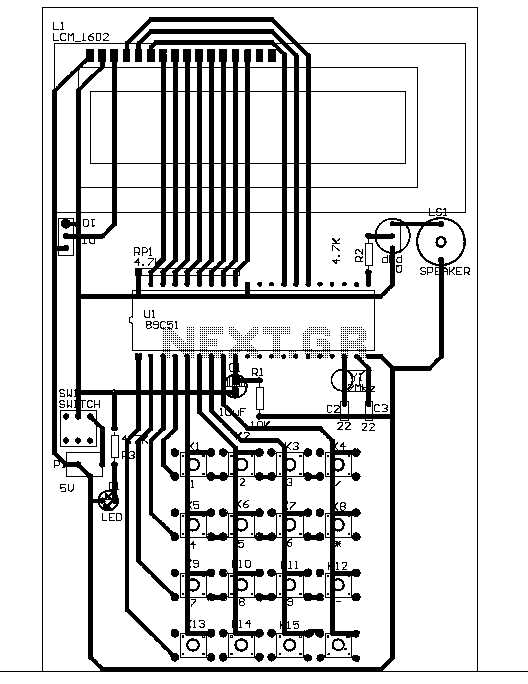
To build a functioning electronic calculator, you must first comprehend the basic setup of its components. The key to success lies in the proper connection of logic gates and operational amplifiers, which process input data and perform arithmetic operations. Begin by choosing the right logic gates such as AND, OR, and XOR, which will serve as the building blocks for addition, subtraction, multiplication, and division.
In any design, a good understanding of how inputs, outputs, and the control unit interact with each other is vital. The inputs are typically sent through a keypad, which is then interpreted by the logic units. The central processing unit (CPU) is responsible for performing calculations and sending results to the display unit. Analyzing these basic elements will help in developing an understanding of the whole process.
When constructing the hardware, the display unit is critical in showing the results. It must be properly connected to the central processing section. Most commonly, seven-segment displays are used to show numbers, and in more complex setups, liquid crystal displays (LCDs) may also be used. Furthermore, careful attention to power supply management ensures smooth operations without interruptions.
By properly connecting each unit, you’ll be able to design a fully functional unit that can perform arithmetic tasks with ease. Understanding how the system functions at a basic level will allow you to troubleshoot, improve performance, or modify the design in future iterations.
Calculator Circuit Design Guide
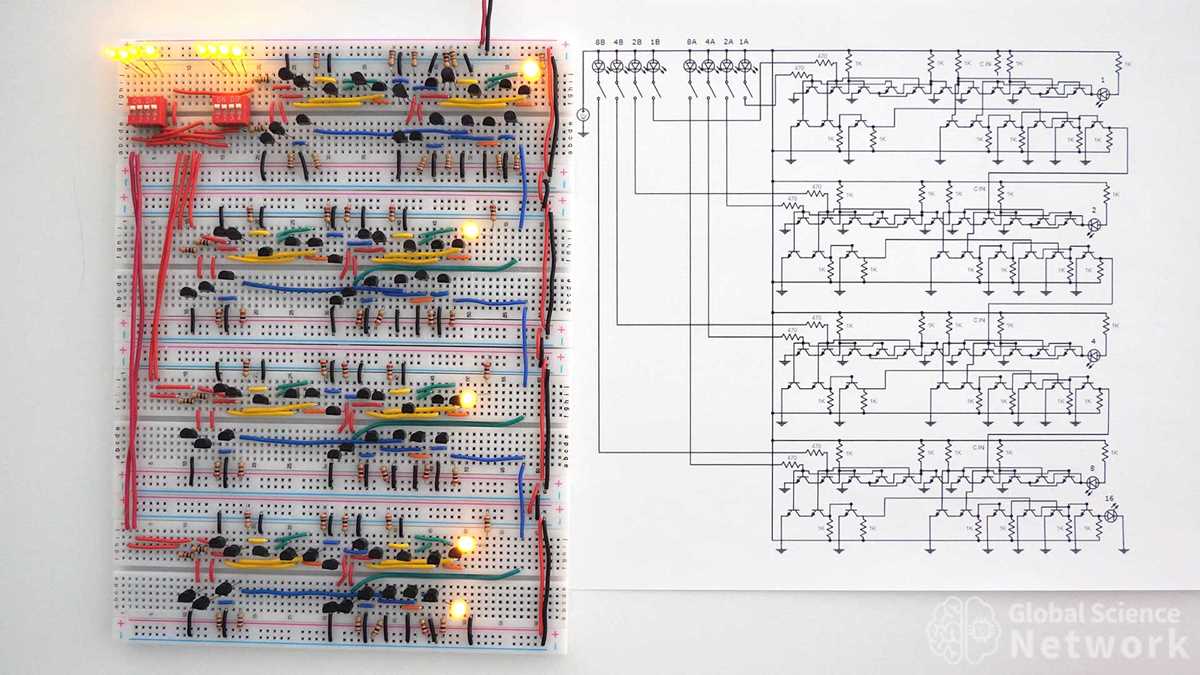
Start by selecting the right components for the arithmetic logic unit (ALU). The ALU is responsible for processing the inputs and performing arithmetic operations. For basic designs, you’ll need logic gates such as AND, OR, and NOT gates. These gates are the foundation for performing mathematical operations like addition, subtraction, and multiplication.
The input stage of the design involves the keypad. A 4×4 matrix is commonly used for user input. This matrix will be connected to the logic section of the design. It is important to ensure that each key in the keypad corresponds to a unique value that can be processed accurately by the unit.
Next, configure the display unit. Seven-segment displays are often used in basic designs to show the numerical output. These displays are easy to interface with logic gates and can represent numbers from 0 to 9. The display will need to be linked to the output of the arithmetic unit for showing the result of calculations.
The processing unit, often made up of an array of logic gates, receives input from the keypad and sends the corresponding output to the display unit. A combination of AND and XOR gates is typically used to form the addition and subtraction operations. For multiplication and division, more complex logic is required, often involving shift registers or similar components.
Another critical aspect of the design is the power management system. Calculators typically run on low voltage, usually around 3V to 5V, and require a stable power supply. Use a regulated voltage regulator to provide consistent power to each component, ensuring that no fluctuation affects the performance.
For more advanced designs, consider integrating memory units. A basic register can store intermediate results, allowing for multi-step calculations. This feature is particularly useful for functions like solving equations or calculating percentages. Use flip-flops to store these values temporarily while the user interacts with the calculator.
Finally, test the design thoroughly. Simulate the entire system to verify that all operations are functioning correctly. Ensure that the inputs result in the expected outputs on the display. Troubleshoot any issues with the connections or logic components, and make necessary adjustments to improve accuracy or speed. With this setup, you can create a functional and reliable calculation unit.
Understanding the Basic Components of a Calculator Circuit
The heart of a basic arithmetic unit relies on the logic gates, such as AND, OR, NOT, and XOR. These gates perform all the fundamental calculations like addition and subtraction. By combining these gates in specific configurations, complex operations like multiplication and division can also be achieved, forming the basis of any computing task within the device.
The input interface typically uses a keypad to allow the user to enter data. Each key in the keypad is associated with a unique binary code that the system can interpret. A 4×4 matrix layout is commonly used, where the rows and columns are connected to a series of switches. The user presses keys, which triggers signals interpreted by the processing section.
The processing unit is essentially the brain of the entire setup. It takes the signals from the input and performs the necessary arithmetic operations. This unit is constructed using a combination of flip-flops, latches, and logic gates. The flip-flops store temporary results, and the combinational logic performs the operations.
The next major component is the display. Typically, a seven-segment display is used to show numbers. The segments in the display are controlled through a series of transistors connected to the output of the processing unit. These displays are capable of showing decimal digits (0-9) and sometimes more complex symbols when needed for advanced functions like error or overflow messages.
Memory elements such as registers or small memory units can be added to store intermediate results. These allow the system to perform multi-step calculations and make complex operations easier. For example, when performing long division or solving equations, intermediate values need to be stored temporarily and accessed repeatedly.
A power supply is required to keep the entire system operational. Most designs use a low-voltage source, often in the range of 5V or 9V, which is regulated to ensure consistent power to each component. Capacitors are also commonly included to smooth out any fluctuations in voltage that could cause instability in performance.
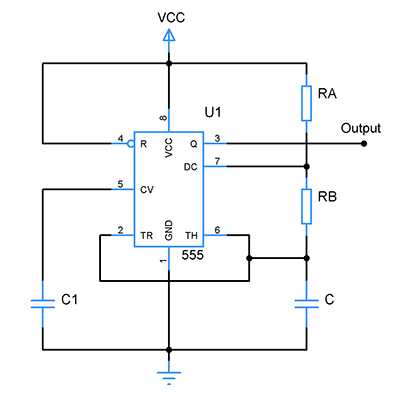
One of the most important supporting components is the clock circuit. This provides timing signals that synchronize the operations within the unit. The clock ensures that data is processed at the right intervals, preventing timing errors. Without a reliable clock, the entire system could become unreliable or sluggish.
Finally, the feedback mechanisms and reset logic allow the system to clear previous calculations and start fresh. These components ensure that after each calculation, the system is properly reset and ready for new inputs. They also provide error detection to help identify if any invalid operations were attempted, such as dividing by zero.