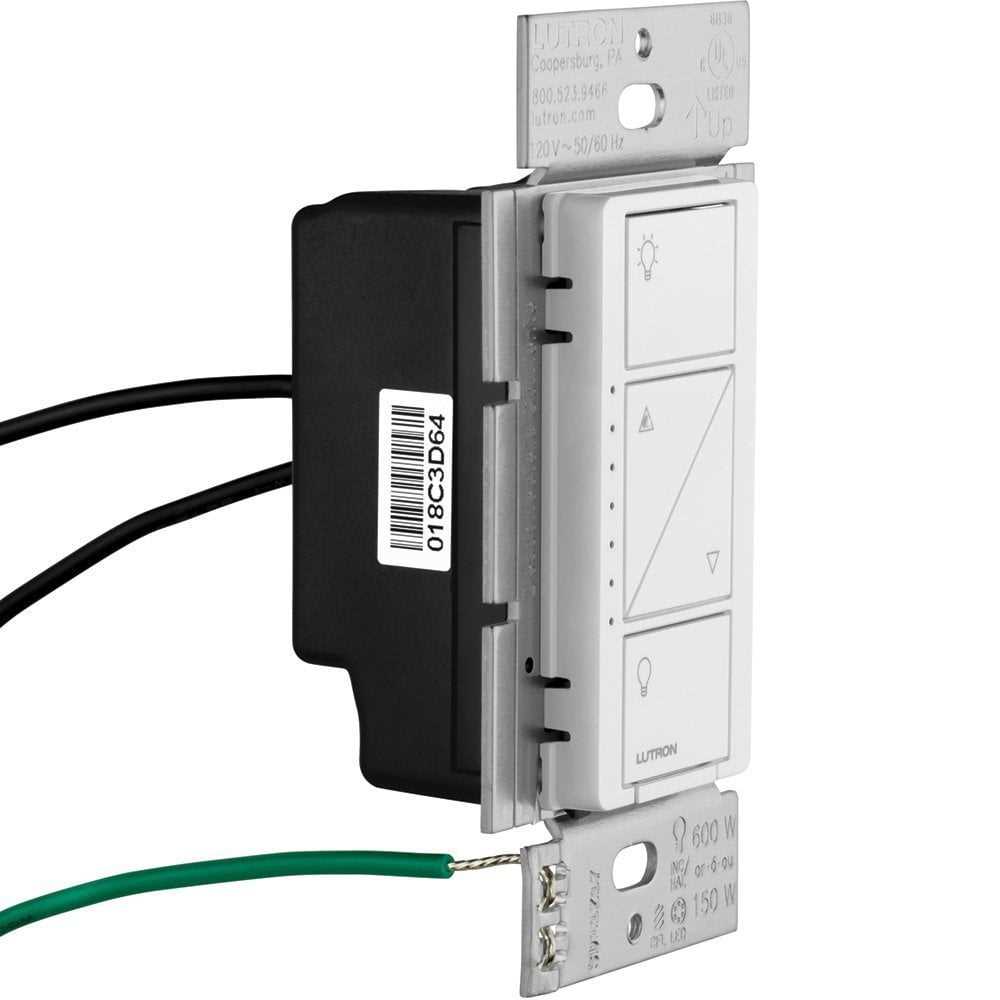
Connect the main control module to the power source first using appropriately rated conductors and secure terminals to prevent loose contacts that can cause flickering or voltage drops.
Identify each switch and load location before linking them. Labeling each wire with tags or colored markers ensures proper association between the control unit and the fixtures, preventing miswiring that can damage components.
Use short, direct runs between the control hub and wall switches or dimmers whenever possible. Avoid crossing multiple circuits to reduce interference and maintain stable signal transmission.
Verify neutral and hot line continuity with a multimeter before energizing the system. This prevents accidental shorts and ensures that each connected device receives the correct voltage.
Document all connections with a clear reference sheet. This helps with future upgrades or troubleshooting, ensuring that modifications can be made safely without guesswork or unnecessary disconnections.
Identifying Components and Their Roles in Smart Lighting Systems
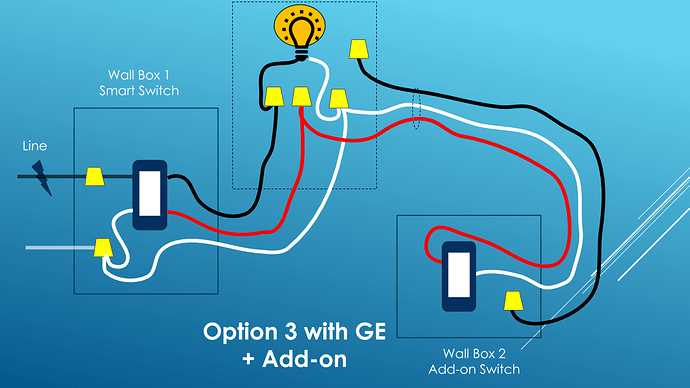
Start by locating the main control hub. This module acts as the central command, coordinating all connected switches and dimmers. Ensure it is installed near a stable power source and within signal range of all devices.
Identify the in-wall dimmers and switches. Each unit controls one or multiple lighting zones, allowing for on/off commands and brightness adjustments. Check that each device matches the load capacity of the fixtures it controls.
Spot the wireless remotes included in the system. These portable controllers provide flexibility to operate lights from different locations without physically accessing wall switches. Keep them fully charged or with fresh batteries for reliable performance.
Locate sensors such as occupancy or motion detectors. These components automatically trigger lighting based on movement or ambient conditions, reducing energy use while maintaining convenience. Position them to cover areas of frequent activity.
Check the bridge or network interface. This element connects the control hub to mobile apps or voice assistants. Ensure proper internet or network access and confirm that firmware is updated for secure, consistent operation.
Examine auxiliary devices such as load controllers or dimming modules. They regulate current to high-demand fixtures and ensure stable performance. Install according to manufacturer specifications, observing polarity and recommended wire types.
Planning and Routing Connections for Smart Lighting Systems
Begin with mapping the main hub location. Place it centrally to optimize signal strength for all connected devices and avoid physical obstructions that could interfere with wireless communication.
Plan individual switch placements. Position them near room entry points and ensure accessibility for regular operation. Verify that the selected locations support the electrical load of connected fixtures.
Route power lines carefully, avoiding areas prone to heat or moisture. Use dedicated conduits or protective sheathing to prevent physical damage and maintain compliance with safety standards.
Incorporate remote and wireless device paths. Identify areas where handheld controllers and sensors will operate effectively. Maintain line-of-sight for motion-sensitive units to guarantee responsive performance.
Use labeling for all connections during installation. Create a clear reference system that identifies each switch, dimmer, and sensor, which simplifies future maintenance or adjustments.
Plan for network interfaces. Ensure that bridges or connectivity modules are close to stable internet or network access points. Test signal strength and confirm secure connections before finalizing placements.
Check auxiliary components such as dimming modules or load regulators. Route their connections according to manufacturer guidelines, keeping polarity and wire gauge in mind to prevent performance issues or damage.
Testing and Troubleshooting Smart Lighting Installations
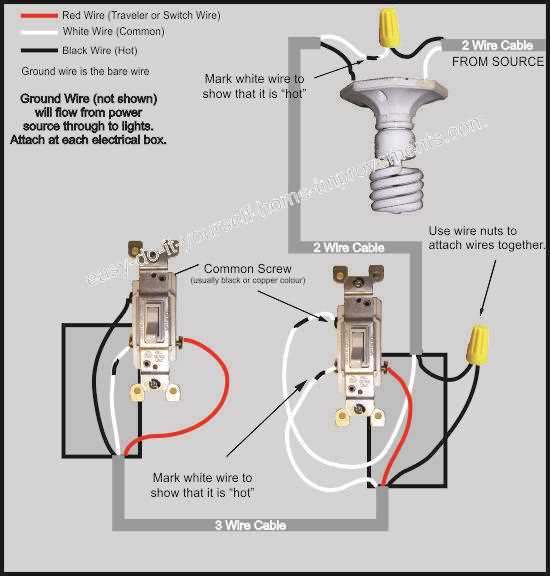
Begin by verifying each switch and dimmer responds correctly to manual input. Confirm that all connected fixtures illuminate without flickering or delay, and note any inconsistencies for further inspection.
Check the communication between the main hub and remote units. Use the system’s app or control interface to cycle through zones, ensuring each device reports accurate status and responds to commands within expected timeframes.
Test motion and occupancy sensors under various lighting conditions. Observe sensor range, response speed, and triggering accuracy, adjusting sensitivity settings or repositioning units if false activations or blind spots occur.
Measure voltage at key points to confirm stable power delivery. Verify that all dimming modules and load regulators operate within their rated parameters, and replace or correct any underperforming components.
Use a process of elimination to isolate malfunctioning elements. Disconnect devices sequentially and retest circuits to pinpoint failures caused by short circuits, loose connections, or incompatible modules.
Inspect wireless interference sources such as routers, microwaves, or thick walls. Reposition devices or hubs to strengthen signal reliability and maintain consistent network communication between all components.
Document all test results and adjustments. Maintain a reference sheet with device locations, settings, and anomalies, enabling future maintenance or expansion without repeating troubleshooting from scratch.