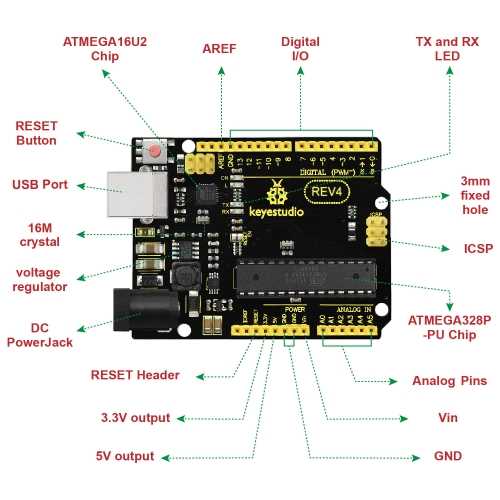
Connect the 5 V and GND rails first to provide a stable power source for all modules and sensors. Verify voltage with a multimeter before attaching sensitive components to prevent damage from incorrect polarity or loose connections.
Identify digital and analog pins clearly. Use digital outputs for LEDs, relays, or switches, while analog inputs read sensor values like temperature or light intensity. Label each pin or document connections to maintain clarity in larger projects.
Include current-limiting resistors on LEDs and signal lines where needed. For push-buttons, use pull-up or pull-down resistors to ensure stable HIGH or LOW states. This prevents false triggers or floating signals during operation.
Route jumper wires neatly and avoid crossing power lines with signal lines. Shorter, organized paths reduce voltage drops and minimize electrical noise, improving response time for input devices and actuators.
Test each module individually before integrating multiple devices. Confirm that LEDs light, sensors respond correctly, and outputs activate as expected. This approach isolates potential faults and ensures smooth operation when combining multiple components.
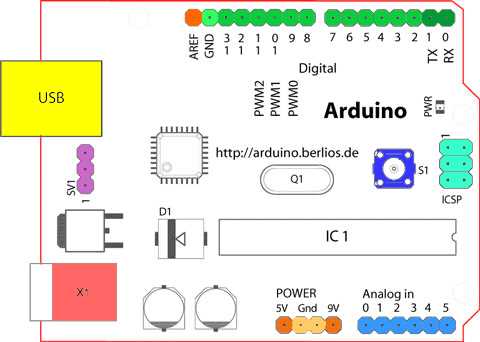
Arduino Uno R3 Pin Layout Power Connections and Input Output Setup for Projects
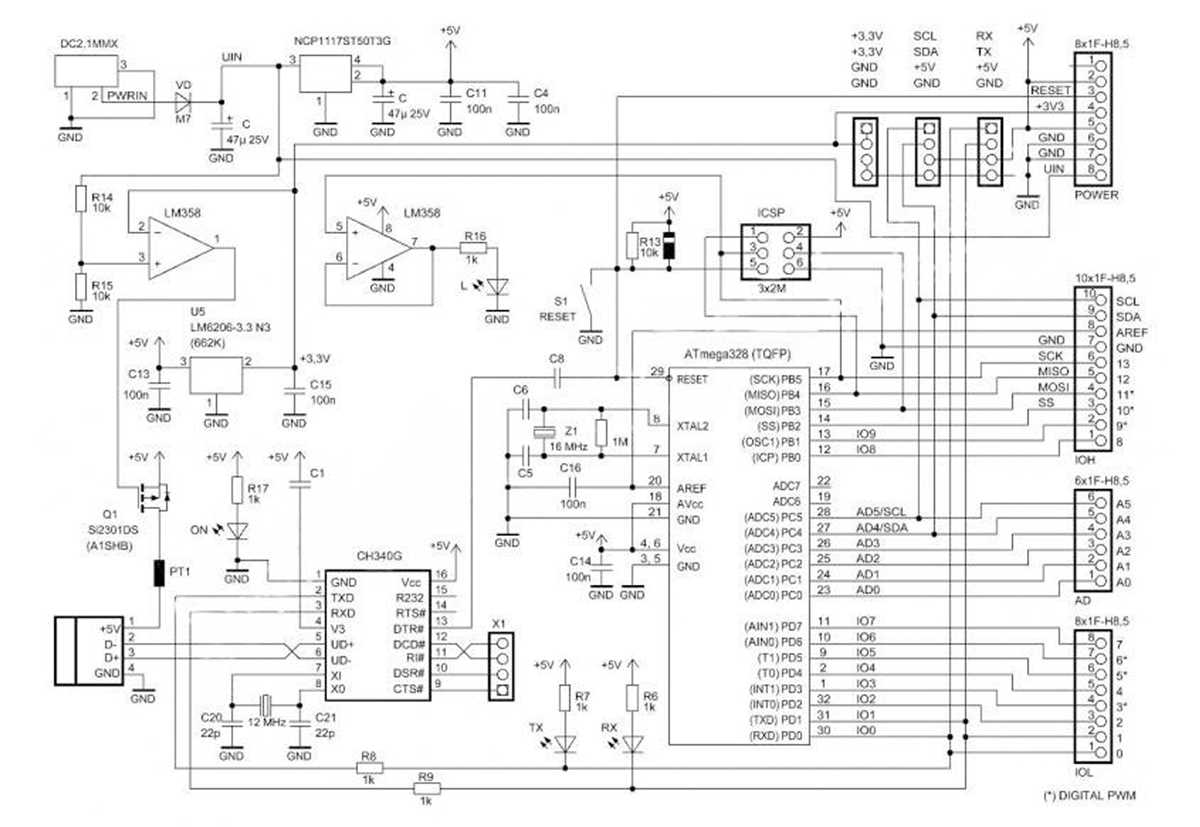
Connect the 5 V and GND rails first to establish a stable power source. Verify voltage with a multimeter before attaching any sensors or modules. Proper power distribution prevents damage and ensures consistent signal operation.
Identify digital pins clearly for outputs like LEDs, relays, and switches. Analog inputs should be reserved for sensors such as temperature, light, or potentiometers. Document each connection to avoid confusion during complex setups or debugging.
Power Supply and Grounding
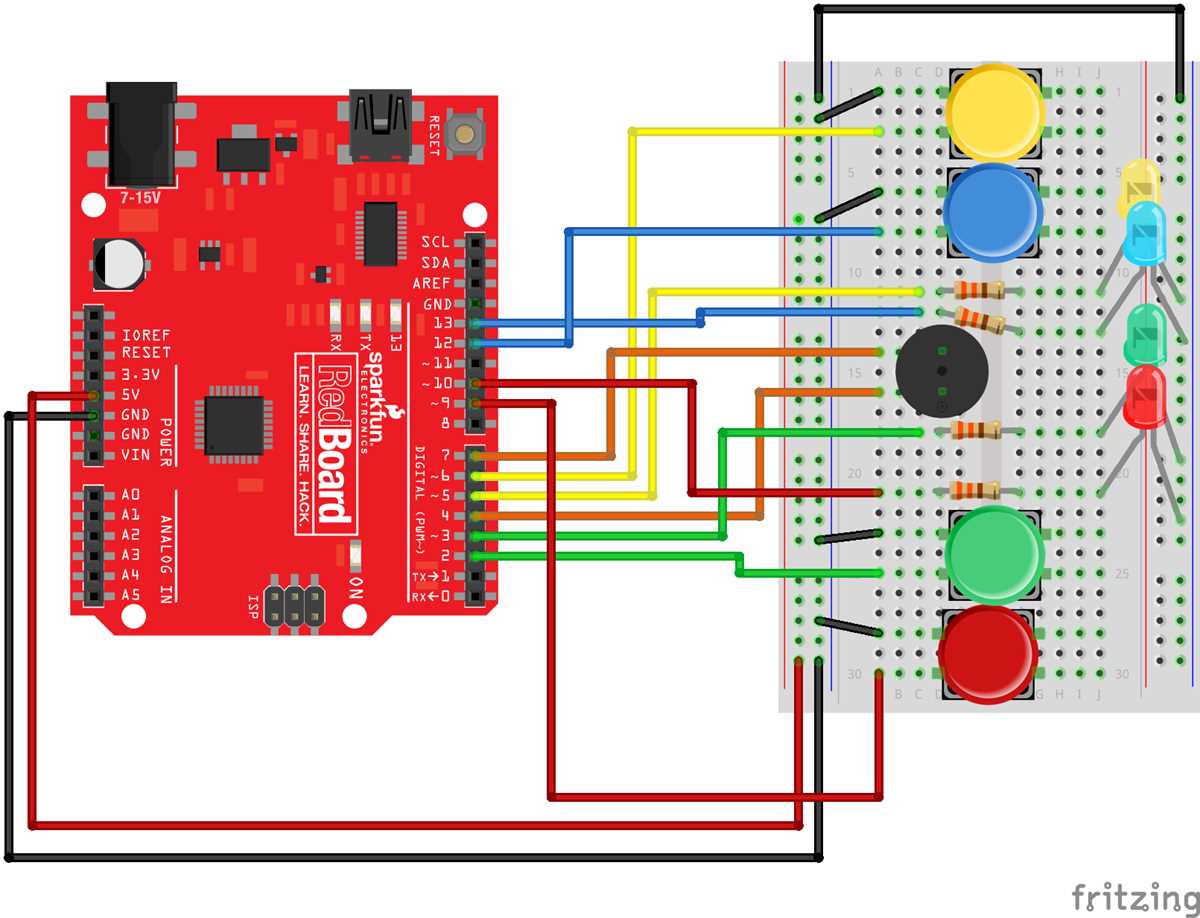
Use separate GND lines for high-current devices when possible. Avoid routing signal and power lines together to reduce interference. For longer setups, consider thicker wires for the main power rails to minimize voltage drops.
Include current-limiting resistors on all LEDs and signal lines where applicable. For push-buttons, implement pull-up or pull-down resistors to maintain defined HIGH or LOW states, preventing floating inputs and erratic behavior.
Testing and Module Integration
Test each device individually before combining multiple modules. Ensure LEDs light, relays trigger, and sensors respond correctly. Sequential testing isolates faults, simplifying troubleshooting and verifying that the input/output setup works as intended.
Organize jumper wires neatly using cable ties or clips. Shorter, well-routed connections reduce electrical noise and improve signal reliability. Maintaining a clean layout also facilitates upgrades, maintenance, and the addition of future components.
Identifying Digital and Analog Pins with Their Functions
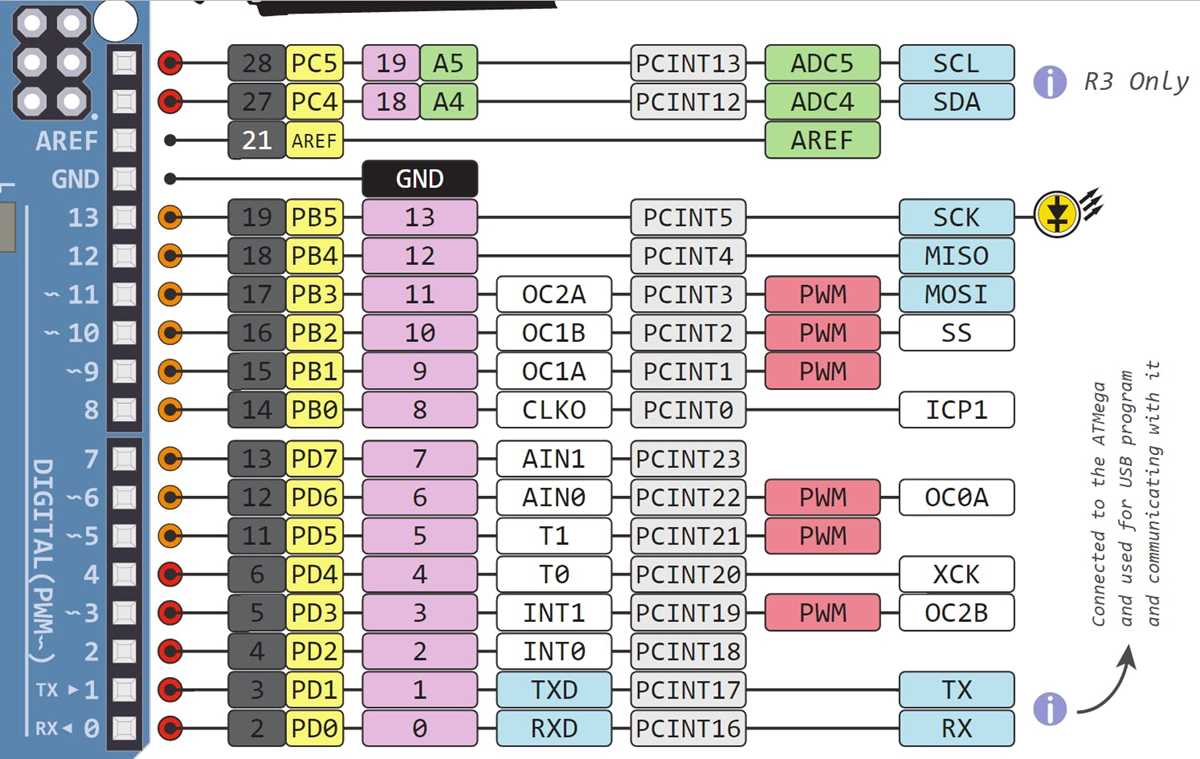
Use digital pins for controlling outputs such as LEDs, relays, and buzzers. Each pin can output HIGH or LOW signals, allowing modules to switch on or off. Ensure the current draw does not exceed 40 mA per pin to prevent damage.
Analog pins read varying voltage levels from sensors like potentiometers, light detectors, or temperature probes. Connect the sensor’s output to an analog input and use the board’s analog-to-digital converter to interpret the signal for programming logic.
Pin Mapping and Labeling
Label each digital and analog pin before starting the project.
- Digital pins 0-13 handle standard outputs and inputs.
- Analog pins A0-A5 convert voltages between 0-5 V into numeric values.
Proper labeling prevents incorrect connections and simplifies troubleshooting.
Some digital pins support PWM (Pulse Width Modulation), useful for dimming LEDs or controlling motor speed. Identify these pins clearly, usually marked with a tilde (~), and connect devices that require variable output for smoother operation.
Input Configuration Tips
Use internal pull-up resistors for push-buttons or switches to maintain a stable HIGH state when inactive. For analog sensors, maintain consistent reference voltage and minimize noise by keeping wiring short and avoiding interference from nearby high-current lines.