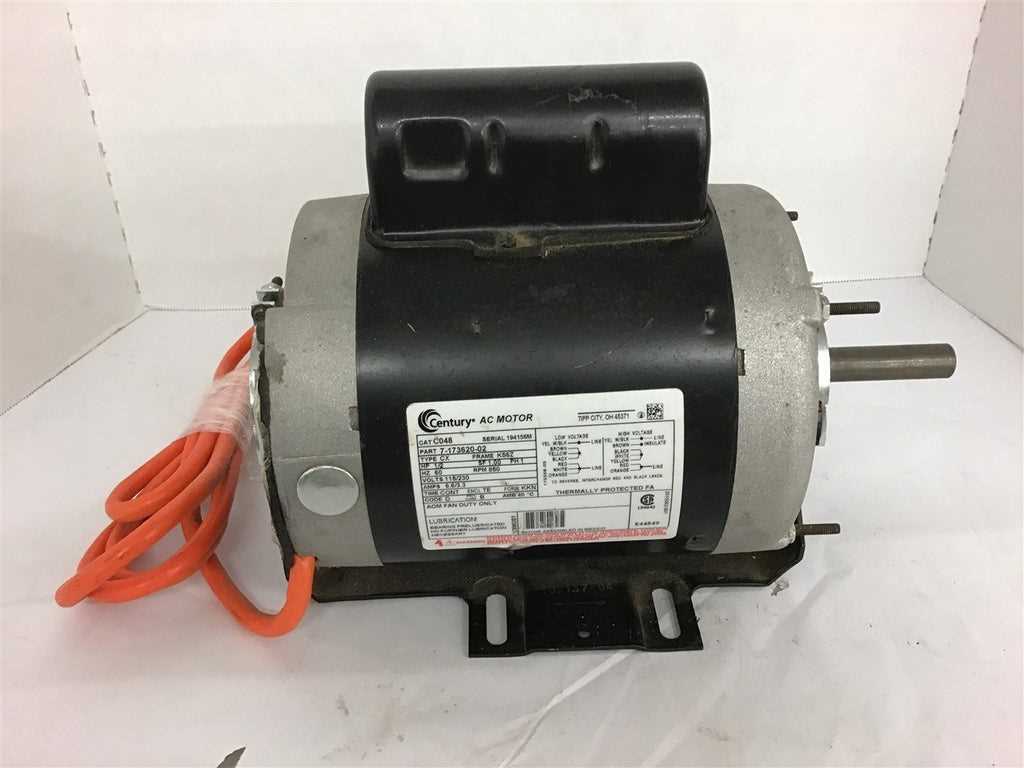
Confirm the line input rating before making any connections to prevent overloading the device. Use a multimeter to verify the power source and ensure that all terminals are de-energized before handling.
Identify the start and run leads by checking color codes and terminal labels. Red or brown usually indicates high input, while blue or black represents low input. Ground wires must be connected to the green or yellow-green terminal.
Secure all fasteners and connectors using rated terminal lugs and torque specifications provided in the manual. Loose connections can cause arcing or overheating during operation, so double-check each joint.
Test each configuration individually by applying controlled power and measuring current draw. Observe the device for unusual heat or vibration and adjust connections as needed. Label each lead to simplify future adjustments and maintenance.
Complete Guide to Connecting AC Units for Dual Voltage Circuits
Confirm the line input rating before starting by checking the device label and using a multimeter to verify power levels. Ensure that all terminals are de-energized before making any contact.
Identify start and run leads by color and labeling. Typically, red or brown indicates higher input, while black or blue corresponds to lower input. Ground leads should connect securely to the green or yellow-green terminal.
Remove the protective cover carefully to access internal connections. Avoid pulling on insulated leads and follow the manufacturer’s terminal sequence to prevent misplacement of start and run circuits.
Check each lead for continuity with an ohmmeter before making final connections. This ensures that coils are intact and no shorted windings exist, which could cause overheating or erratic operation.
Step by Step Connection Process
Connect high and low input circuits separately using rated connectors. Tighten all screws to the recommended torque and verify that no exposed copper is present outside the terminal lug.
Test each configuration under controlled power. Monitor current draw and heat buildup during initial operation. Adjust connections immediately if abnormal readings or vibrations appear to prevent damage.
Safety and Maintenance
Label all terminals and leads after setup to simplify future service or adjustments. Perform periodic inspections for loose connections, discoloration, or worn insulation, and replace any compromised components promptly.
Identifying Terminals and Lead Colors for Correct Connections
Locate the terminal block on the side of the unit and confirm that all power sources are disconnected. This prevents accidental shorts and ensures safe handling of internal circuits.
Observe color codes for each lead. Commonly, red or brown indicates high input circuits, black or blue indicates low input circuits, and green or yellow-green is reserved for grounding. Follow these codes precisely to maintain proper operation.
Trace each lead from the coil to its terminal to verify placement. This prevents misalignment between start and run circuits, which could cause abnormal heating or device failure.
- Red/Brown – High input connection
- Black/Blue – Low input connection
- Green/Yellow-Green – Ground
Label each terminal and lead after identification to simplify future adjustments and reduce the risk of incorrect reconnections. Use durable, non-removable markers or tape for clarity.
Test continuity before energizing using an ohmmeter. Verify that start and run coils are intact and that there are no short circuits between terminals. Correct any discrepancies before completing the final assembly.