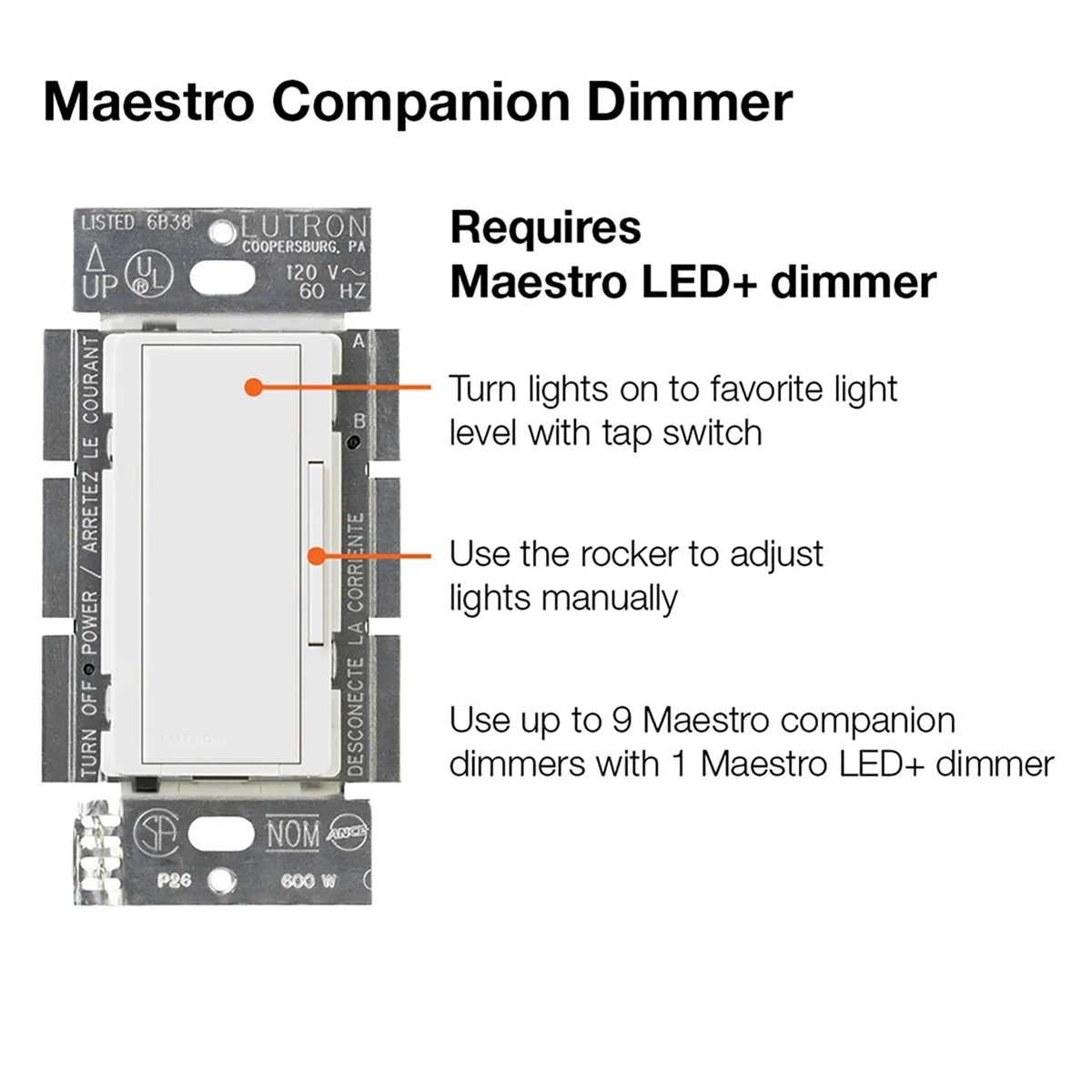
Connect the main line voltage first to the input terminals using copper leads rated for at least 15 amps. Ensure each wire is stripped to exactly ¾ inch to maintain secure contact and prevent arcing.
Identify the load and neutral conductors before attaching any control module. The black lead should feed the fixture, while the white lead returns to the panel neutral bus. Confirm continuity with a multimeter to avoid miswiring.
Grounding is critical for safety. Attach the green or bare copper wire to the metal mounting plate or grounding screw in the junction box. This step minimizes risk of electric shock and prevents nuisance tripping of breakers.
Test control functionality before closing the wall plate. Apply power and adjust the slider or paddle to verify smooth voltage modulation. Check for flickering or overheating, which indicate improper connections or incompatible loads.
Installation and Connection Guide for Electronic Lighting Control
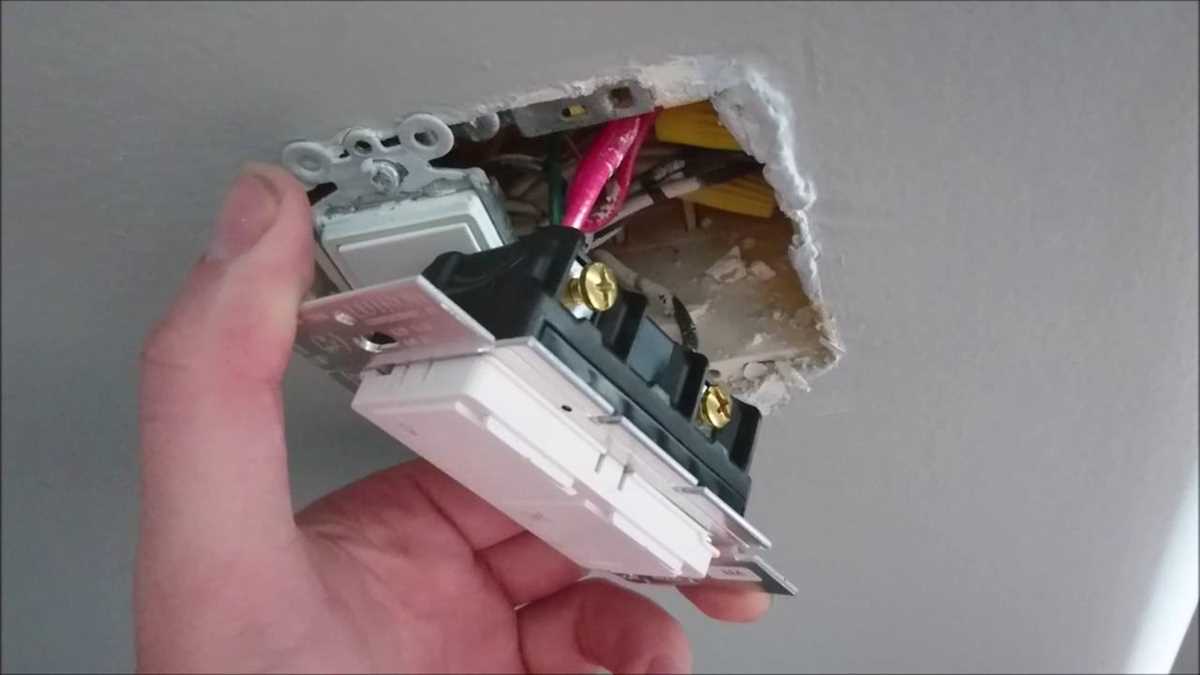
Connect the hot line first to the input terminal using a 14-gauge copper lead rated for 15 amps. Strip the insulation precisely ¾ inch and secure under the terminal screw to prevent loose contact or overheating.
Attach the load and neutral conductors carefully to their respective terminals. The black lead should feed the fixture, while the white lead returns to the neutral bus. Verify continuity with a multimeter before applying power to avoid short circuits.
Ground all metal components by connecting the green or bare copper wire to the grounding screw. After completing connections, test the control by sliding or pressing the paddle to ensure smooth dimming and confirm no flickering occurs under load.
Identifying Terminal Functions and Lead Colors
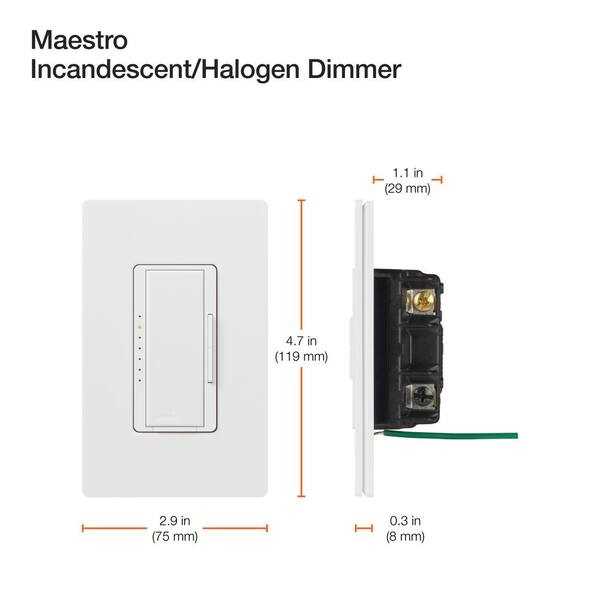
Start by locating the main input terminal, typically marked and connected to the live supply. Use a voltage tester to confirm it carries current before proceeding with any connections.
Recognize the load output terminal by tracing the conductor leading to the lighting fixture or device. This terminal often has a black or red lead, indicating it delivers power to the load directly.
Neutral connections are crucial for completing the circuit. White or light-colored leads usually attach here, and they must maintain a secure, tight connection to the neutral bus to prevent operational faults.
Ground terminals safeguard against shock. Identify the green or bare copper lead and ensure it is firmly fastened under the grounding screw. Test continuity to confirm the grounding path is intact.
Some units feature auxiliary terminals for remote control or multi-location setups. Blue or yellow leads often signify traveler connections; follow manufacturer labeling carefully to avoid misrouting power.
Verify polarity for each conductor using a multimeter. Correct orientation ensures the control responds accurately when adjusting the load, avoiding flicker or incomplete power transfer.
Label leads before installation with tape or permanent marker. Clearly marking hot, neutral, ground, and auxiliary connections reduces errors during final assembly and maintenance checks.
After all connections are complete, conduct a functional test. Engage the control to observe smooth operation, confirming that each terminal and lead color corresponds correctly to its designated function.