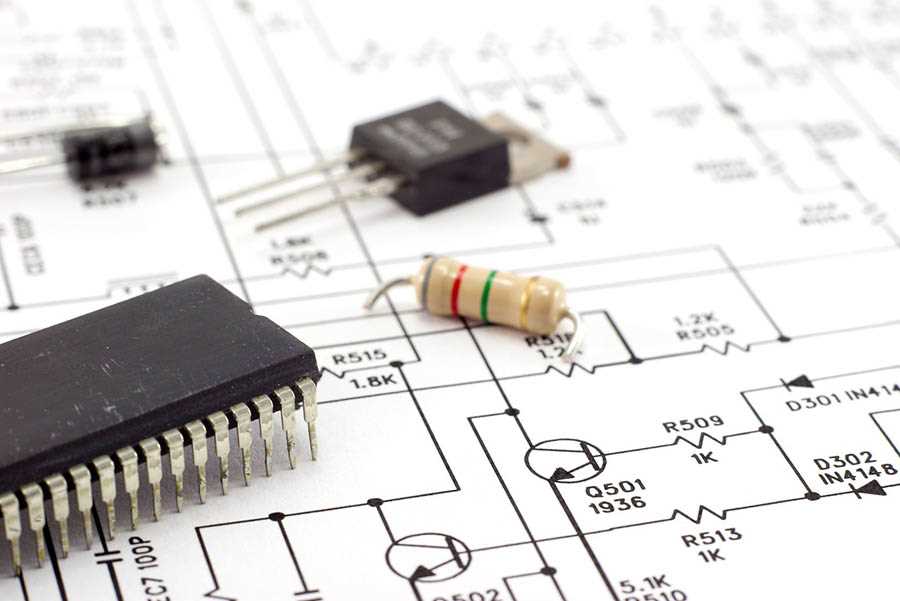
Install a schematic design program that includes component libraries, netlist generation, and PCB layout support. Many open-source and zero-cost design tools provide symbol editors, simulation modules, and board routing features suitable for hobby projects and professional prototyping.
Programs used for schematic drafting usually include large libraries of resistors, capacitors, transistors, integrated chips, connectors, and power modules. A typical design environment allows users to place symbols on a canvas, connect nodes with signal lines, assign reference labels, and export the project as a netlist for board layout tools.
Several well-known applications support SPICE simulation, allowing verification of voltage levels, signal timing, and current flow before producing a physical board. Simulation tools help detect short paths, incorrect component values, or unstable amplifier stages during the design stage.
Most design platforms run on Windows, Linux, and macOS and support export formats such as PDF, SVG, and Gerber files used by PCB manufacturing services. Projects created in these environments can include multilayer board layouts, custom symbol libraries, and bill of materials generation for hardware assembly.
Choosing the right tool depends on library size, routing features, simulation capability, and support for manufacturing file formats. A platform with strong component libraries and stable project management helps engineers and hobbyists build accurate schematics and prepare board layouts without licensing cost.
Free Electronic Circuit Diagram Software Download Options and Tools for Schematic Design
Select a design platform that includes symbol libraries, SPICE simulation, and PCB export support. Several zero-cost engineering applications provide full schematic drafting environments suitable for prototyping, academic work, and hardware development. Recommended options include:
- KiCad – open source design suite with large component libraries, hierarchical schematic pages, PCB layout module, and Gerber export.
- EasyEDA – browser-based design tool with integrated component marketplace, PCB layout editor, and cloud project storage.
- LTspice – analog simulation environment widely used for amplifier, regulator, and power supply modeling.
- QElectroTech – drawing platform focused on electrical schematics and industrial control layouts.
- DesignSpark PCB – engineering package with schematic capture, multilayer board layout, and manufacturing output tools.
Choose a platform that provides component libraries exceeding 10,000 symbols, custom symbol creation tools, ERC (Electrical Rule Check), and netlist export compatible with board layout utilities. Many design environments allow placement of resistors, capacitors, operational amplifiers, microcontrollers, voltage regulators, and connectors onto a canvas, followed by node linking with signal traces and automatic reference labeling. Projects can be exported as PDF documentation, SVG vector drawings, or manufacturing files such as Gerber and drill data used by PCB fabrication services. Simulation modules built into several platforms allow verification of voltage levels, current flow, oscillator stability, switching regulator behavior, and amplifier gain before board production.
Free Electronic Schematic Design Programs with Direct Download Links for Windows Linux and Mac
Install KiCad if a full schematic and PCB environment is required across Windows, Linux, and macOS. The package includes schematic capture, footprint editor, board routing, and SPICE simulation. The installer size is about 1–1.5 GB depending on platform. Component libraries contain more than 20,000 symbols including microcontrollers, regulators, transistors, connectors, sensors, and power modules.
Use LTspice when analog simulation accuracy is required. This platform supports waveform analysis, transient simulation, AC sweep testing, and switching regulator modeling. Integrated libraries include hundreds of operational amplifiers, MOSFETs, BJTs, and voltage regulators commonly used in power supply development.
EasyEDA provides a browser-based schematic drafting platform that runs on Windows, Linux, and macOS without local installation. It includes component libraries exceeding 100,000 parts from real manufacturers. Designers can place symbols, connect nodes, assign reference labels, and export PCB manufacturing files.
Lightweight Tools for Simple Schematics
QElectroTech suits electrical control drawings and industrial layouts. It runs on Linux, Windows, and macOS with a small installer under 100 MB. The program includes symbol collections for switches, relays, terminal blocks, contactors, and control panels.
Fritzing helps beginners and hobbyists build schematic layouts and breadboard views. The program supports component placement, connection routing, and PCB export. Libraries contain common modules such as Arduino boards, sensors, LEDs, resistors, and connectors.
Features That Matter During Schematic Creation
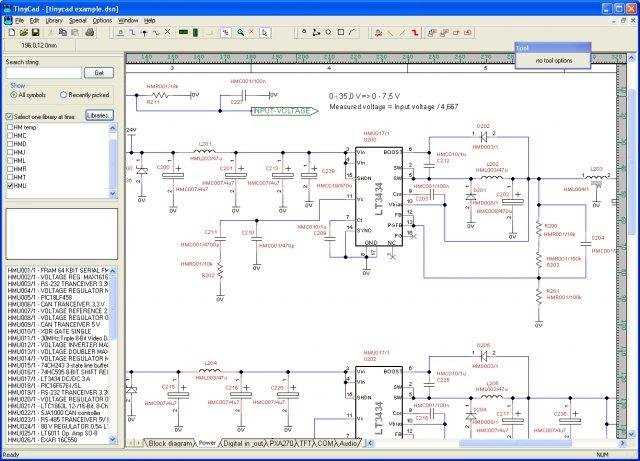
Select platforms that provide ERC checks, hierarchical sheets, net labeling, and export to manufacturing formats like Gerber and drill files. Many modern design suites also allow creation of custom component symbols and footprint mapping used during board layout.
Simulation capability allows validation of amplifier gain, power supply stability, switching transistor behavior, and filter response before physical board production. Tools supporting SPICE modeling allow testing of voltage levels, current flow, and signal waveforms directly inside the schematic environment.
Cross-platform compatibility matters during collaborative development. Projects created in KiCad, EasyEDA, or QElectroTech can move between Windows workstations, Linux engineering systems, and macOS laptops without file conversion issues, enabling shared schematic editing across teams.