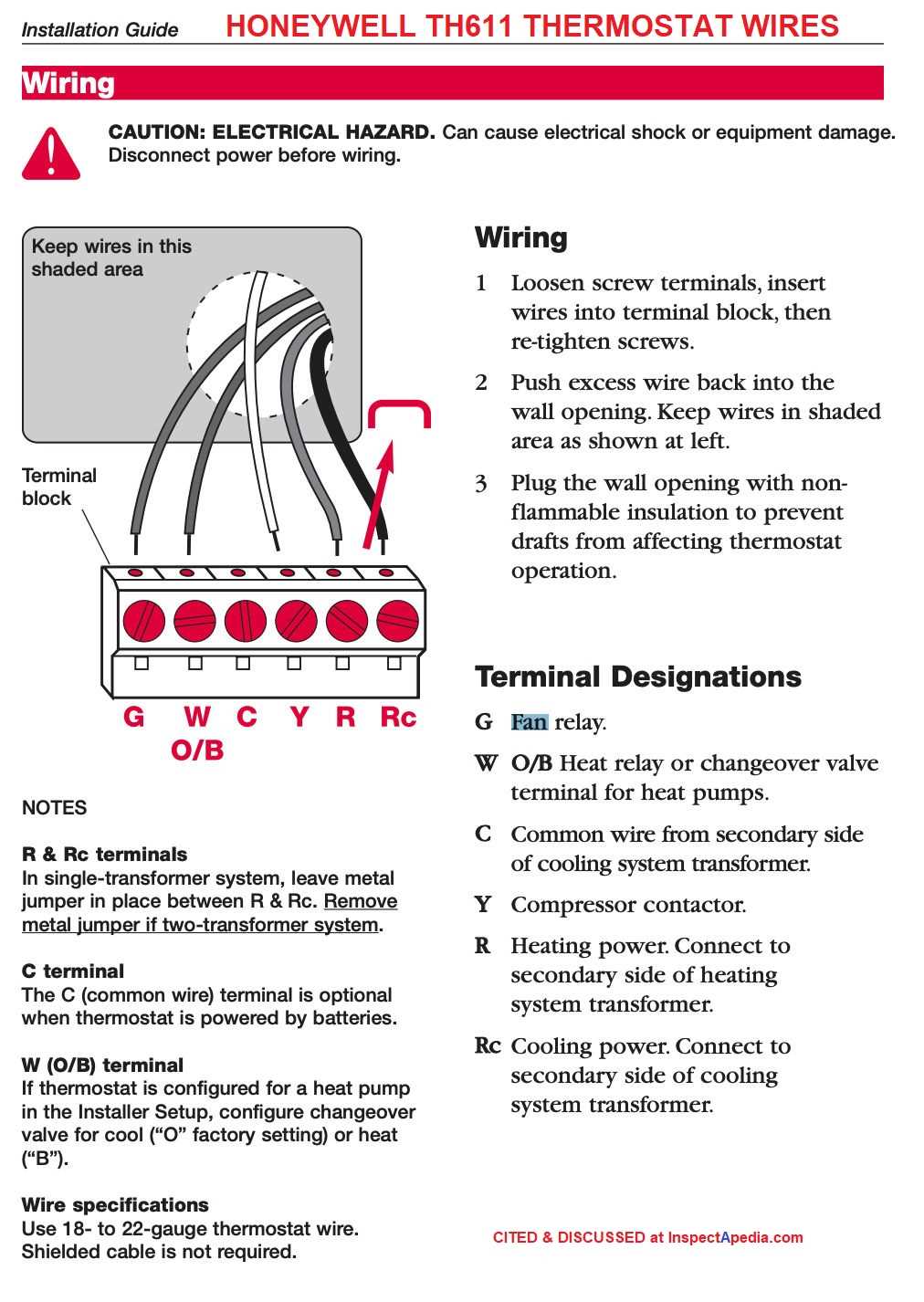
Connect the common wire first when installing a T5 thermostat to provide a stable 24V supply for the display and internal circuits. Use a multimeter to confirm voltage before attaching other terminals.
Identify each terminal by its label and color. R or Rc is for the heating or cooling power source, W1 and W2 control heat stages, Y1 and Y2 operate cooling stages, G controls the fan, and C provides a continuous 24V return. Correct identification prevents short circuits and system errors.
Check for loose or corroded contacts on the wall plate and wires. Tighten screws to manufacturer specifications and clean any oxidation with a non-abrasive brush to maintain secure electrical flow.
Confirm polarity and line continuity using a multimeter. Ensure each line connects to the intended terminal and that voltage readings match expected values for heating, cooling, and fan operation before powering on the system.
Label each wire with colored tags or tape. This simplifies future maintenance, avoids misconnection, and ensures correct terminal placement if the thermostat is removed or replaced later.
T5 Thermostat Connection Guide
Attach the common wire (C) first to provide a continuous 24V supply to the display and control board. This ensures the thermostat powers up correctly and avoids intermittent operation issues.
Identify each terminal before connecting. R or Rc powers heating or cooling circuits, W1 and W2 manage heat stages, Y1 and Y2 control cooling stages, G operates the fan, and C maintains the continuous voltage return. Proper identification prevents system faults.
Use a voltage tester to verify each line before connecting. Measure 24V between R/Rc and C, and ensure other terminals are inactive to prevent accidental short circuits.
Tighten screws to the recommended torque to maintain secure connections. Loose terminals can cause intermittent signals, incorrect temperature readings, or system errors over time.
Fan and Stage Control
Connect the G terminal to the fan relay to control air circulation. For heat pumps, use O/B terminals correctly to switch reversing valves between heating and cooling modes. Misconnection can reverse the system function.
Verify Y1/Y2 terminals match your HVAC configuration. Single-stage systems only require Y1, while multi-stage cooling requires both. Use a multimeter to confirm proper continuity and prevent misfiring of compressors.
Final Testing and Safety
After all terminals are attached, power on the HVAC system and check each function. Cycle heating, cooling, and fan operation individually. Observe the thermostat display for proper status indicators and ensure no error messages appear.
Label each wire with colored tags or printed markers. This provides quick reference for future maintenance, reduces the risk of misconnection during service, and preserves system reliability.
Identifying Each Terminal and Its Function
Connect the C terminal first to establish a continuous 24V supply. This powers the thermostat’s display and internal controls, preventing resets or intermittent operation.
R or Rc terminals supply the main power for heating and cooling circuits. Use a multimeter to confirm 24V between R/Rc and C before connecting other terminals to avoid short circuits.
W1 and W2 control heating stages. Single-stage systems only require W1, while multi-stage heating requires both terminals. Verify the system configuration to prevent triggering incorrect heat cycles.
Y1 and Y2 operate cooling stages. Single-stage compressors connect to Y1, and two-stage units use Y2 for additional cooling. Check continuity to ensure each terminal corresponds to the correct stage.
The G terminal operates the fan relay. Confirm that it engages the air handler properly when connected. Incorrect connection can result in fan failure or continuous operation during heating or cooling.
O/B terminals control the reversing valve on heat pump systems. Use O for cooling mode and B for heating mode according to system requirements. Misconnection may reverse the heat pump operation and affect indoor comfort.