Ensure accurate identification of line and load conductors before attempting installation. Mark each wire with labels or colored tape to prevent cross-connection between traveler paths, which can lead to intermittent operation or electrical hazards.
Maintain consistent voltage across both control points by verifying continuity with a multimeter. Confirm that neutral and ground conductors are securely fastened to their respective terminals to prevent voltage drop and ensure proper illumination at each location.
Use insulated connectors and terminal blocks for joining conductors, avoiding twisting wires directly together. This reduces risk of loose connections, overheating, and potential fire hazards in enclosed junction boxes.
Plan routing paths strategically to minimize wire length between control modules while maintaining accessibility. Avoid sharp bends and proximity to high-current appliances to reduce electromagnetic interference and ensure reliable operation of the lighting system.
Step-by-step guide for connecting a 3-way switch in residential electrical setups
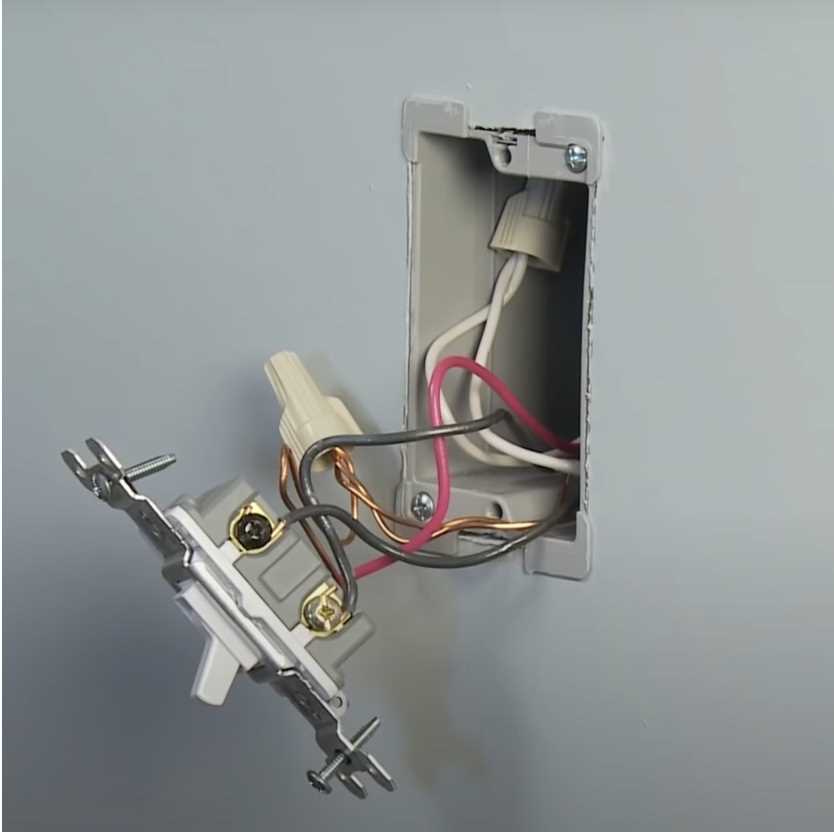
Verify power is off at the main panel before touching any conductors. Use a non-contact voltage tester to ensure no live current is present at the control points.
Identify and label all conductors in the junction boxes. Use colored tape or markers to distinguish line, load, and traveler conductors for proper placement during connection.
- Connect the line conductor from the power source to the common terminal of the first control module.
- Attach traveler conductors to the remaining two terminals on the first module, ensuring proper routing to the second location.
- At the second control module, connect traveler conductors to the two non-common terminals, and attach the load conductor to the common terminal leading to the fixture.
Secure neutral and ground connections in each box using wire nuts or terminal screws. Verify all connections are tight and insulated to prevent accidental short circuits or voltage drop.
Check continuity and polarity before restoring power. Use a multimeter to confirm traveler paths are correct and the load receives proper voltage from either control point.
Test the setup by operating both control locations multiple times. Ensure the light turns on and off from both points without flickering or intermittent operation, and inspect boxes for proper clearance and cable strain relief.
Identifying traveler and common terminals for proper switch connections
Locate the common terminal first by identifying the screw or marking that differentiates it from other connection points. Typically, it has a darker or differently colored screw for easy recognition.
Trace the line conductor from the power source to the common terminal at the first control point. Confirm the connection using a continuity tester to prevent misrouting the live feed.
Identify traveler terminals by examining the remaining screws, which are usually lighter in color. These are the pathways that allow current to flow between both control locations.
Label each traveler conductor using tape or markers to match corresponding terminals at the second control point. This avoids confusion when connecting at the other end and ensures consistent polarity.
At the second location, confirm which terminal connects to the fixture or load. The common terminal here links directly to the light, while the traveler terminals maintain the control loop between points.
Verify all connections using a multimeter before restoring power. Check that each traveler terminal correctly completes the path and that the common terminals receive voltage from the proper source.
Test the system thoroughly by toggling both locations. Ensure the lighting fixture operates correctly from either end and inspect for loose screws or swapped conductors, adjusting labels as needed for clarity.