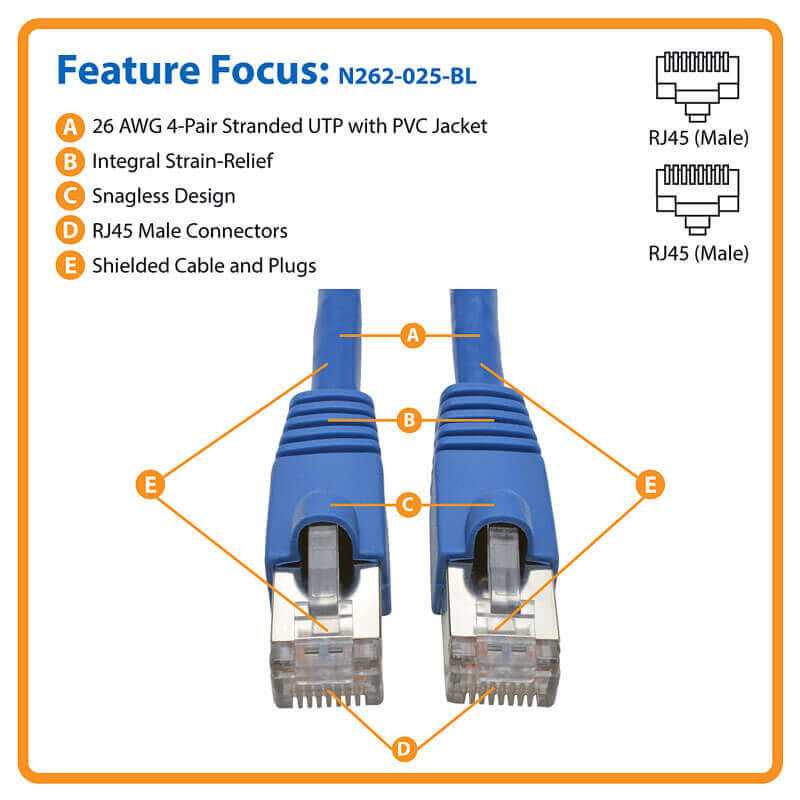
Use the T568B pin arrangement for most 10-Gigabit Ethernet installations on Category 6A twisted-pair cable. This configuration places the orange pair on pins 1–2, the green pair on pins 3 and 6, the blue pair on pins 4–5, and the brown pair on pins 7–8 inside an 8P8C connector. Maintaining this exact conductor order keeps pair balance intact and supports frequencies up to 500 MHz, which is required for stable 10GBASE-T transmission across runs up to 100 meters.
Each conductor pair must remain twisted as close as possible to the connector termination point–ideally within 13 mm (0.5 in). Excess untwisting increases crosstalk and signal loss. Category 6A cable typically uses 23 AWG copper conductors with thicker insulation than earlier Ethernet grades, so connectors and keystone jacks must be rated specifically for this cable class to avoid poor contact pressure and impedance mismatch.
Color order accuracy determines link stability. For the widely used T568B sequence, the correct pin mapping inside the modular plug follows this order from pin 1 to pin 8: white/orange, orange, white/green, blue, white/blue, green, white/brown, brown. Network switches, patch panels, and wall outlets should follow the same termination scheme at both ends of the link. Mixed termination patterns produce a crossover connection, which modern equipment may auto-correct, yet structured installations usually maintain identical pin assignments across every outlet.
Shielded variants of Category 6A cable (F/UTP or S/FTP) add foil or braided protection around pairs or the entire bundle. In these cases, the connector housing must support shield grounding. Proper bonding through patch panels and racks reduces external electromagnetic interference, a factor that becomes noticeable when cable bundles run parallel to power lines or industrial equipment.
Category 6A 10-Gigabit Ethernet Pair Arrangement
Use the T568B pin sequence for most installations: contacts 1–2 carry the orange pair, 3–6 the green pair, 4–5 the blue pair, and 7–8 the brown pair. Maintain pair twisting up to no more than 13 mm (0.5 in) from the contact points to keep NEXT values within specification. For 10-gigabit Ethernet over copper up to 100 meters, select shielded or tightly controlled UTP cable rated for 500 MHz bandwidth and terminate each conductor according to the same pin order on both ends of the link.
Color pairing accuracy matters more than connector style. Each pair forms a balanced transmission path; mixing conductors from different pairs raises alien crosstalk and packet errors. The typical RJ-45 contact numbering runs left-to-right with the latch facing away: position 1 (white-orange), 2 (orange), 3 (white-green), 4 (blue), 5 (white-blue), 6 (green), 7 (white-brown), 8 (brown). Maintain bend radius above four times the cable diameter and keep at least 30 cm distance from power lines above 2 kW loads.
Patch panels and keystone jacks usually show two color maps–T568A and T568B. Choose one layout and apply it consistently across the installation. Mixing them creates a crossover link that swaps transmit and receive pairs. Modern switches often auto-correct through Auto-MDI/MDIX, yet structured installations still follow identical pair order across all terminations to simplify troubleshooting, certification testing, and link validation with Level III or Level IV network analyzers.
Pinout Configuration for Cat 6a Cables: T568A vs T568B Color Mapping and Pair Order
Choose one scheme and apply it consistently across every connector; mismatched terminations create pair crossover and break Ethernet links. The two accepted layouts are T568A and T568B. Electrical characteristics are identical because pair positions remain the same; only the green and orange pairs swap locations. Both support 10-Gigabit Ethernet on properly installed shielded or unshielded twisted-pair runs up to 100 meters.
T568A Color Mapping and Pair Positions
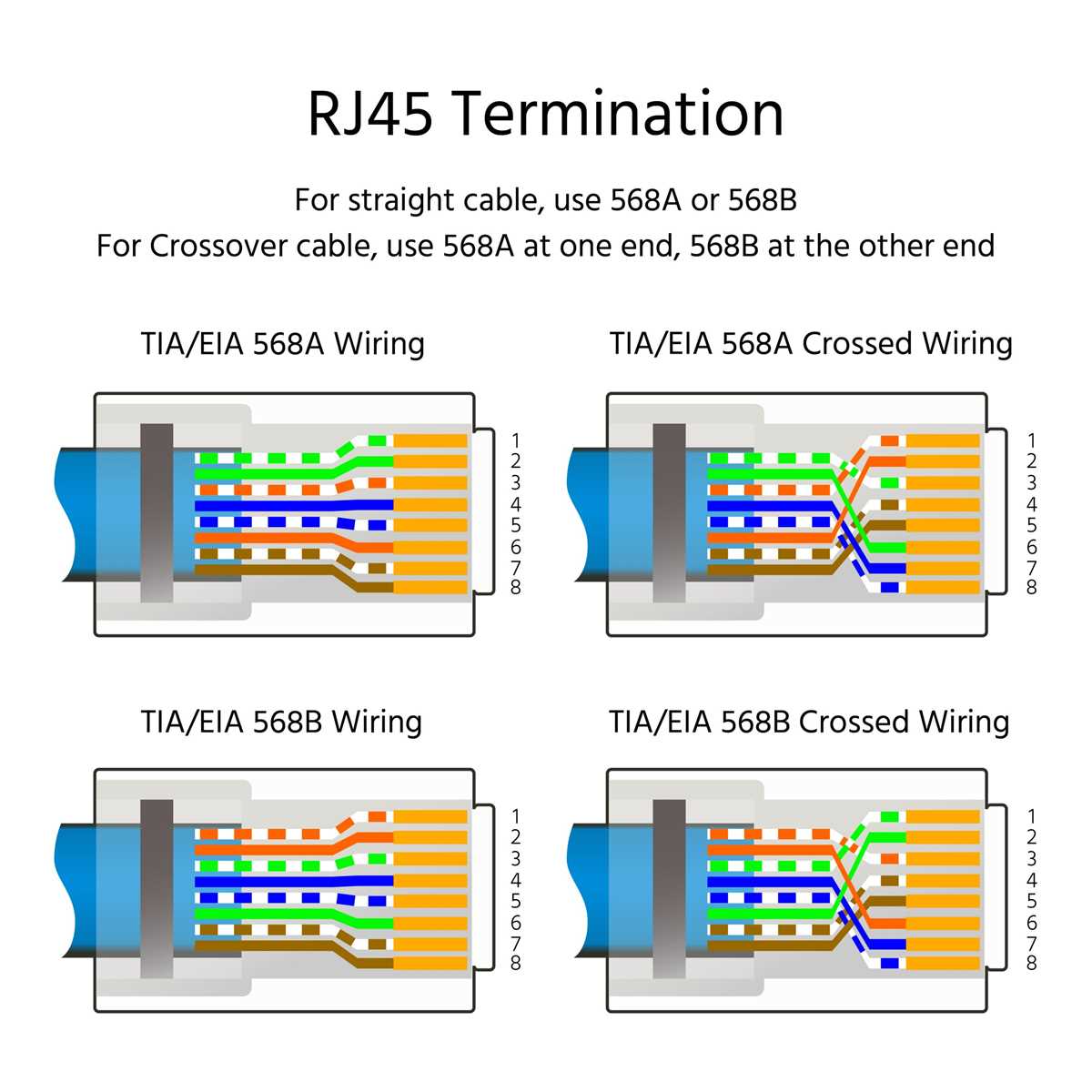
T568A assigns the green pair to pins 1–2 and the orange pair to pins 3–6. Blue and brown pairs stay unchanged in both layouts, which keeps the pair balance required for differential signaling. Maintain twist integrity within 13 mm (0.5 in) of the termination point to avoid NEXT increase.
- Pin 1 – White/Green (Pair 3)
- Pin 2 – Green (Pair 3)
- Pin 3 – White/Orange (Pair 2)
- Pin 4 – Blue (Pair 1)
- Pin 5 – White/Blue (Pair 1)
- Pin 6 – Orange (Pair 2)
- Pin 7 – White/Brown (Pair 4)
- Pin 8 – Brown (Pair 4)
T568B Color Mapping and Pair Positions

T568B moves the orange pair to pins 1–2 and places the green pair on pins 3–6. This arrangement appears more frequently in commercial installations and patch panels. Pair numbering stays unchanged: blue (pair 1), orange (pair 2), green (pair 3), brown (pair 4). The conductor sequence still preserves pair spacing that reduces crosstalk inside the 8P8C modular connector.
- Pin 1 – White/Orange (Pair 2)
- Pin 2 – Orange (Pair 2)
- Pin 3 – White/Green (Pair 3)
- Pin 4 – Blue (Pair 1)
- Pin 5 – White/Blue (Pair 1)
- Pin 6 – Green (Pair 3)
- Pin 7 – White/Brown (Pair 4)
- Pin 8 – Brown (Pair 4)
Termination tools must press contacts evenly through insulation to guarantee full copper contact depth. Avoid mixing layouts on opposite ends unless a deliberate crossover is required for legacy hardware. Verify pin sequence with a cable tester that checks pair continuity, split pairs, and resistance imbalance before connecting switches or patch panels.