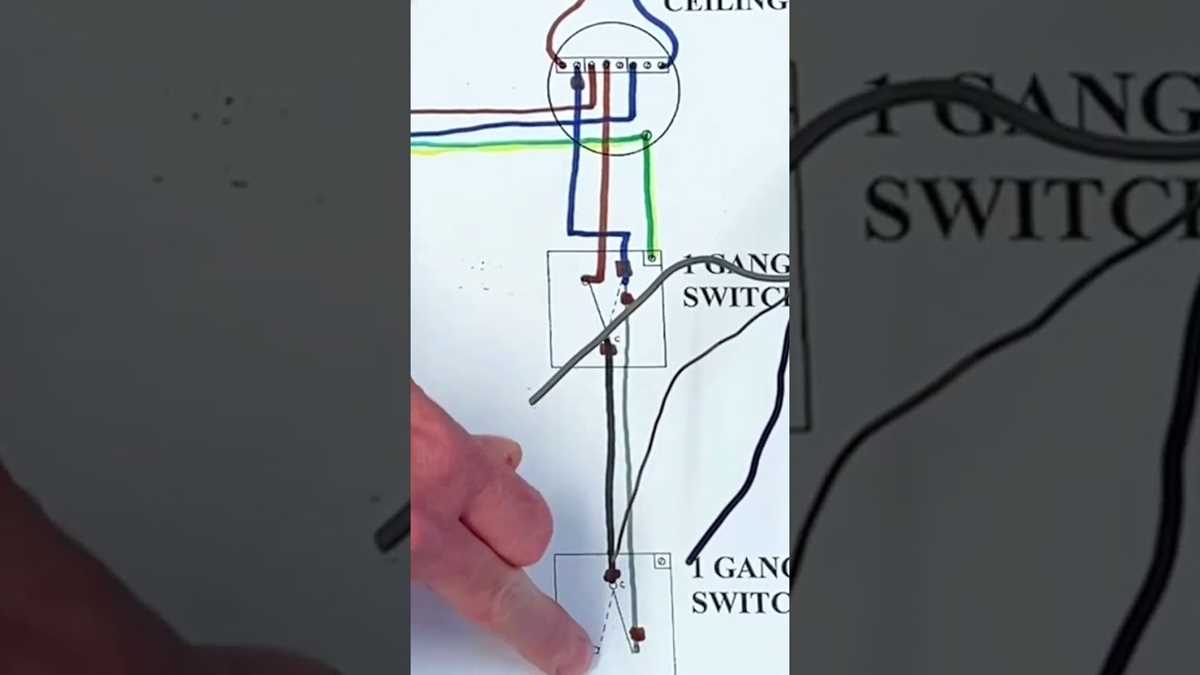
Connect the live feed to the common terminal of the first unit and run the traveler cables to the second unit’s matching terminals. Ensure all connections are secure to prevent sparking or intermittent operation.
Use color-coded wires to distinguish conductors between the two control points. Typically, red and black travelers reduce confusion during installation and maintenance.
Install proper grounding at each control location to comply with safety standards and reduce the risk of electrical shock. Check continuity with a multimeter before completing the setup.
Verify functionality by toggling each actuator independently to confirm that the fixture responds correctly from both positions. Adjust any loose or misconnected wires before securing the covers.
Control Setup for Two-Point Fixture Operation
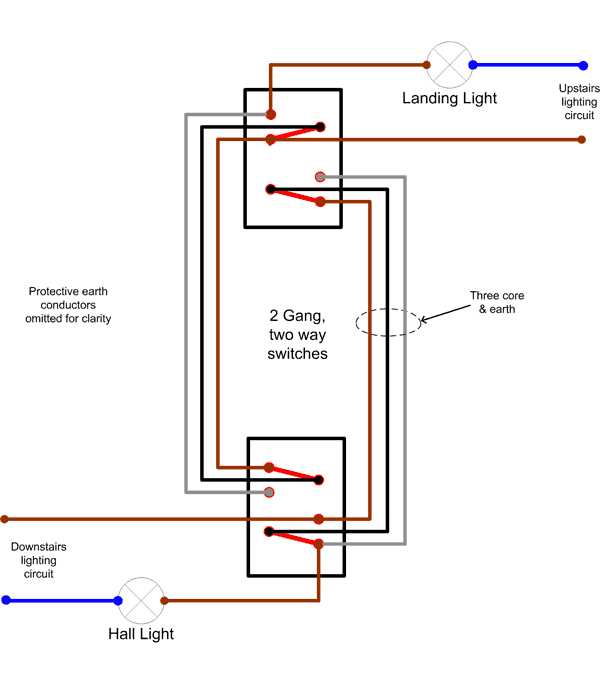
Begin by connecting the incoming phase conductor to the common terminal of the first actuator. This ensures that power is properly routed to both control points without backfeeding or overload.
Run two traveler conductors between the first and second control devices. Mark them distinctly using colored insulation or tape to avoid confusion during installation or future repairs.
At the second location, attach the travelers to the corresponding terminals and connect the output terminal to the fixture. Double-check all screw terminals are tightened to prevent loose contacts and arcing.
Include a protective ground wire at each device to comply with safety regulations and reduce the risk of short circuits. A reliable ground improves overall stability and prevents electrical hazards.
- Test the setup by operating each unit independently.
- Ensure the fixture responds correctly from both positions.
- Inspect for any flickering or delayed response, which may indicate poor connections.
Maintain accessible junction boxes and label all cables clearly. This allows quick troubleshooting in the future and ensures compliance with code standards for multiple control points in one circuit.
Connecting Two Control Units to Operate a Single Fixture
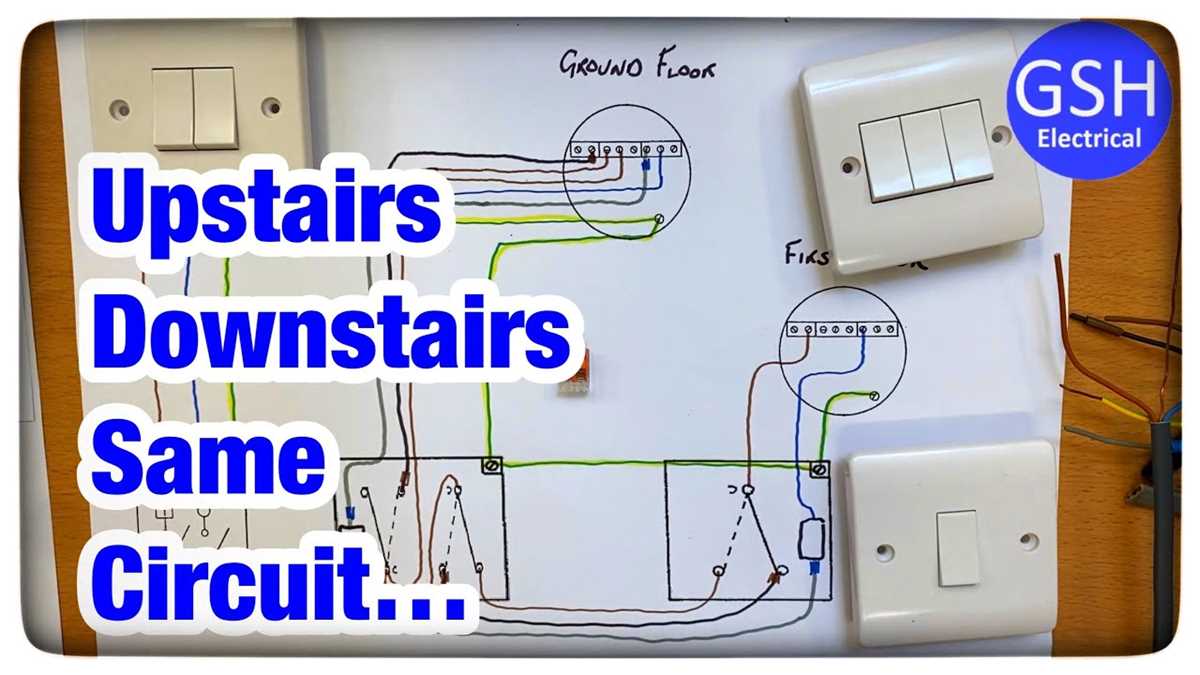
Attach the live feed directly to the common terminal of the first control device to ensure uninterrupted power flow through both points. Use a secure screw connection and verify tightness before continuing.
Run two distinct traveler cables between the first and second units. Color-code them–commonly red and black–to prevent misconnection and simplify future maintenance.
At the second unit, connect the travelers to the corresponding terminals and link the output terminal to the fixture. Confirm all contacts are snug to avoid arcing and inconsistent operation.
Grounding and Safety Measures
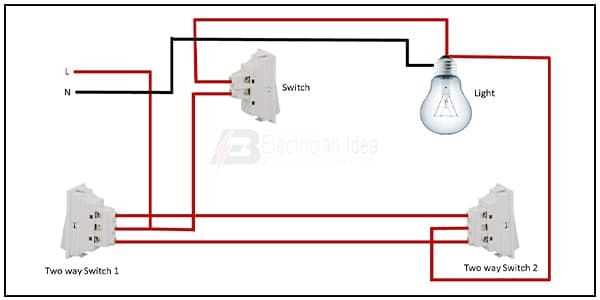
Install a dedicated grounding conductor at each device. Proper grounding reduces the risk of short circuits and ensures compliance with electrical safety standards.
Test functionality immediately after completing connections by operating each control point independently. Observe that the fixture responds promptly without flickering or delay.
Troubleshooting Common Issues
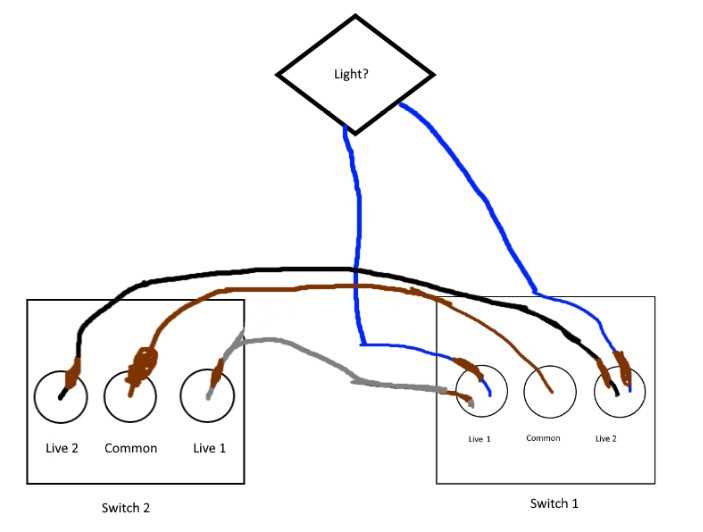
Check for loose terminals or damaged conductors if the fixture fails to respond from one point. Re-tighten screws, inspect insulation, and confirm that traveler cables are continuous between units.
Label all conductors and maintain accessible junction boxes. Clear identification and organized routing simplify inspections, repairs, and future upgrades without disrupting operation.