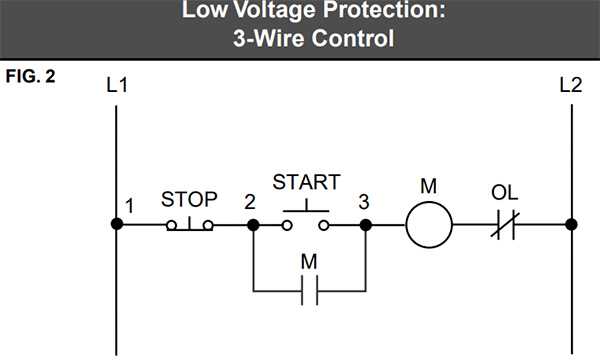
Ensure proper voltage matching by verifying the supply matches the device specifications before making any connections. Using a 230V source on a 120V unit can cause permanent damage. Label each lead clearly to prevent cross connections during assembly.
Confirm terminal layout by inspecting the device’s base plate. Most units have three connection points: common, live, and control. Attach the common lead to the neutral bus and the live to the breaker output to maintain correct phase alignment.
Use proper fasteners and connectors rated for the expected current load. Crimped terminals reduce resistance compared to screw clamps, improving reliability under high start-up currents. Double-check torque specifications to avoid overheating connections.
Follow polarity indicators marked on the housing. Reversing control leads can cause reverse operation or inconsistent performance. If the device includes a built-in protection diode, maintain correct orientation to preserve function and prevent short circuits.
Install protective devices such as fuses or circuit breakers inline with the live conductor. Calculate the appropriate rating based on maximum current draw and surge potential. Overcurrent protection prevents damage during faults or stalled operation.
Test continuity before energizing. Using a multimeter, verify that each lead is properly connected and that there are no unintended shorts. This step prevents sparks and ensures safe initial operation.
Document connections with a clear schematic of each terminal and lead color. Keeping a reference ensures easy maintenance and reduces errors when performing future troubleshooting or replacements.
3 Wire Motor Connection Guide
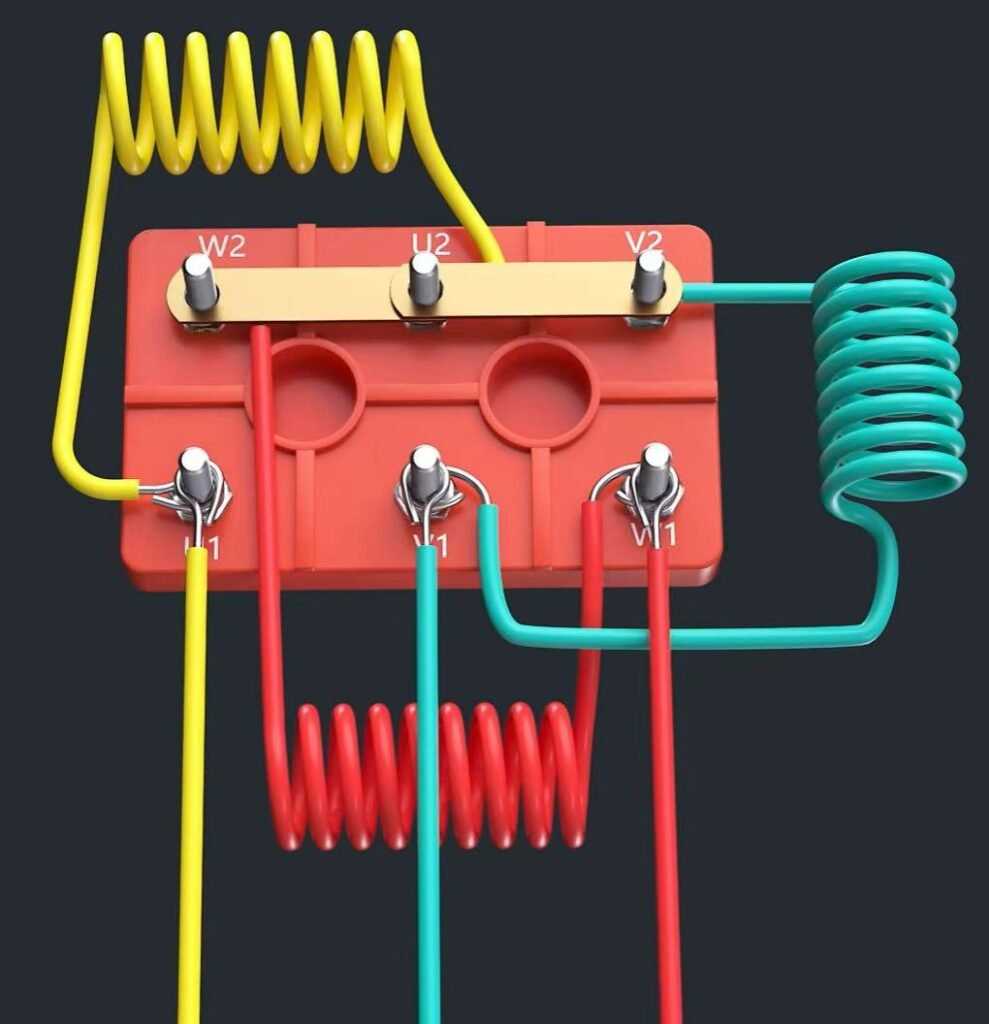
Verify voltage ratings before connecting any leads. Use a multimeter to confirm that the supply matches the device’s rated input, whether single-phase or three-phase, to prevent overheating or insulation failure.
Identify each terminal by checking the labels or markings on the casing. Typically, three points correspond to common, start, and run connections. Proper identification avoids reverse rotation and ensures safe operation.
Use color-coded conductors whenever possible. Assign standard colors for each line to maintain consistency with national electrical codes and simplify future troubleshooting.
Install protective components such as fuses or breakers inline with the power lead. Calculate the rating based on the maximum startup current plus a margin to prevent nuisance tripping while safeguarding the device.
Secure all connections with proper terminal types. Crimped connectors or tightened screws should meet torque specifications indicated by the manufacturer to prevent overheating from loose contacts.
Test for continuity and phase alignment prior to energizing. A quick measurement with a multimeter confirms that no shorts exist between the terminals and verifies that the sequence will produce the correct rotation.
Label and document each connection point. Maintaining a schematic with color coding and terminal names allows for faster maintenance, reduces human error, and ensures safe reassembly after service.
Perform a trial run at low load and monitor for unusual vibrations, noise, or heat. Adjust connections if necessary and verify that operational parameters like speed and direction meet the specifications before full load operation.
Identifying Terminals and Color Coding
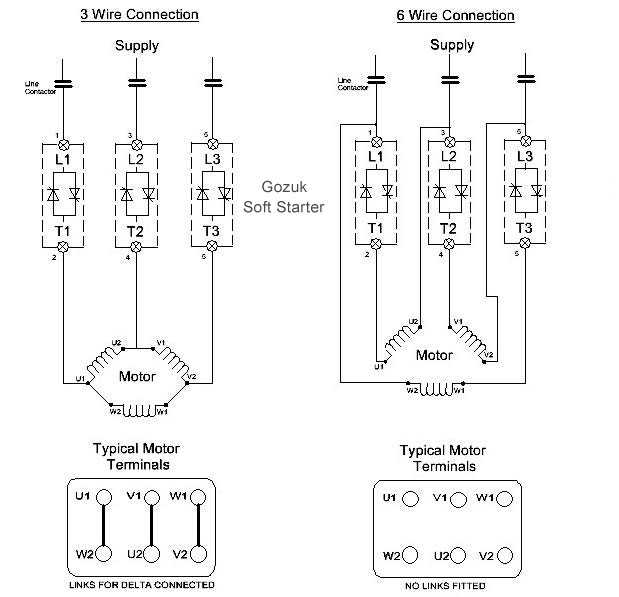
Start by labeling each connection point using the markings on the casing. Typically, terminals are designated as common, start, and run, and correct identification prevents reverse rotation or phase errors.
Apply standardized color coding to each conductor to maintain clarity. For single-phase setups, black can represent the live line, red for start, and white for neutral. Consistency simplifies troubleshooting and future modifications.
Use a multimeter to verify each terminal before energizing. Check continuity between points and confirm the correct sequence. This step ensures proper function and reduces the risk of short circuits.
Document the layout with a clear schematic showing terminal names and colors. Maintaining this reference aids maintenance, allows quick replacement of components, and prevents errors during reassembly or system upgrades.