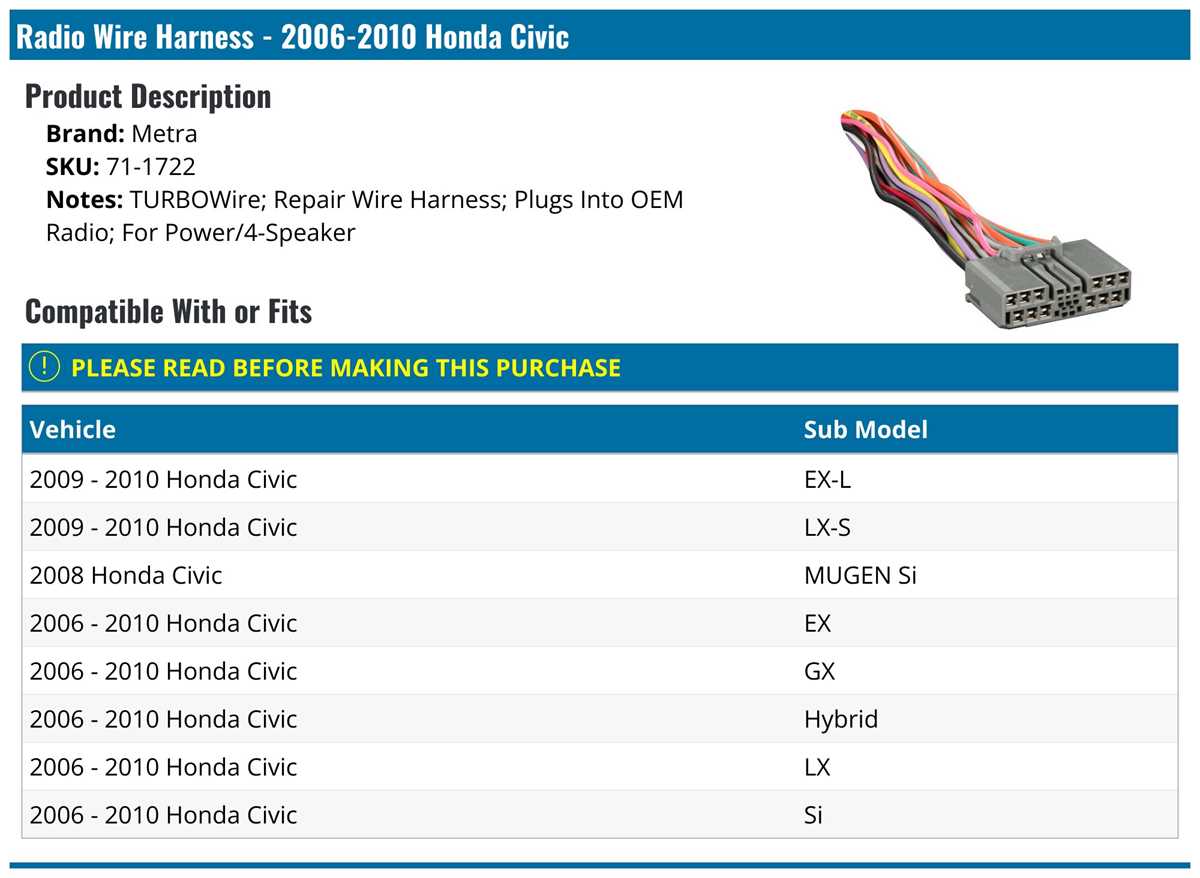
Start by locating the main power harness behind the dashboard. Identify the positive feed, ground, and ignition wires to prevent short circuits during installation. Use a multimeter to confirm voltage before connecting any device.
Speaker leads are color-coded for left, right, front, and rear channels. Match the corresponding output terminals on the amplifier or head unit to maintain proper stereo balance. Secure each connection with crimp connectors or solder to avoid signal loss.
For antenna integration, trace the coaxial line from the back of the dash. Ensure a snug fit in the adapter if using an aftermarket tuner. Check continuity to maintain optimal reception and minimize interference.
Label each wire after separation from the main harness. Keeping track of the power, ground, speaker, and antenna lines simplifies future maintenance and upgrades. Double-check connections before powering the system to avoid damage.
Guide for Power Speaker and Antenna Connections in Vehicle Audio Systems
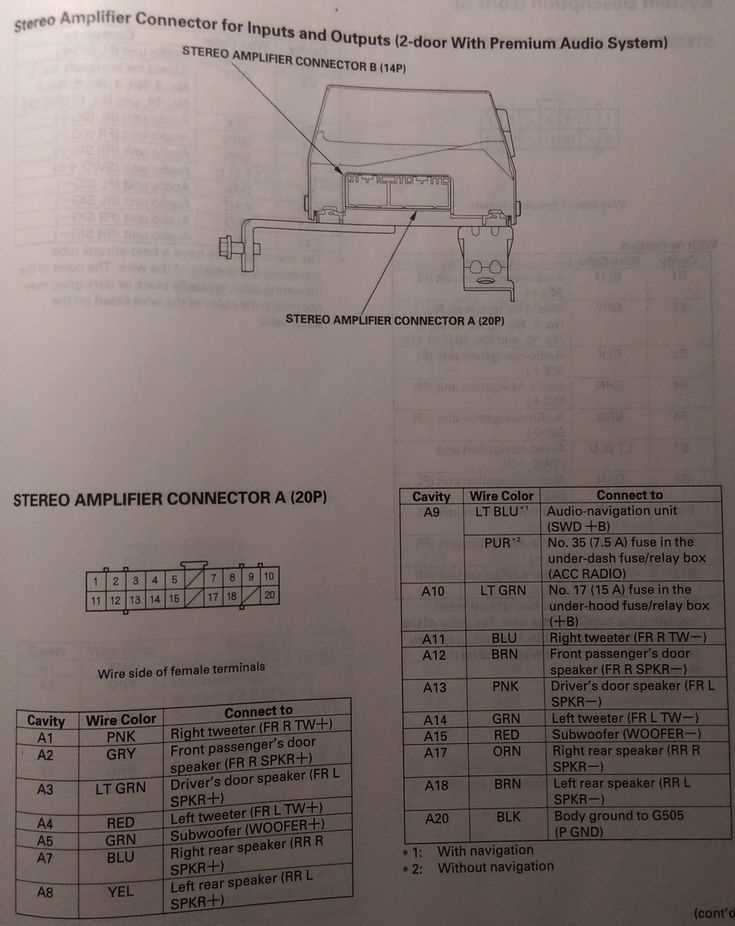
Begin with the main power line behind the dashboard. Confirm the constant 12V feed and ignition-triggered voltage using a multimeter. Secure the connectors with insulated crimps to prevent shorts.
Ground connections must be attached to a clean metal surface. Sand away paint and corrosion before tightening screws to ensure a stable return path for the system’s current.
Speaker leads are arranged by color and position. Front left, front right, rear left, and rear right outputs should match the amplifier or head unit channels. Incorrect matching can result in phase cancellation or distorted audio.
Trim excess insulation carefully to avoid cutting the copper strands. Exposed wire should be minimal to reduce the risk of accidental contact and signal loss. Use heat-shrink tubing for added protection.
Check the antenna connector before plugging into a tuner or adapter. Ensure the cable is fully seated and free from bends. A loose connection can cause intermittent reception or static noise during playback.
Route all lines away from moving components and sharp edges. Harnesses should be secured with zip ties or clips to prevent wear over time. Avoid proximity to the airbag module or HVAC ducts.
Test each speaker individually after completing connections. Play a short track and listen for clarity, balance, and volume consistency. Swap channels if any distortion or dropouts occur.
Label each line clearly after installation. Identifying power, ground, output, and antenna leads simplifies future troubleshooting or upgrades. Verify all fuses are rated correctly before turning on the system.
Identifying Audio Wire Colors and Their Functions in Vehicle Dash Systems
Start by separating the main harness into individual leads. Each color corresponds to a specific purpose, and correctly identifying them prevents short circuits and signal issues. Use a multimeter to confirm continuity for power and ground lines before connecting devices.
Speaker outputs follow a standardized color pattern.
- White: front left positive
- White with black stripe: front left negative
- Gray: front right positive
- Gray with black stripe: front right negative
- Green: rear left positive
- Green with black stripe: rear left negative
- Purple: rear right positive
- Purple with black stripe: rear right negative
Power and control leads should be checked individually.
- Yellow: constant 12V supply from battery
- Red: switched 12V from ignition
- Black: chassis ground
- Blue: amplifier remote turn-on
Label each line after testing. Identifying audio, control, and power paths simplifies installation and future maintenance. Ensure all connectors are secure, and verify fuses match the required amperage before powering the system.