Check the pin layout of the stabilizing component before connecting any leads. Many failures in power circuits occur because the input, output, and ground pins are connected in the wrong order. For example, a common three-pin stabilizer such as the 7805 series typically places the input on the left, ground in the center, and output on the right when the metal tab faces away from you. Confirming this orientation prevents reverse connections that can destroy the device within seconds.
A clear circuit layout helps identify how current flows from the supply source through the stabilizing element and toward the load. In a typical DC setup, the incoming line from a rectified supply first passes through a smoothing capacitor of around 100–470 µF, then enters the control component that keeps the output level steady. A smaller capacitor, often 0.1 µF, is placed near the output pin to reduce high-frequency noise and prevent oscillation.
Correct lead routing also affects thermal behavior. The stabilizing chip converts excess energy into heat. If the supply source is 12 V and the target output is 5 V with a load current of 500 mA, the device must dissipate about 3.5 watts. Mounting the package on a heat sink and keeping connection paths short reduces heat buildup and signal instability.
Clear connection schemes also make troubleshooting easier. By tracing each line–from the supply input, through filtering components, across the control chip, and toward the load–you can quickly locate issues such as reversed polarity, missing ground reference, or poorly placed capacitors. This structured view of the circuit forms the basis for building stable DC power sections in automotive systems, bench supplies, and embedded electronics.
Voltage Regulator Diagram Wiring Explained With Terminal Connections and Circuit Layout
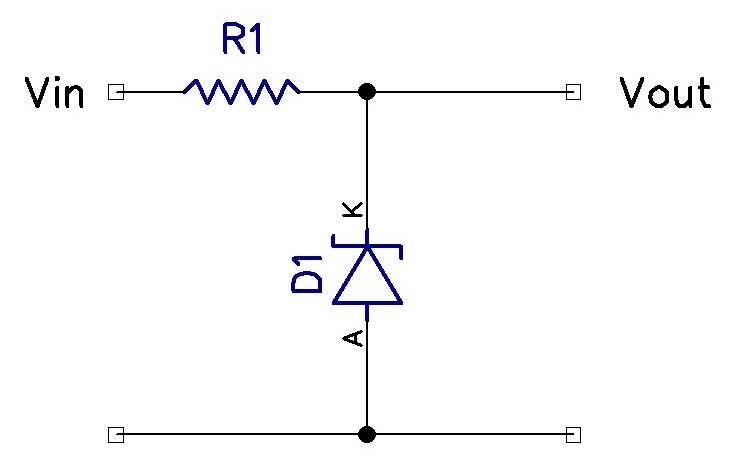
Verify the pin order on the control chip before attaching any leads. A typical three-pin power stabilizing device used in DC supplies contains an input terminal, ground reference, and stabilized output. For example, a 7805 package in TO-220 form usually places the supply input on pin 1, ground on pin 2, and the 5-volt output on pin 3 when the metal tab faces away from the technician. Incorrect pin placement often results in instant overheating or output collapse. Keep connection traces short and position filtering capacitors close to the chip body to suppress ripple from rectified sources such as bridge-based AC converters.
Typical terminal layout of a three pin stabilizing component
- Pin 1 – supply input from rectifier or DC source (7–20 V for many 5 V units)
- Pin 2 – ground reference shared with the load
- Pin 3 – stabilized output line feeding logic circuits or microcontrollers
Place a 0.33 µF capacitor near the input lead and a 0.1 µF capacitor near the output lead to prevent oscillation. In higher current setups, add an electrolytic capacitor between 100 µF and 470 µF after the rectifier stage to smooth ripple before it reaches the control chip. Arrange the circuit layout so that the ground path forms a short return line shared by the load and filtering components; long ground loops introduce noise and unstable output levels. If the input supply exceeds the target output by more than 5–7 units, attach a heat sink because power loss follows the formula P = (Vin − Vout) × Iload.
Reading a Voltage Regulator Wiring Diagram and Identifying Input Output and Ground Pins
Locate the supply entry point first. In most circuit sketches the incoming power line appears on the left side and connects to the first pin of the control chip through a filter capacitor. For example, a common 7805-type device receives 7–20 V at its input terminal before stabilizing the level at the output. Confirm the orientation of the package in the schematic symbol and compare it with the physical component before attaching any leads.
Identify the ground reference next. The return path normally connects to the center pin in many three-terminal stabilizing chips such as the 78xx series. This node links the source, the control device, and the load. If the ground trace is missing or routed through long paths, the output level may drift or show ripple under load conditions.
Pin recognition in common three terminal packages
Many linear control chips follow a similar arrangement when viewed from the front with the metal tab facing backward. The typical order appears as input, ground, and stabilized output from left to right. A datasheet confirms the exact layout for each model. The following example matches widely used packages:
Input pin – receives raw DC from a rectifier or battery
Ground pin – shared return reference for the circuit
Output pin – delivers controlled DC level to the load
Trace the signal path through supporting components shown in the circuit sketch. A small capacitor near the input lead, usually around 0.33 µF, suppresses oscillation from long supply lines. Another capacitor placed close to the output lead, often 0.1 µF or higher, filters high-frequency noise produced by switching loads or nearby digital circuits.
Use pin numbering from the datasheet rather than relying only on the schematic symbol. Some adjustable control chips such as LM317 place the adjust terminal in the center instead of a direct ground connection. Confusing this pin with the ground node leads to incorrect output levels and unstable operation.
Confirm the function of each terminal with a multimeter during testing. Measure the incoming supply at the first pin, verify a stable reference at the ground node, and check the controlled output level at the final pin. In a typical 12 V input system feeding a 5 V stabilizing chip, the measured output should remain near 5 V while the load current stays within the rated limit specified by the manufacturer.