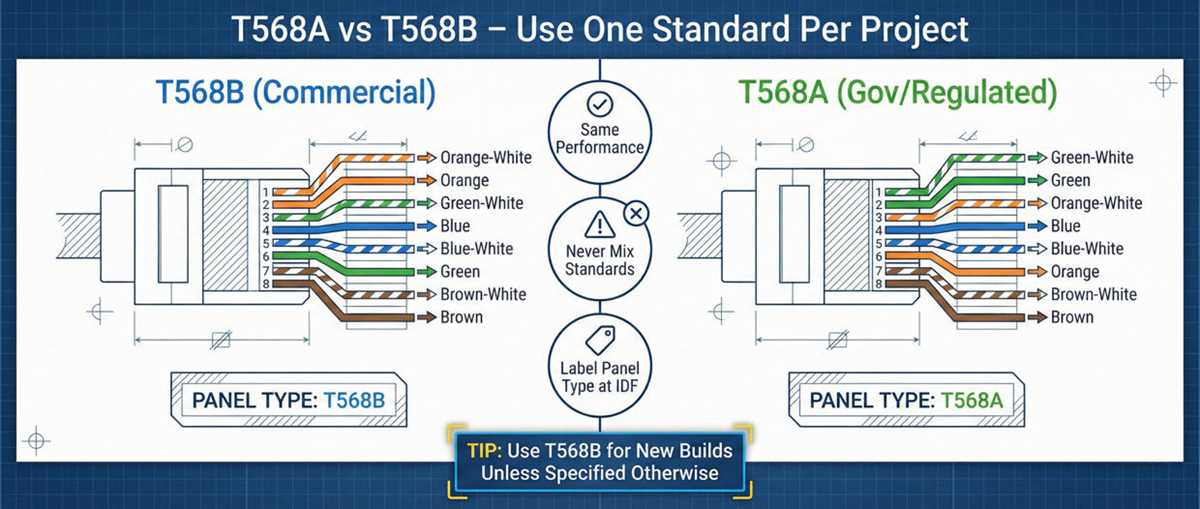
To set up a reliable network connection, correctly terminating an Ethernet cable is crucial. Start by understanding the exact pinout for proper signal flow and to avoid connection issues. Each pair of wires within the cable must be connected according to a specific color order to ensure a solid, uninterrupted data transfer.
First, ensure you have the right tools: a crimping tool, RJ45 connectors, and a cable stripper. Cut the cable to the desired length, and strip away the outer insulation, exposing the four twisted pairs inside. Next, untwist the pairs and arrange them in the correct order based on your chosen wiring standard.
Once the wires are arranged, carefully insert them into the RJ45 connector, making sure each wire reaches the front end of the connector. Use the crimping tool to secure the connector, ensuring that the pins pierce the wires and make solid contact. Finally, test the connection with a cable tester to confirm proper functionality.
If you experience any connectivity issues, check each wire’s position and make sure the insulation is not interfering with the contact. A common mistake is uneven wire lengths or improperly seated connectors, which can lead to signal loss. By following these steps, you’ll ensure a successful and long-lasting Ethernet connection.
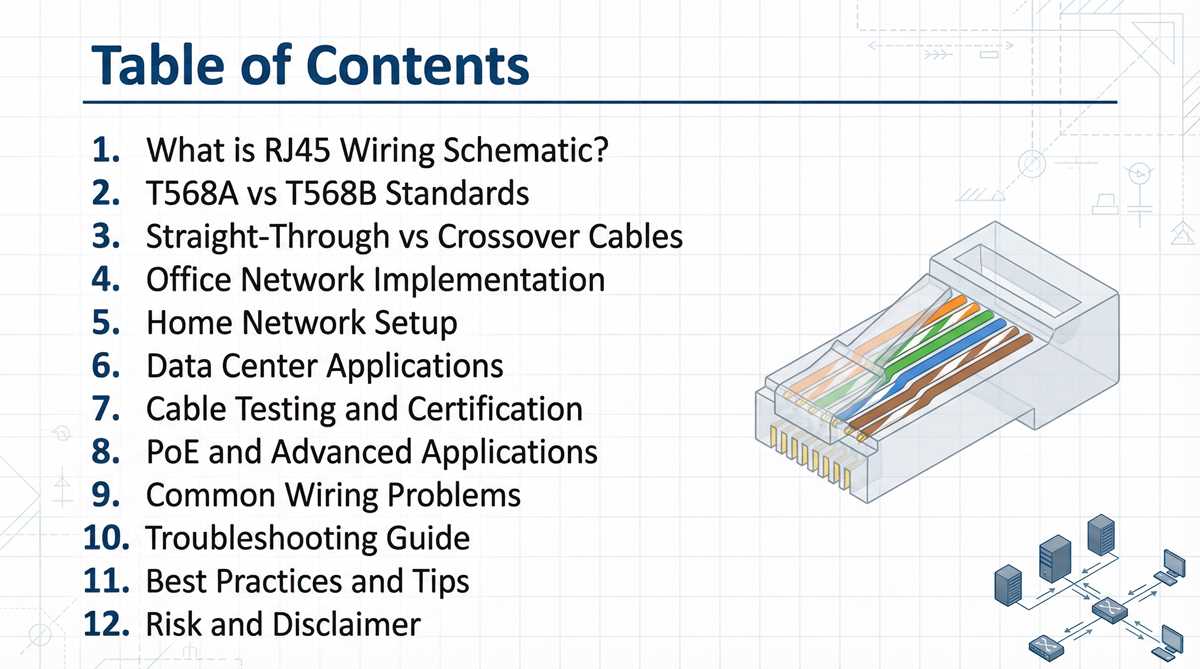
T568a Wiring Guide
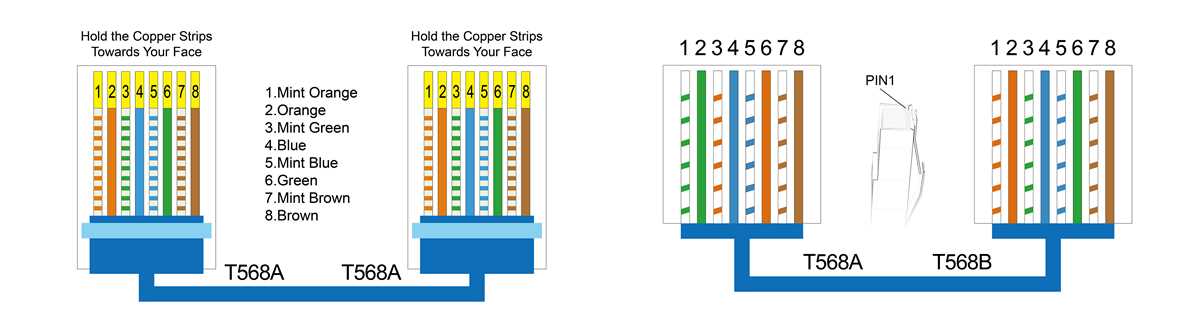
For a functional Ethernet cable, ensure that the eight conductors are placed in the correct order within the connector. Follow the color sequence closely, making sure each wire is inserted properly, and the pins will match the intended contacts at both ends of the cable.
Start by stripping back the outer jacket of the cable without cutting the individual wires inside. Once the conductors are exposed, organize them according to the prescribed sequence. Trim any excess wire to ensure a clean, precise insertion into the connector. After positioning the wires, use a crimping tool to securely fasten the connector to the cable, ensuring a tight connection for reliable signal flow.
After completing the termination, it’s crucial to test the cable with a wire tester. This tool will verify that each wire is connected properly, and that the cable will function correctly in your network setup. If any issues arise, recheck the order of the conductors and make necessary adjustments before finalizing the connection.
Understanding the T568a Pinout and Color Code
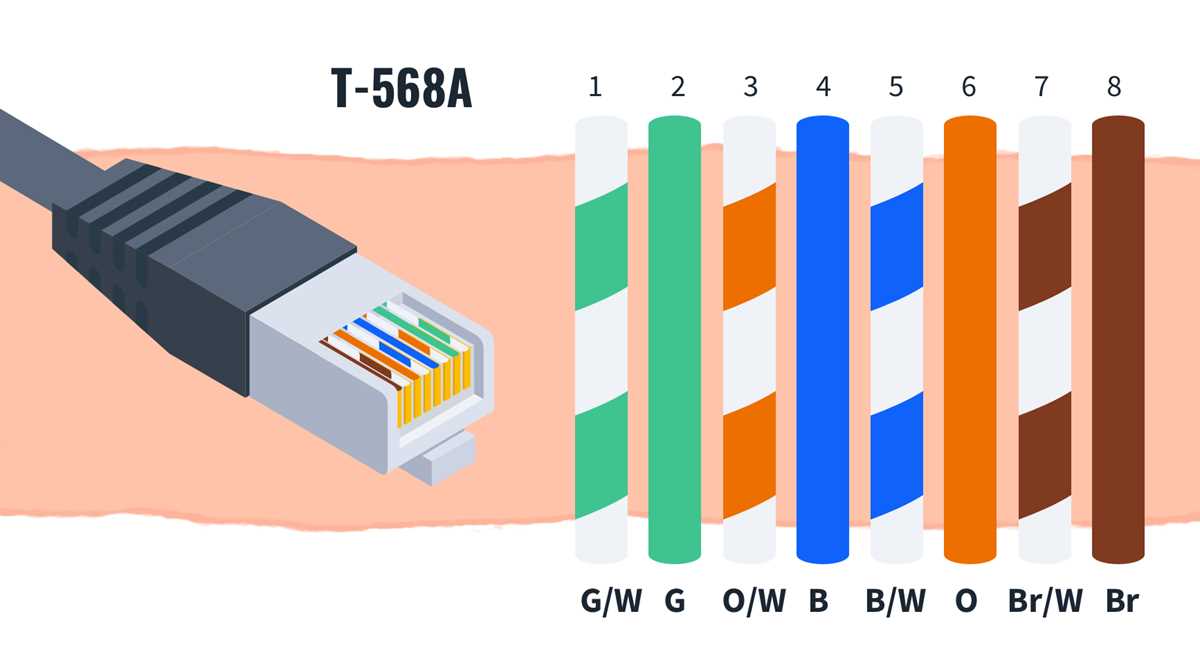
The correct sequence for the conductors is crucial for establishing a reliable connection. Below is the color code used for this arrangement:
- Pin 1: White with Green stripes
- Pin 2: Green
- Pin 3: White with Orange stripes
- Pin 4: Blue
- Pin 5: White with Blue stripes
- Pin 6: Orange
- Pin 7: White with Brown stripes
- Pin 8: Brown
This color scheme ensures that the signal flow aligns properly between devices. Each wire is aligned with specific pins, and this ordering provides consistency for data transmission and reduces the likelihood of miswiring.
Always ensure that the conductors are arranged in this precise order to avoid connectivity issues. If a misconnection occurs, such as swapping the position of pins 1 and 2, the connection may fail or result in lower transmission speeds. Use a tester to confirm that each wire has been connected to the correct pin before proceeding with installation.