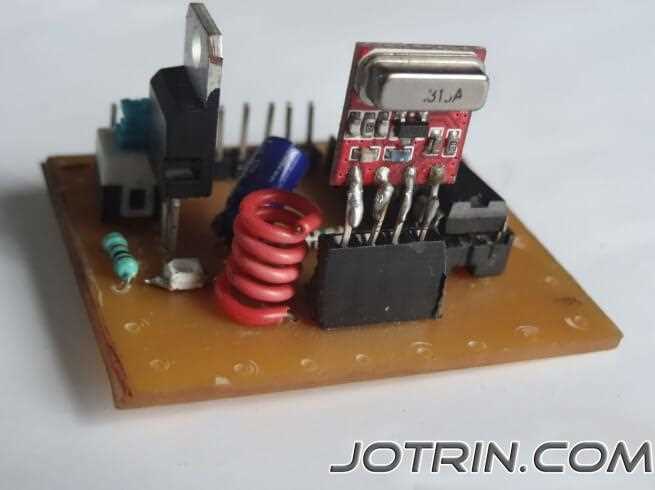
Check the power supply to the encoder before connecting any control lines. Ensure the voltage at pin 18 reaches 5 volts, as fluctuations can disrupt signal encoding and cause unreliable transmission.
Label all data pins between the transmitter and receiver modules. Mark the address lines separately from the control outputs to prevent miswiring, which can result in incorrect device activation or signal loss.
Test the signal path using a multimeter in continuity mode. Verify that each corresponding pin on the decoder receives the expected logic level from the encoder. Resistance above 1 ohm may indicate a poor connection or damaged trace.
Confirm timing of the enable pins before activating the system. Hold the enable line high for at least 100 milliseconds to ensure proper data latching, then verify output responses using LEDs or a digital tester.
HT12E and HT12D Encoder and Decoder Wiring Guide
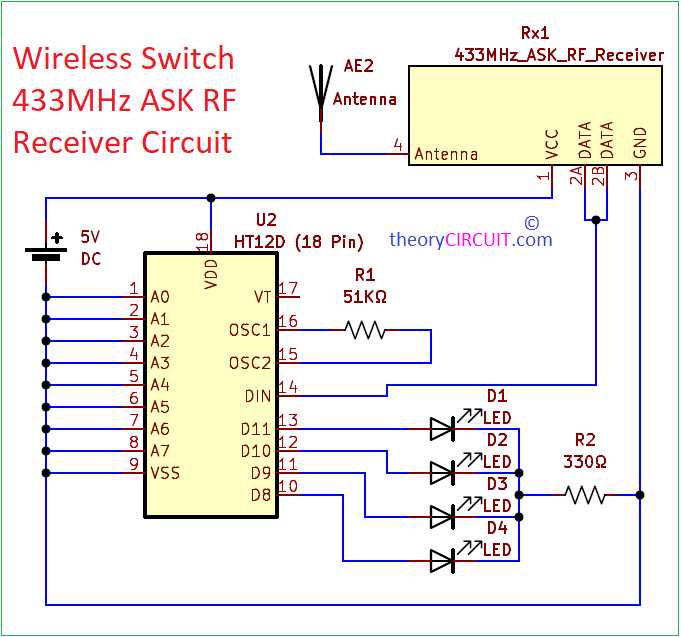
Connect the power supply pins first to ensure stable operation of the transmitter and receiver modules. Use a 5-volt regulated source and check that pin 18 on the encoder and pin 18 on the decoder both receive consistent voltage. Improper supply can lead to incomplete data transfer or false outputs. Inspect all VCC and GND connections for soldering defects or loose wires before proceeding.
Establish data and address connections carefully using the following steps:
- Label address pins A0 to A7 on both modules to match identically for proper pairing.
- Connect data output pins from the encoder to input pins on the decoder, confirming polarity and logic levels.
- Test enable pins by holding them high briefly to latch the data correctly.
- Use LEDs or logic testers on decoder output pins to verify correct activation before integrating with control devices.
Identifying Pins and Connections on HT12E and HT12D Modules
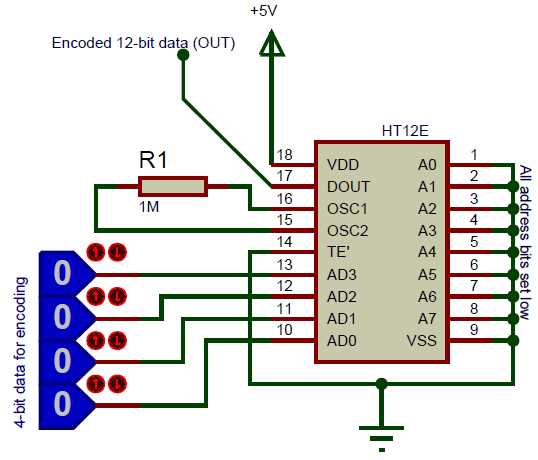
Start by verifying power and ground pins on each module. Pin 18 should be connected to a stable 5-volt supply, while pin 9 must be securely grounded. Any fluctuations or loose contacts can prevent proper signal encoding or decoding.
Label address pins A0 to A7 on both transmitter and receiver modules. Ensure that matching pins on both sides have identical connections; a single mismatch can result in failed communication or incorrect output signals.
Data Pin Configuration
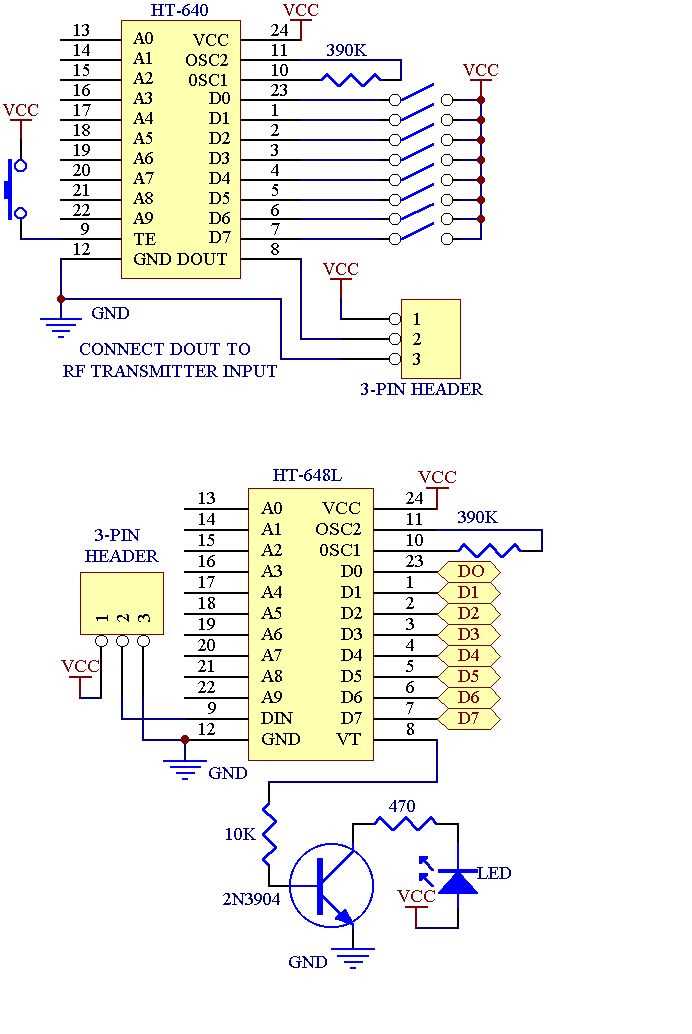
Identify the data output and input pins between the two modules. The encoder’s DOUT pin must connect to the decoder’s DIN pin. Check signal continuity using a multimeter to confirm that each data line correctly transmits logic levels.
Check enable and control pins for proper timing. Hold the EN pin high for at least 100 milliseconds during testing to ensure the receiver latches the transmitted code. Short pulses or reversed polarity may cause missed activations.
Testing Connections Before Integration
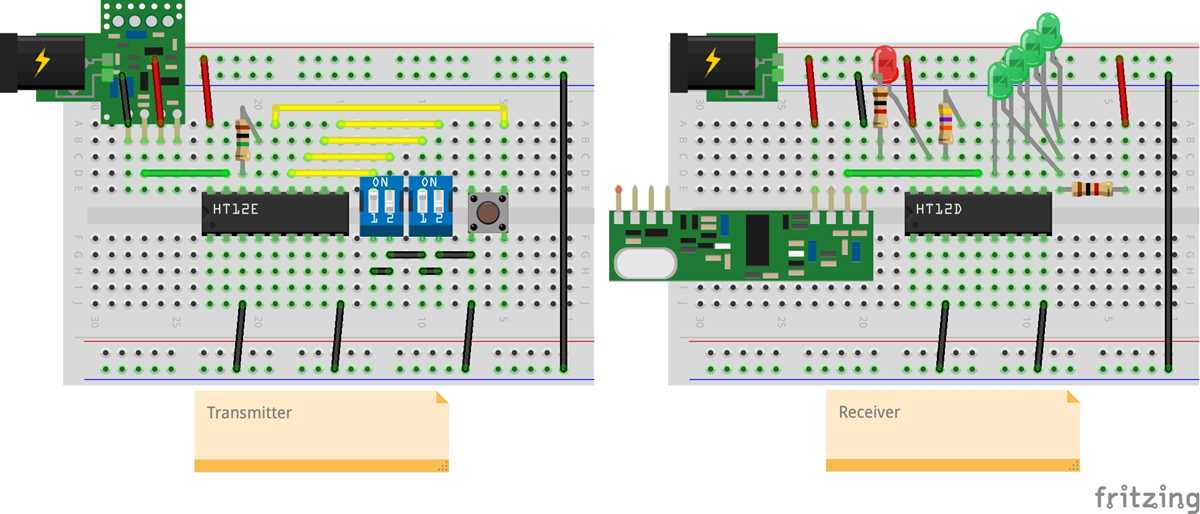
Use LEDs or logic indicators on output pins to verify correct operation. Observe that each activated input on the transmitter produces the expected response on the receiver. Repeat tests for all eight address and four data lines to confirm stable communication.
Document pin arrangements with sketches or labels before final installation. Clear identification prevents wiring errors, reduces troubleshooting time, and safeguards against shorts or misfires during system integration.