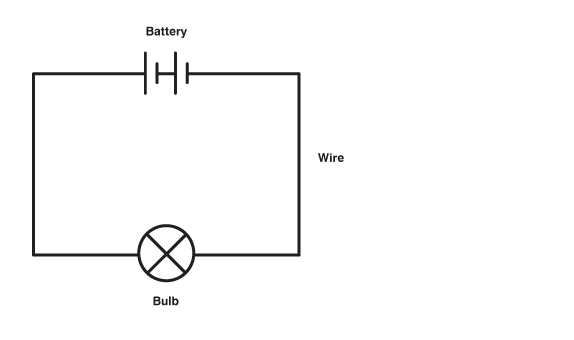
Connect a 5 V regulated supply to a small breadboard setup with switches, LEDs, and resistors. Use 220 Ω resistors in series with LEDs to prevent overcurrent. Ensure the positive rail is tied to VCC and the negative rail to GND for consistent operation.
Switches should be wired so that pressing completes the path to ground. Each input line can be tested by connecting a multimeter or LED to observe state changes. This approach allows verification of logic flow before attaching other modules or loads.
Use short jumper wires to maintain clean paths and reduce accidental shorts. Place decoupling capacitors of 100 nF near power pins of any ICs to stabilize voltage. For projects with multiple LEDs or relays, add a 10 µF electrolytic across the supply to absorb current spikes.
Plan component placement so that LEDs, switches, and resistors do not overlap traces. Keep high-current paths separate from signal paths to minimize interference. With careful layout, small projects like motor controllers, LED arrays, or simple alarms can operate reliably on a 5 V source.
Basic Electrical Wiring Layout with Switches LEDs and Power Connections for Beginners
Use a 5 V regulated supply for a small breadboard project incorporating switches and LEDs. Connect the positive rail to VCC and the negative rail to GND. Ensure all components share a common ground to maintain stable operation.
Each push-button switch should complete the path to ground when pressed. Connect one side to the input pin of an LED or logic module, the other side to ground. This arrangement allows you to observe state changes instantly through LED indicators.
Include current-limiting resistors of 220 Ω in series with LEDs to prevent damage. For multiple LEDs in parallel, ensure each has its own resistor. This prevents uneven brightness and reduces the risk of short circuits.
Place a 100 nF ceramic capacitor across VCC and GND near ICs or sensitive modules. For higher load setups with motors or multiple LEDs, add a 10 µF electrolytic capacitor to absorb voltage spikes and maintain smooth operation.
Route jumper wires carefully to avoid crossing high-current paths with signal lines. Keep switches, LEDs, and resistors aligned to minimize interference. Organize components so connections are short, reducing accidental disconnections or shorts.
Testing and Troubleshooting
Use a multimeter to check voltage at each connection point. Test each switch independently to confirm it completes the path and triggers the corresponding LED. This helps detect wiring errors before powering more complex loads.
Inspect connections for loose wires or solder joints. A flickering LED often indicates poor contact or insufficient decoupling. Adjust component placement or add small capacitors to stabilize signal lines for reliable operation.
Expansion Tips
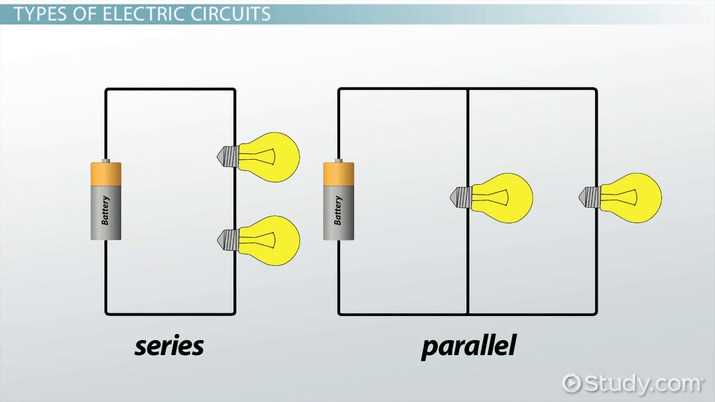
Add relays, small motors, or logic modules by maintaining separate ground paths and using individual current-limiting resistors. Extend the layout without disrupting existing LED indicators by using breadboard power rails and short jumper wires. Proper planning ensures consistent performance across all added modules.
Component Selection and Connection for Simple LED and Switch Setup
Choose standard 5 mm LEDs with forward voltage of 2 V to 3.3 V depending on color. Pair each LED with a 220 Ω resistor to limit current when powered by a 5 V source. Connect the anode to the positive rail and the cathode to the resistor leading to ground.
Use SPST push-button switches for each input line. Connect one side of the switch to the input node and the other side to ground. Pressing the button completes the path, allowing voltage to drop and triggering the output indicator.
Include decoupling capacitors near any logic ICs or sensitive modules:
- 100 nF ceramic capacitor across VCC and GND for each IC
- 10 µF electrolytic capacitor near high-load points to absorb spikes
This stabilizes voltage and reduces flickering LEDs or misreads from input devices.
Wiring Layout
Use short jumper wires to connect LEDs, resistors, and switches. Avoid crossing wires from high-current components with signal paths. Align components in rows on a breadboard to maintain clean connections and simplify troubleshooting.
Label input lines or color-code wires to identify which switch controls which LED. This prevents confusion when adding multiple indicators or expanding the setup with additional modules. Consistent labeling also helps verify connections quickly with a multimeter.
Testing and Verification
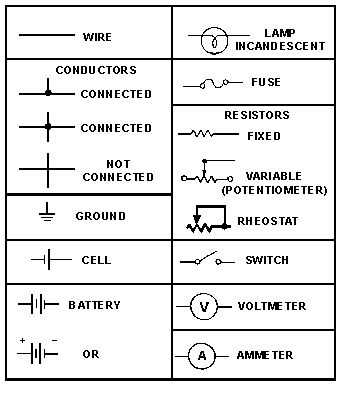
Power the setup and press each switch individually. Observe LED responses to confirm correct wiring. If an LED does not illuminate, check resistor value, orientation of the LED, and proper connection to the ground rail. Repeat for all inputs before connecting additional devices.
When adding relays or small motors, maintain separate power traces to avoid voltage drops affecting LEDs. Use individual resistors for new indicators and ensure the ground paths remain continuous across the entire layout for reliable operation.