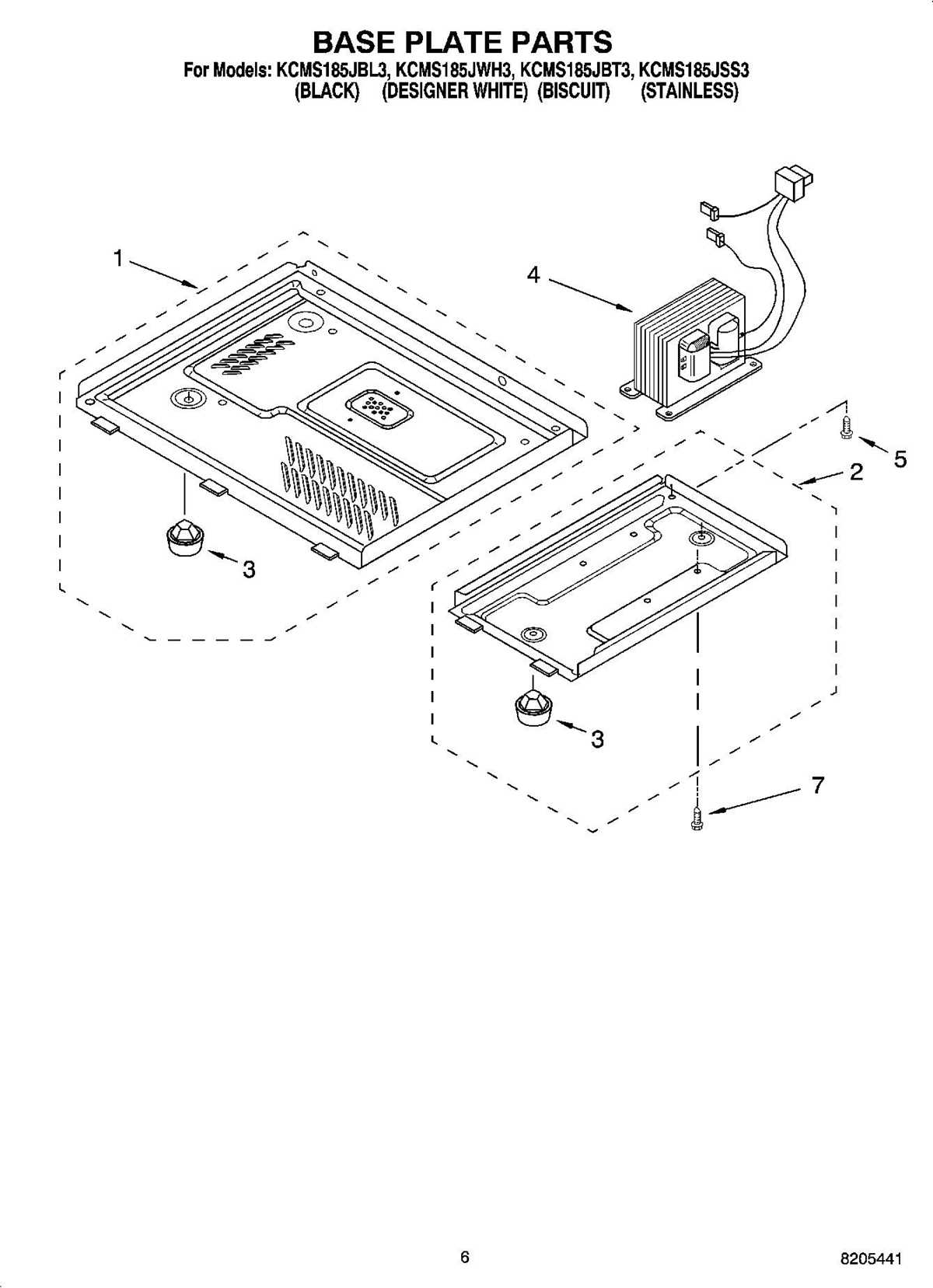
For accurate troubleshooting and repair, refer to the detailed schematic of your appliance’s internal components. This visual guide allows you to pinpoint specific parts and understand their functions. Understanding each element is key when diagnosing issues or replacing faulty components.
Refer to the labeled sections for an easy-to-follow breakdown of the machine’s setup. Start by identifying the power supply, then locate the control board, which is often the first point of failure. Knowing how each section connects can save time during the repair process.
Ensure you have the right tools before proceeding with disassembly. The guide will highlight the screws and clips to remove, making it easier to access the components without damaging them. Following these steps systematically will help restore your appliance’s performance quickly and efficiently.
Understanding the Key Components in a Kitchen Appliance
Begin by identifying the high-voltage transformer, a core element that regulates electrical power. It steps up the voltage for various functions, allowing the appliance to operate effectively. If the appliance isn’t turning on, a malfunctioning transformer is often the culprit.
The magnetron is another critical piece, responsible for generating the microwaves that heat the food. A faulty magnetron results in weak or no heating. If this happens, it is best to replace the magnetron, as repairs are often ineffective.
The control board acts as the brain of the system, managing all user inputs and regulating the appliance’s performance. Issues with this component can cause erratic behavior, such as buttons not responding or incorrect cooking cycles. In many cases, a reset or software reprogramming can help, but a faulty board may require a full replacement.
Look for the capacitor, which stores electrical energy to help the appliance achieve its operating power. A damaged capacitor may prevent the device from starting or result in overheating. Always discharge the capacitor safely before working on it to avoid injury.
The door switch assembly is another important part, ensuring the appliance operates only when the door is securely closed. If this component malfunctions, the appliance may fail to start, or it could run continuously. Testing the door switch with a multimeter will reveal whether it’s the source of the problem.
How to Use the Appliance Component Guide for Repairs
First, locate the section of the guide that corresponds to the issue you’re facing, whether it’s power failure, poor heating, or malfunctioning buttons. Identify the components involved and take note of their positions within the system.
Use the visual representation to pinpoint the exact screws, clips, or panels that need removal. This will help you safely access the internal parts without damaging any surrounding components. Make sure to turn off power before starting any disassembly.
When dealing with faulty components, check the labels for part numbers and specifications. This ensures you order the correct replacement. If you’re not sure, cross-reference the part number with the appliance’s manual or online resources to verify compatibility.
If a component like the control board seems to be the issue, use the guide to trace the connections. Look for any loose wires or visible damage. The diagram can help you follow the correct reassembly sequence after replacing any damaged parts.
For more complex repairs, such as replacing a capacitor or transformer, the guide will indicate which parts need to be discharged or handled with caution. Follow safety instructions closely to avoid electrical hazards.