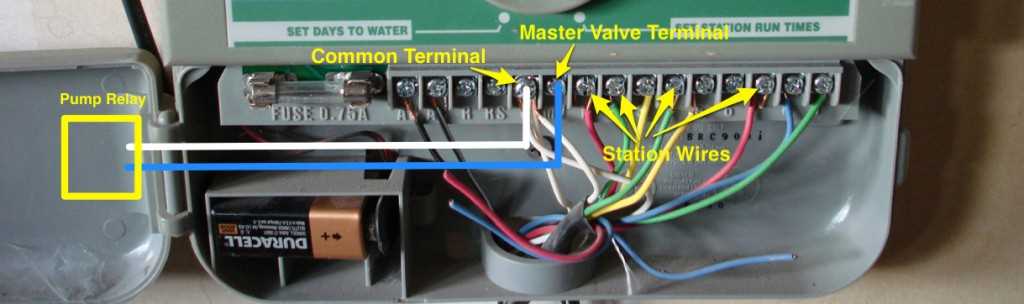
Turn off the main power before handling any terminals. Use a voltage tester to confirm no current is flowing. Identify the incoming cables by color, typically black for live, white for neutral, and green or bare copper for ground, to prevent shorts and ensure proper operation.
Label each conductor before making connections to the control unit. This prevents confusion when linking multiple zones and simplifies troubleshooting later. Make sure wire ends are fully stripped and inserted into terminals without leaving exposed strands.
Follow the controller’s instructions for connecting solenoids and valve wires. Tighten terminal screws firmly, but avoid over-torquing which can damage connectors. Check continuity with a multimeter to ensure each valve responds correctly before applying full power.
Test each zone individually to confirm the system operates as intended. Monitor water flow and check that no segments are inactive. Adjust the control settings for proper timing and sequence to maintain uniform irrigation coverage across the area.
Connecting Automatic Irrigation Systems
Turn off power at the main panel before touching any terminals. Verify with a voltage tester that no current is present. Identify the input lines by color: black for live, white for neutral, and green or bare copper for grounding. Correct identification prevents shorts and component damage.
Label each conductor before attaching it to the control board. Use numbered or colored tags for multiple zones. This simplifies maintenance and ensures correct sequencing of valves when activating different areas.
Check solenoid connections on each valve. Fully insert wire ends into the terminals and tighten screws securely. Avoid leaving copper strands exposed to prevent arcing or uneven operation.
Test continuity between the controller and each solenoid before restoring full power. Use a multimeter to confirm that the circuit is complete. This step prevents misfiring or failure of valves during operation.
Sequence the zones according to the control unit’s layout. Connect the first zone to the first terminal and continue in order. This alignment ensures timing and flow patterns match the programmed irrigation schedule.
Inspect all connections for loose screws or frayed insulation. Even minor contact issues can trigger short circuits or intermittent performance. Correct these problems before powering the system.
Perform a trial run with each zone individually. Observe valve activation and water output. Confirm that each area receives proper coverage without leaks or underperforming segments.
Document the configuration with notes or a simple sketch. Record which terminals control each zone and note any special adjustments. This record will simplify future troubleshooting or expansion of the irrigation system.
Identifying Sprinkler Wires and Terminals
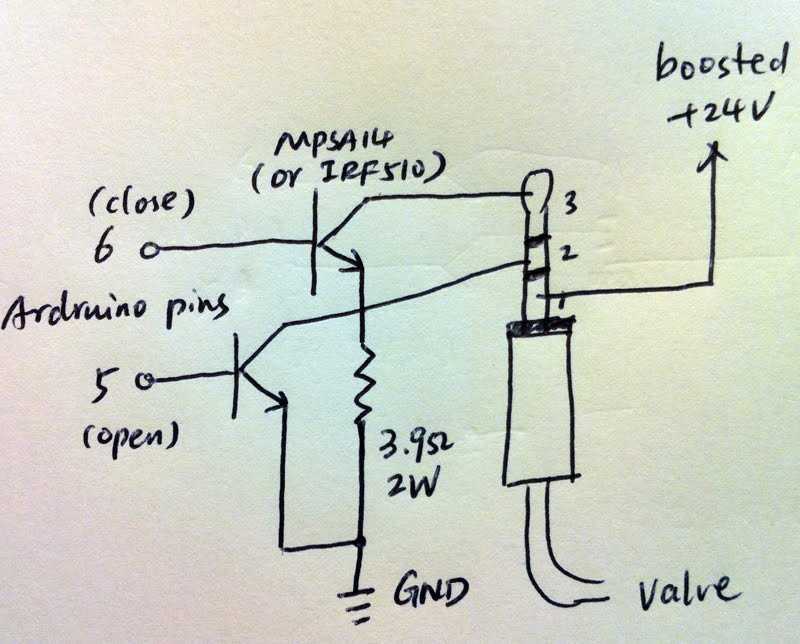
Turn off power at the main control panel before handling any connections. Identify each conductor by color and marking: black or red for live, white for neutral, and green or bare copper for ground. Use a multimeter to verify continuity and ensure each line is active only when intended.
Label and inspect terminals before connecting any leads.
- Check for corrosion or loose screws.
- Confirm each terminal corresponds to the correct zone on the controller.
- Ensure stripped wire ends are fully inserted and insulated where necessary.
Careful identification prevents cross-connections and ensures reliable operation of all control valves.