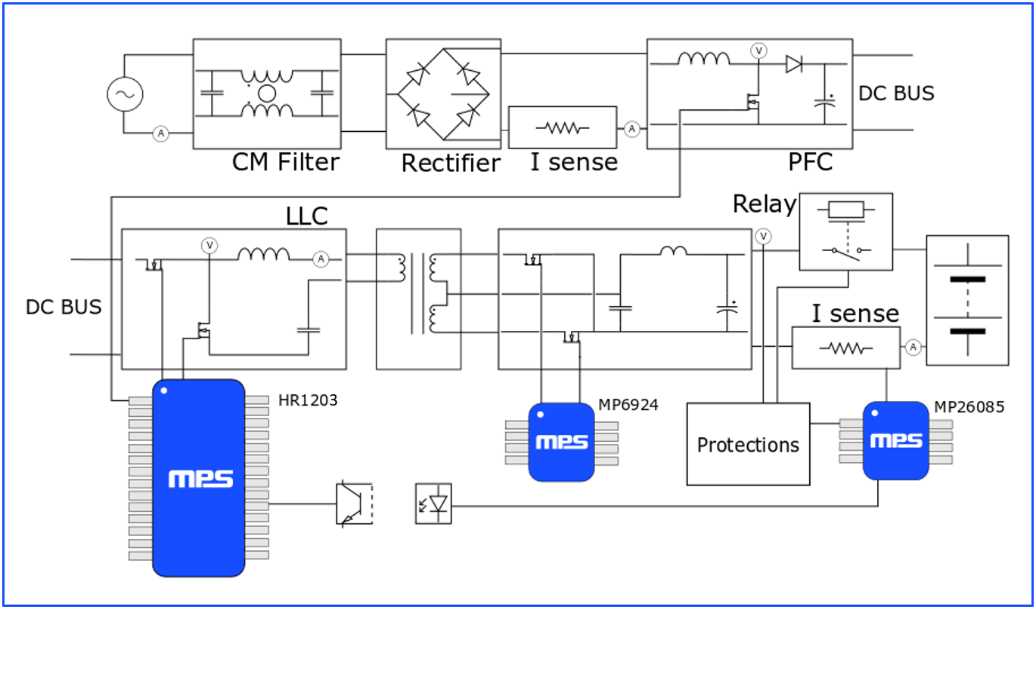
Check the input voltage rating before connecting the unit to prevent overloading components. Most systems operate between 36V and 48V and require a stabilized DC source.
Identify positive and negative leads clearly using color codes: red for positive, black for negative. Incorrect polarity can damage internal regulators and fuses instantly.
Verify fuse ratings along each pathway. Standard setups include 5A to 10A fuses inline to protect switching transistors and MOSFETs from current surges.
Observe connector alignment when joining the main power block to the control module. Ensure that pins are seated fully to maintain stable contact and prevent arcing.
Measure voltage across key nodes with a digital multimeter before operation. Expected readings: input 36–48V DC, output regulated 42V DC, and status LED lines 5V DC.
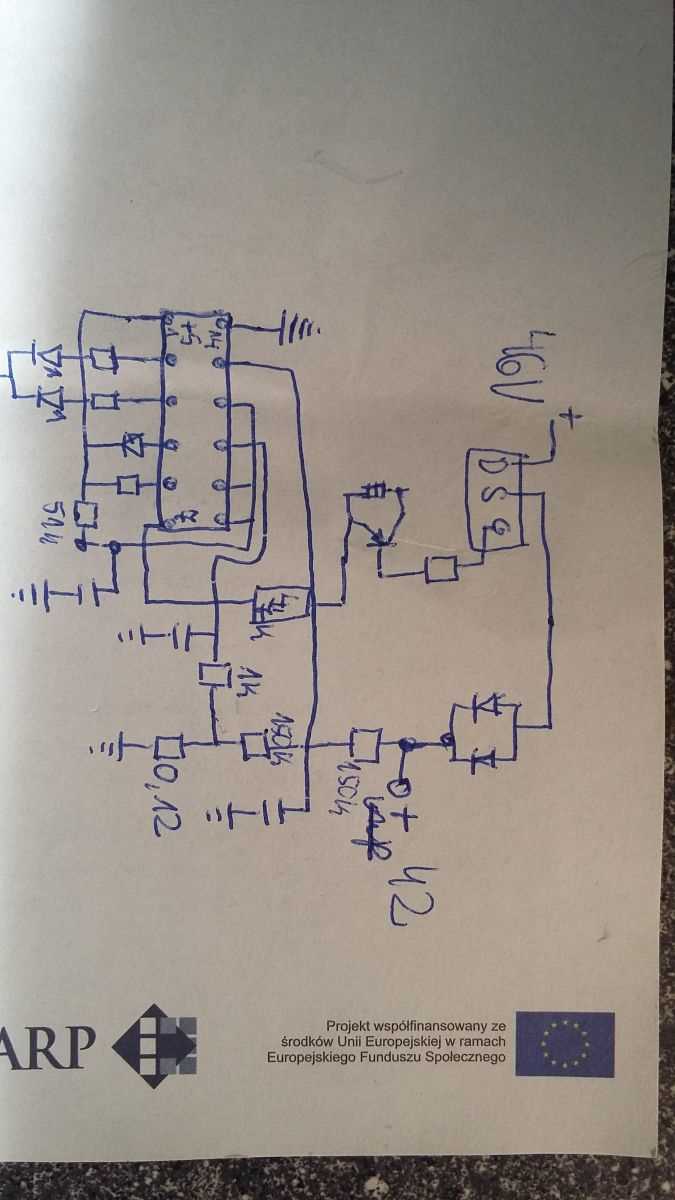
Check thermal management components including heat sinks and thermal pads. Overheating can reduce efficiency and cause regulator failure even with correct voltage applied.
E Bike Charger Circuit Layout and Connection Guide
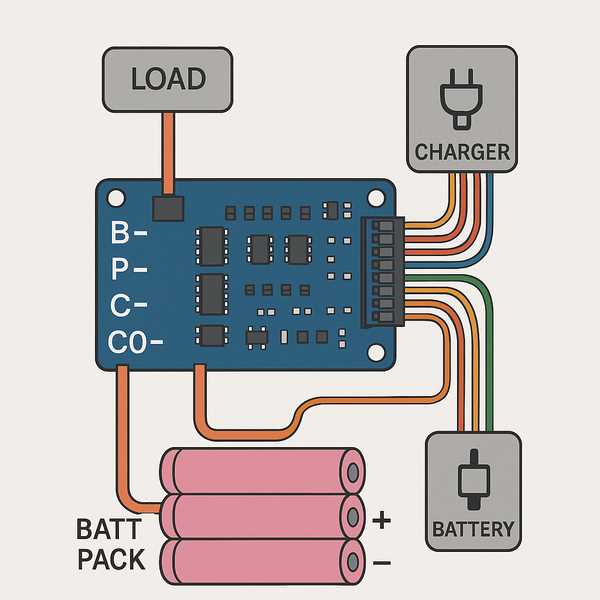
Verify input voltage before connecting the unit to a power source. Most systems operate on 36V or 48V DC and require regulated input to prevent overloading capacitors and semiconductors.
Follow lead color conventions carefully. Red lines typically indicate positive supply, black lines indicate ground, and yellow or blue lines may indicate control or sensing signals.
Inspect connectors and ensure pins are fully seated in their sockets. Loose contacts can generate heat and cause intermittent operation or component failure.
Use inline fuses rated at 5A to 10A to protect switching transistors and MOSFETs from unexpected current surges. Place them close to the main input source.
Check voltage levels at critical points using a digital multimeter. Expected readings include input 36–48V DC, regulated output 42V DC, and status signal lines 5V DC.
Verify thermal management elements such as heat sinks and ventilation. Excessive heating can cause voltage regulators and diodes to fail even if the voltage is within range.
Follow polarity labels and avoid cross-connecting leads. Reversing input and output connections can permanently damage integrated circuits and capacitors, requiring full replacement of the module.
Understanding Charger Terminal Functions and Lead Colors
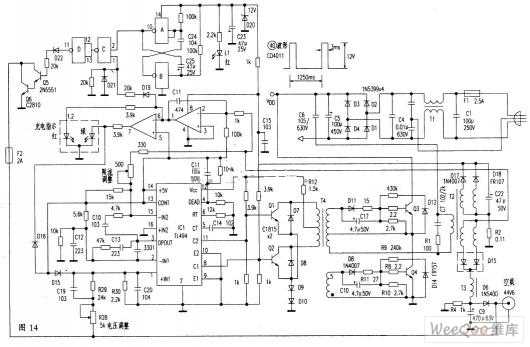
Identify the main power leads first. Typically, red lines carry positive voltage while black lines connect to ground. Ensuring correct polarity prevents damage to voltage regulators and capacitors.
Check control signal connections next. Yellow or blue leads often manage status feedback or charging enable signals. Incorrect connections can prevent the system from properly detecting battery levels.
Label and organize terminals during inspection. Using numbered tags or colored markers helps maintain clarity and reduces the risk of swapping high-current and signal leads, which could lead to component failure.
Test voltage at each lead with a multimeter before full operation. Positive supply should match the input rating, while control leads typically read 3–5V DC when the module is active, confirming proper connectivity.