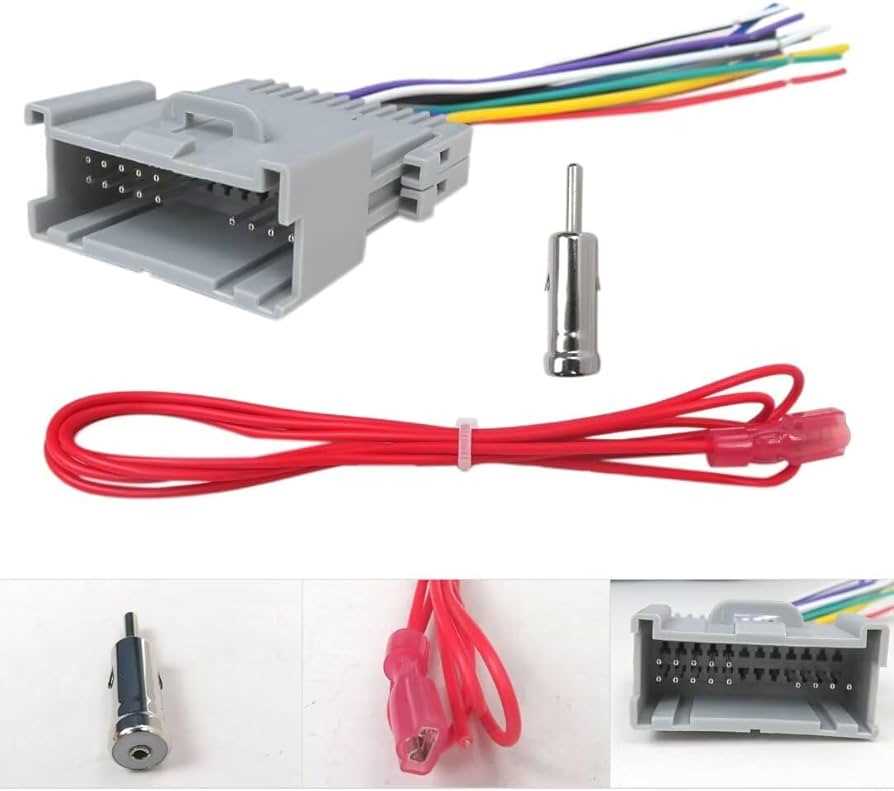
Start by identifying the color codes for each conductor. Typically, red indicates switched power, yellow is constant power, black is ground, and blue handles antenna or amplifier signals. Confirm these with a multimeter before making connections to prevent short circuits or blown fuses.
Match the factory harness to your aftermarket unit carefully. Align pins according to function rather than shape, as some connectors may fit physically but carry different signals. Using a pinout chart for the model year ensures proper alignment and avoids signal interference.
Secure all terminals and check continuity before final assembly. Loose connections can cause intermittent sound, static, or failure to power on. Use crimp connectors or solder joints with heat shrink for reliable results. Test each channel individually to confirm correct operation before reinstalling panels or dashboards.
Vehicle Audio Connector Reference and Installation
Begin by mapping each conductor according to its function. Use a multimeter to verify that the orange wire carries illumination signals, gray handles the right front speaker, white is for the left front, green for the left rear, and purple for the right rear channel. Mark each with tape to prevent mistakes during assembly.
Ensure all pins align with the dashboard harness. Some terminals appear identical but deliver different voltages. Connecting incorrectly can trigger blown fuses or prevent the head unit from powering on. Check the connector orientation before applying pressure to seat each pin.
Secure grounds by attaching the black conductor to a bare metal surface on the chassis. Avoid paint or corrosion spots, as they reduce contact and cause intermittent audio dropouts. Tighten screws firmly but avoid stripping threads in the plastic mount points.
Test every channel before closing the console. Play low-volume signals to confirm left and right channels respond, and verify subwoofer or amplifier triggers activate correctly. Adjust or re-seat any conductor that produces static or silence to guarantee full functionality.
Identifying Audio Conductor Colors and Their Functions
Check each lead before connecting to the console unit. Misidentifying a conductor can cause a short or prevent the amplifier from activating. Use a digital multimeter to confirm voltage presence on power lines and continuity on speaker paths.
Typical color assignments include:
- Yellow – constant battery feed to maintain memory settings
- Red – switched ignition power for system activation
- Black – ground for signal reference
- Blue – amplifier or antenna control
- Gray and White – front right and left speaker outputs
- Purple and Green – rear right and left speaker outputs
Label each conductor with masking tape to reduce errors during installation. Confirm that paired wires for each speaker match positive and negative terminals to prevent phase cancellation, which can degrade audio quality.
When extending or splicing leads, solder connections and cover them with heat-shrink tubing. Avoid twisting wires together or using bare connectors, as this increases resistance and can introduce noise into the system.
Test each channel individually after completing connections. Play a low-volume signal through all outputs to verify correct polarity and continuity. Adjust any misrouted conductors immediately to prevent damage to the console or speakers.