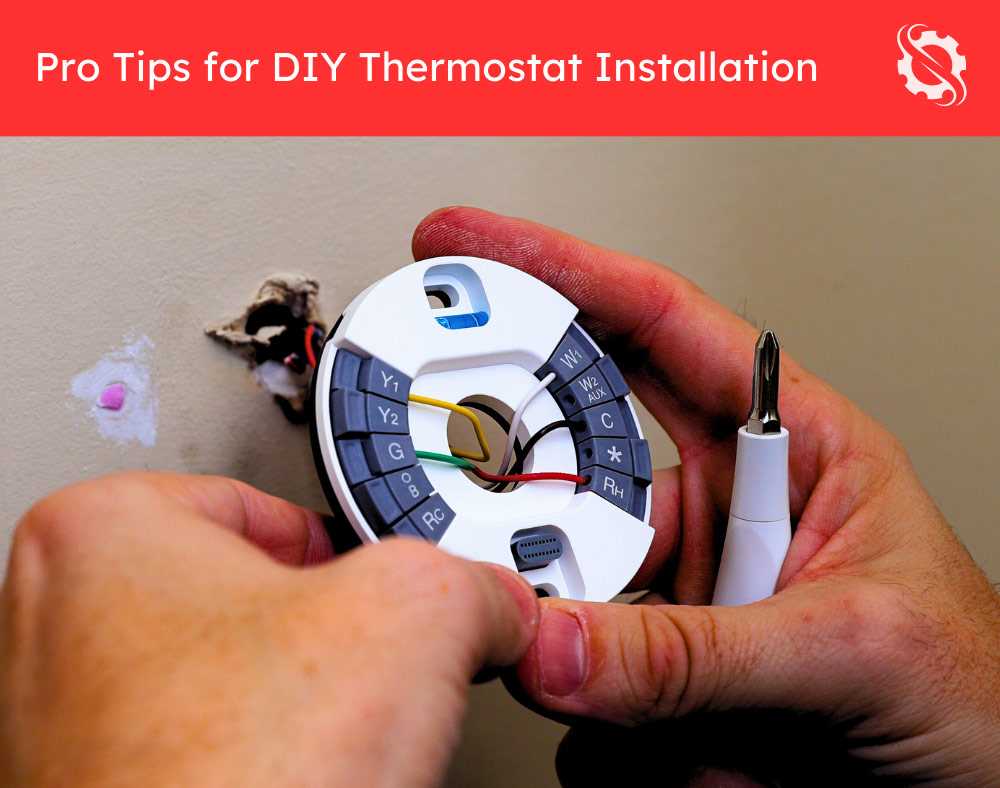
Use a 24V AC transformer to power the controller safely. Connect the red wire to the R terminal and the white wire to the W terminal to enable heating commands. Ensure the common wire is securely attached to the C terminal for stable operation.
Fan control requires linking the G terminal to the indoor blower motor. Verify the motor voltage rating matches the controller output to prevent overheating or motor damage.
Cooling relay activation depends on the Y terminal connection. A yellow wire should run directly to the compressor relay input, ensuring the signal triggers compressor operation correctly.
Double-check all screw terminals and wire insulation. Loose connections can lead to intermittent operation or erratic temperature regulation. Use a multimeter to confirm continuity before final assembly.
Air Conditioner Thermostat Wiring Instructions
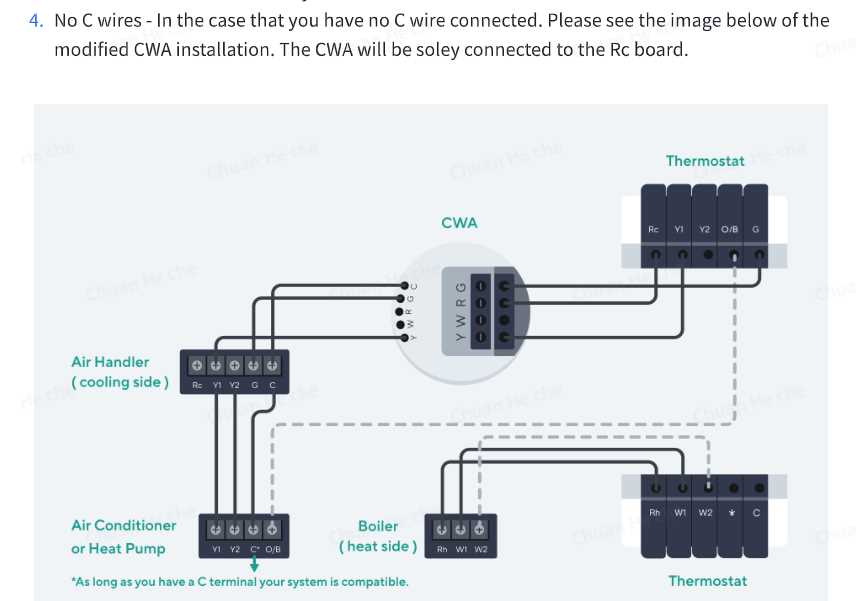
Connect the 24V AC power source directly to the R terminal of the temperature controller and the C terminal to complete the circuit. Ensure the transformer output matches the voltage rating of the controller to prevent damage.
Heating activation requires linking the W terminal to the indoor furnace relay. Confirm that the relay coil matches the controller output voltage to avoid weak or failed triggering.
Cooling operation is controlled by the Y terminal. Connect the yellow wire to the compressor contactor input and verify that the wire gauge supports at least 5A continuous current without excessive heating.
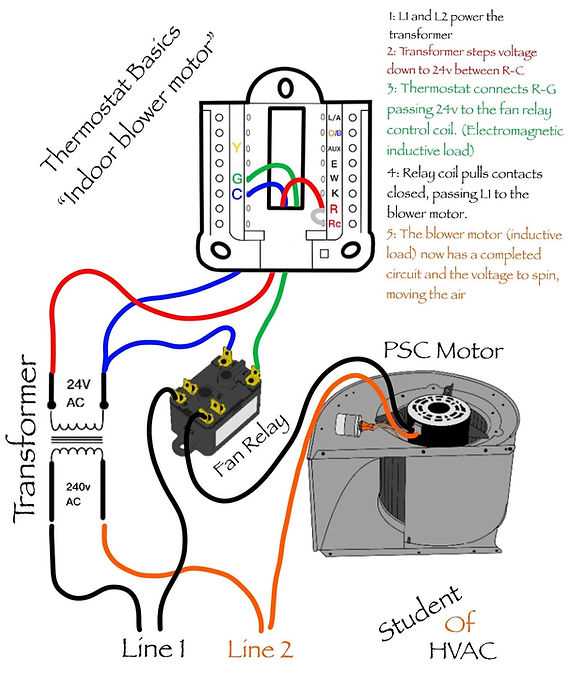
Fan management uses the G terminal connected to the blower motor relay. Test the motor voltage before connecting to ensure the fan engages correctly and cycles with the temperature setpoint.
All connections should be secured with screw terminals or push-in clips. Check insulation to prevent short circuits, and measure continuity across terminals using a multimeter to confirm proper connectivity.
After completing connections, set the controller to manual mode and activate each function individually. Observe the response of heating, cooling, and fan modules, adjusting any loose or misaligned wires to ensure stable performance.
Identifying Thermostat Wires and Terminals

Start by locating the main controller panel and inspecting the terminal block. Each connection point is labeled with letters such as R, W, Y, G, and C, which indicate power, heating, cooling, fan, and common lines respectively.
Color coding helps identify each conductor quickly:
- Red wire → R terminal, 24V AC power supply
- White wire → W terminal, heating relay signal
- Yellow wire → Y terminal, compressor activation
- Green wire → G terminal, blower motor control
- Blue or black wire → C terminal, common line for stable voltage
Verify each connection using a multimeter. Measure voltage between R and C to confirm proper supply. Testing W and Y terminals while switching heating and cooling modes ensures correct response and prevents accidental short circuits.
Labeling wires with tags or colored sleeves is recommended before final assembly. This practice avoids confusion during maintenance and helps maintain a clear record of each functional line, especially in multi-zone setups with multiple controllers.