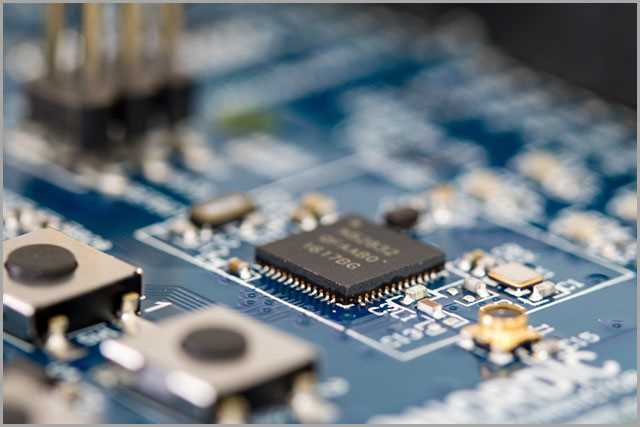
Use a single-chip 2.4 GHz audio SoC with integrated radio and DAC as the center of the layout sketch; parts such as the QCC30xx or JL AC69xx families reduce component count and simplify routing. Power the chip from a 3.0–4.2 V Li-Po cell through a compact charging controller (for example TP4056 class devices) and place a 3.3 V LDO regulator near the SoC supply pins. Add 100 nF decoupling capacitors within 2–3 mm of each VDD pad and a bulk capacitor around 10 µF on the main supply line to stabilize current bursts during radio transmission.
The RF path requires a 50-ohm microstrip trace running from the SoC antenna pin toward a compact ceramic antenna or etched antenna element. Keep this trace shorter than 15 mm and avoid sharp angles; two 45-degree bends maintain impedance better than a single 90-degree turn. Insert a π-matching network consisting of two capacitors (0.5–2 pF range) and one inductor (1–3 nH) close to the antenna feed so tuning can be adjusted during testing. Leave copper clearance of at least 3–5 mm around the antenna zone to prevent detuning.
Audio output lines from the SoC connect to a Class-D miniature amplifier or directly to a balanced micro-speaker driver. Route the differential pair together with equal length traces and maintain spacing of about 0.15–0.20 mm to reduce noise pickup. A MEMS microphone usually connects through a PDM or analog input; position it along the device edge and isolate it from the radio section with a small ground barrier trace.
Clock stability affects pairing and audio streaming quality. Mount a 26 MHz crystal beside the SoC clock pins with load capacitors typically 10–15 pF. Keep these connections under 5 mm and avoid running power traces beneath them. Add test pads for battery voltage, data lines, and reset so debugging and firmware flashing remain accessible even after the compact module is assembled.
Layout Map for a 2.4 GHz Wireless Earphone Electronics Platform
Place the 2.4 GHz radio module close to the antenna trace and keep the RF path shorter than 15 mm; longer routing raises signal loss and noise pickup. The antenna section should remain free of copper fill within at least a 5 mm radius. A compact power stage using a 3.7 V lithium cell typically feeds a step-down regulator delivering 1.8 V–3.3 V for the audio processor and radio transceiver. Add 100 nF decoupling capacitors within 2–3 mm of each supply pin on the audio codec and RF chip.
Key Functional Blocks
A typical ear-mounted audio device electronics layout contains five blocks: RF transceiver, audio codec with DAC/ADC, microcontroller, charging manager for the lithium cell, and a small class-D amplifier driving speakers rated 16–32 Ω. Data from the radio unit moves through an I²S link to the codec, while control commands travel through I²C at 100–400 kHz. The microcontroller handles pairing logic, button input, LED status, and sleep states that reduce current draw below 10 mA during idle listening periods.
Use ground segmentation to separate RF and audio sections. Connect the analog ground and RF ground through a single low-impedance bridge located near the power regulator. Without that bridge, digital switching noise may enter the microphone preamp stage, producing audible hiss. Keep microphone traces shorter than 25 mm and shield them with ground rails on both sides.
Power and Charging Section
The lithium cell charging path normally includes a linear charger IC set to 0.5–1 A depending on battery capacity (commonly 300–500 mAh). The USB 5 V input flows through ESD protection, then into the charger controller. A thermistor connected to the battery pack allows temperature monitoring between 0 °C and 45 °C. Place the charging controller near the USB pads to reduce voltage drop and route the battery line with traces at least 0.5 mm wide.
Audio output routing should avoid crossing RF traces. The class-D amplifier output pair must remain symmetric and spaced about 0.25 mm apart across the printed substrate surface to reduce electromagnetic emission. Engineers often include test pads for UART debugging and firmware flashing; spacing them 1.27 mm apart allows pogo-pin fixtures during production testing.
Identifying and Labeling Core Components on a Wireless Audio PCB Layout
Mark the power management section first: locate the lithium cell connector and trace the path toward the charging controller IC. This chip usually sits close to the battery pads and the USB or pogo-pin charging contacts. Label the following items clearly on the printed substrate layout:
- Battery positive and ground pads
- Charging controller IC
- Protection MOSFET pair
- NTC temperature resistor connected to the cell
- Input filter capacitors placed near the charging pins
Next, identify the wireless radio system-on-chip. This integrated module combines RF transceiver, audio processor, and microcontroller logic. It is typically the largest QFN or BGA package located near the antenna trace. Label its pins or regions related to RF, audio input/output, crystal oscillator, and power rails. Distinguishing these zones simplifies later debugging or component replacement.
Oscillator components require explicit marking because timing stability directly affects link quality and audio synchronization. Locate the crystal resonator positioned adjacent to the radio SoC; it normally connects to two small load capacitors placed symmetrically. Mark the resonator frequency value (often 16 MHz, 24 MHz, or 26 MHz) and annotate both capacitors with their capacitance values, usually between 10 pF and 22 pF.
Audio path components should be grouped visually. Trace the route from the microphone element through the analog conditioning network toward the processor input. Typical elements that must receive labels include:
- MEMS microphone package
- Bias resistor feeding the microphone
- AC coupling capacitor
- Noise filtering capacitor tied to ground
- Analog input pin on the processing IC
Locate the speaker driver stage and mark the amplifier outputs leading toward the miniature dynamic driver. The amplifier often appears as a small class-D stage integrated inside the main chip, though external filtering parts may still be present. Label series inductors, output capacitors, and the two traces heading to the acoustic driver terminals.
User interface parts must also appear on the labeled layout. Identify tactile switches used for volume or pairing commands, then mark the pull-up or pull-down resistors connected to their signal lines. If indicator LEDs exist, annotate each diode along with its current-limiting resistor. These markings help correlate physical buttons with firmware GPIO assignments.
Antenna structures deserve a dedicated label region because RF performance depends heavily on geometry. Trace the thin meandered copper path located near the edge of the substrate and mark the matching network components attached to it:
- Series inductor used for impedance adjustment
- Shunt capacitor tied to ground
- Optional π-network consisting of three tuning parts
Finish the labeling process by mapping all power rails and ground zones. Mark voltage domains such as VBAT, 3.3 V, and any internal regulator outputs. Place short annotations near decoupling capacitors (100 nF, 1 µF, 4.7 µF values are common) positioned around integrated chips. Clear rail naming prevents confusion during probe measurements and repair work.