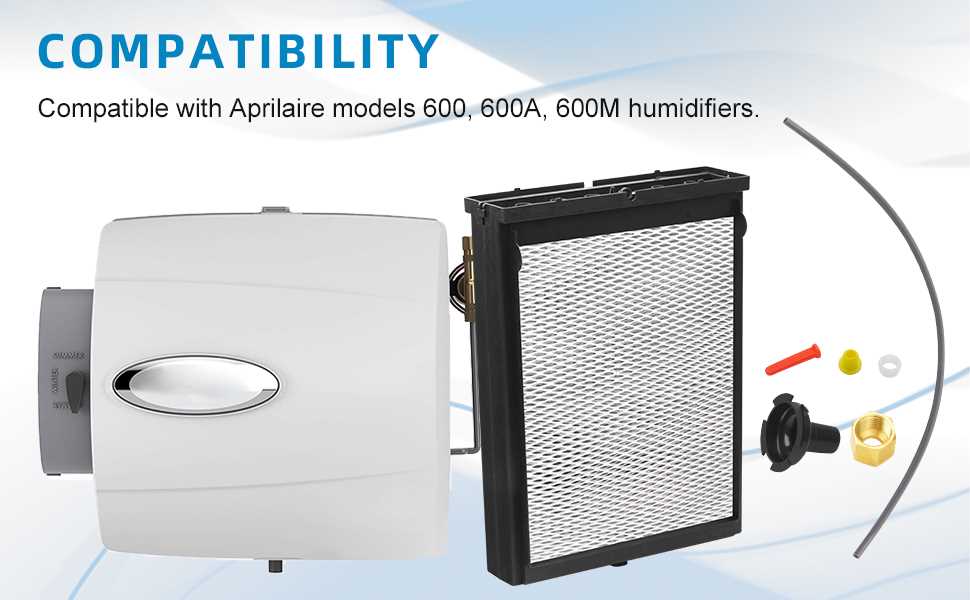
To maintain an optimal environment in your home, knowing how to identify and replace key components of your air system is crucial. When parts begin to wear out or malfunction, identifying the problem quickly can help prevent further damage. Regular maintenance of individual elements can improve the performance of the entire unit.
The major components typically include the water panel, fan assembly, and the distribution tray. Each of these parts plays a role in how moisture is added to the air, and understanding their function can aid in troubleshooting when issues arise. For instance, if you notice reduced output or strange noises, the water panel or fan motor could be the source of the problem.
If you find that any component is worn or damaged, replacing it promptly can prevent further inefficiencies. To replace them, you’ll need to carefully follow the manufacturer’s guide, which will specify the correct procedures for disassembly, part identification, and reassembly. Having the right parts on hand and understanding how each one interacts with the system can save time and effort in repairs.
Component Breakdown and Repair Tips
Begin by identifying the main components: the water distribution tray, water panel, fan motor, and the humidifier control. Each of these parts is integral to the overall function, and any failure in one can lead to reduced efficiency or malfunction. When dealing with repairs, always ensure the system is powered off and disconnected from the power source before proceeding.
If the water distribution tray is clogged, clean it with a soft brush and vinegar to remove any buildup. For damaged water panels, replacing them is usually straightforward. Ensure you purchase the correct size and model to fit the system. A dirty or malfunctioning fan motor can be cleaned or replaced if necessary. Pay close attention to the motor’s performance and check for any unusual sounds or decreased airflow.
For advanced repairs, such as issues with the control board, you may need professional assistance. If the system is not responding to the settings or is showing error codes, check the wiring and connections first, as these can often be the cause of issues. Refer to the specific user manual for troubleshooting tips related to error codes.
Identifying Key Components in the Humidifier
Start by locating the water distribution tray, which ensures the even spread of moisture. If this part is damaged or obstructed, it will affect the overall performance. Next, inspect the water panel. It needs to be replaced periodically as it can accumulate mineral deposits, reducing airflow and efficiency.
Check the fan motor for any signs of wear or malfunction. A faulty fan can cause weak airflow or irregular operation. The control board, which regulates the system’s settings, should also be inspected. If it shows signs of erratic behavior or error codes, this may indicate a need for recalibration or replacement.
Lastly, ensure the humidifier’s water line is free from blockages. A clogged line can prevent water from flowing properly, which could cause inadequate humidification. Regular maintenance of these components is crucial to keeping the system running smoothly.
How to Replace Worn-Out Parts in Your Humidifier
To replace the water panel, first turn off the power and disconnect the water supply. Remove the old panel and clean the tray before inserting the new one. Ensure it fits securely and properly aligns with the water distribution tray.
When replacing the fan motor, disconnect the power and remove the fan assembly. Carefully detach the old motor, and install the new one in the same position. Test the fan for smooth operation after installation.
If the water line is clogged, disconnect it and remove any debris using a small brush or cleaning tool. Reattach the line and ensure it’s properly connected to the water source. Check for leaks after reassembly.
For control board replacement, disconnect all power sources and remove the existing board. Install the new control board, ensuring the wiring is securely connected. After installation, test the system to confirm proper functionality.