
Disconnect the appliance from power and water before opening the housing to trace the flow path and wiring layout with accuracy. This approach prevents damage to the heater block rated at approximately 1400 watts and avoids strain on the silicone tubing connected to the pump.
The internal structure includes a compact thermal unit, vibration pump delivering up to 20 bar, and a network of food grade hoses routed through molded channels. Mapping these elements visually helps confirm where leaks, heating delays, or pressure loss originate during inspection.
Electronic control relies on a small PCB linked to temperature probes and safety switches mounted near the boiler casing. Recognizing connector positions and cable colors reduces mistakes during reassembly and shortens troubleshooting time when addressing power or sensor faults.
Internal Layout and Component Map for a Single Serve Brewing Unit
Disconnect power and remove the outer shell to trace fluid flow and wiring paths without guesswork. This exposes the heater block, pump mount, and tubing routes, letting you verify alignment before any service action.
- Heating module fixed near the base plate with thermal paste contact points rated for sustained high watt draw
- Vibration pump secured by rubber grommets to limit noise and routed to the inlet valve through silicone lines
- Water reservoir outlet feeding a check valve positioned above the pump inlet
Confirm cable routing around the brew chamber frame to prevent pinch points during reassembly. Pay attention to connector orientation on the control board, where polarity marks align with color coded leads.
- Locate temperature sensor clamped to the heater casing for accurate heat feedback
- Follow power leads from the switch assembly to the control board terminals
- Check hose clamps near the outlet nozzle for uniform tension
Reinstall the housing only after confirming clearances around moving elements and verifying that hoses follow molded guides without sharp bends.
Locating Heating Assembly Pump and Water Lines Within the Housing
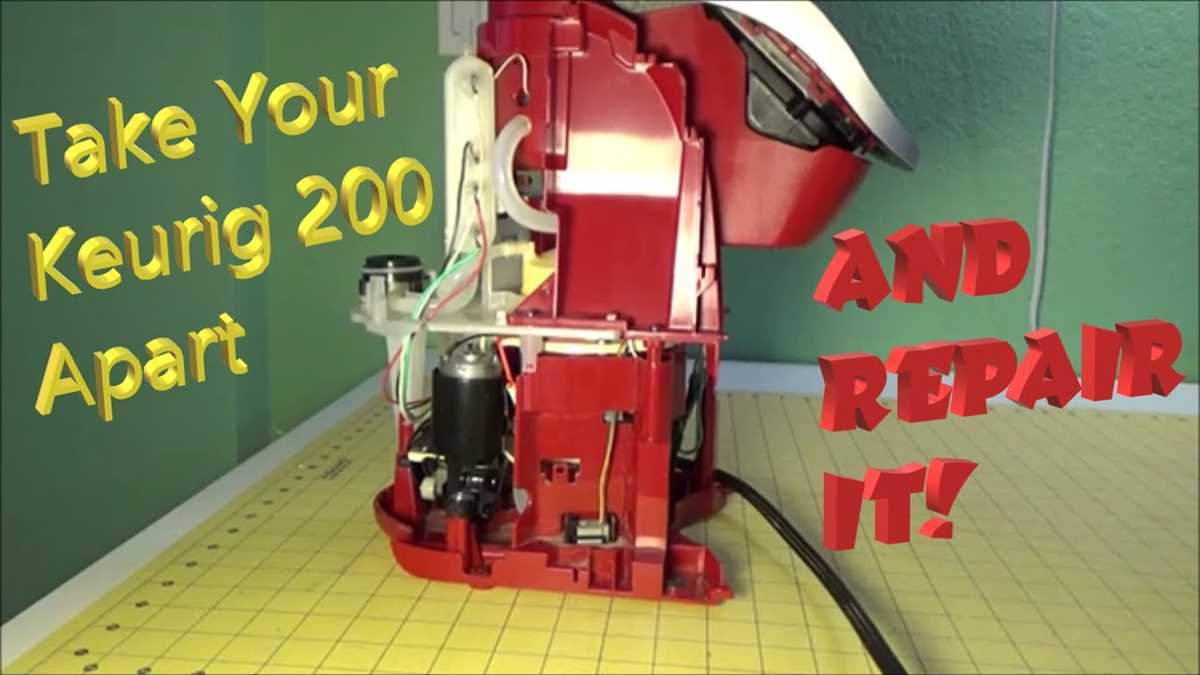
Access the heat module by removing the lower cover and tracing the thick insulated wires rated for high current draw. The metal block with attached temperature probe sits near the base frame, secured with two or four screws depending on revision.
Find the pressure unit directly downstream from the reservoir outlet. It is mounted on vibration dampers and connected through flexible food grade tubing with an inner diameter close to 5 mm. Follow the inlet line from the tank port to confirm orientation before disconnecting.
Track liquid channels by observing molded guides along the chassis. One line runs from the pump outlet to the heater inlet, while another exits the heater toward the brew head. Check for spring clamps at each junction and note hose length to avoid routing errors during reassembly.
Inspect all connections for mineral buildup near bends and fittings. Replace tubing that shows stiffness or discoloration, and confirm that each run maintains a smooth curve without compression against the housing panels.
Identifying Control Board Sensors and Electrical Connections
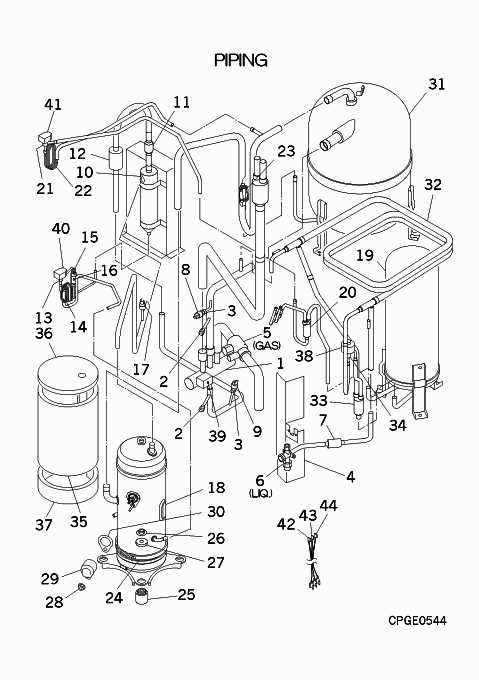
Disconnect power and remove the upper shell to reach the logic board mounted behind the front panel. The flat rectangular board carries labeled sockets that simplify wire tracing during service.
Locate thermal feedback units by following thin paired leads from the heat block area. These probes clip into white or beige connectors and report temperature changes to the processor. Check resistance values with a multimeter before reuse.
Find level detection hardware near the reservoir bay. Two low voltage wires run to a small switch or optical reader that signals liquid presence. Verify alignment and clean any residue that may block the signal path.
Inspect all harness terminations for discoloration or looseness. Each plug uses keyed geometry, so match shape and pin count during reconnection to prevent polarity errors and startup faults.
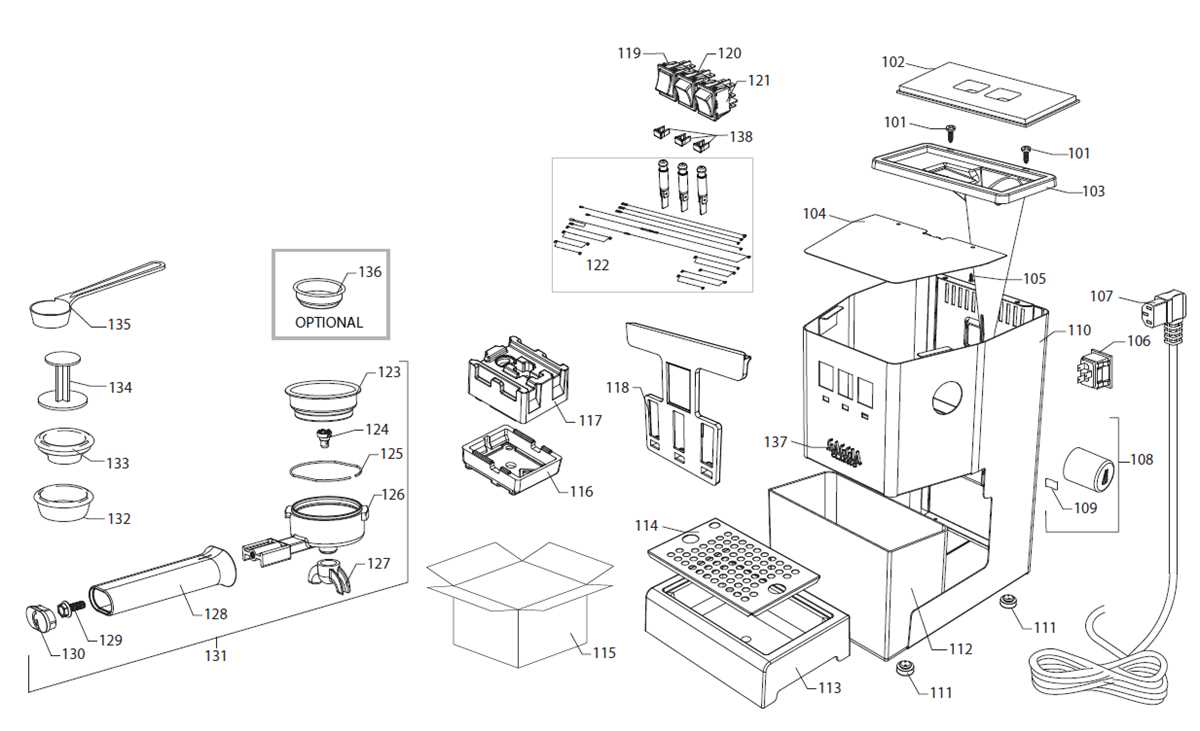
Matching Internal Component Labels to Replacement Hardware During Repair
Record each alphanumeric marker printed near modules before ordering new hardware. These codes link directly to manufacturer catalogs and reduce mismatches caused by similar shapes or mounting points.
Compare connector count, pin layout, and wire color sequence against the reference map supplied in service documentation. A pump motor labeled with a three pin socket will not accept a two pin substitute without wiring changes.
Measure physical dimensions with a caliper, focusing on shaft length, bracket spacing, and gasket diameter. Heating units often vary by a few millimeters, which affects sealing and alignment during reassembly.
Cross check voltage and wattage ratings stamped on casings. Installing a lower rated substitute may trigger shutdowns, while higher output hardware can stress the power board.
Keep removed items grouped with their fasteners and note label orientation. This practice speeds installation and avoids reversed placement that can block fluid paths or strain cables.