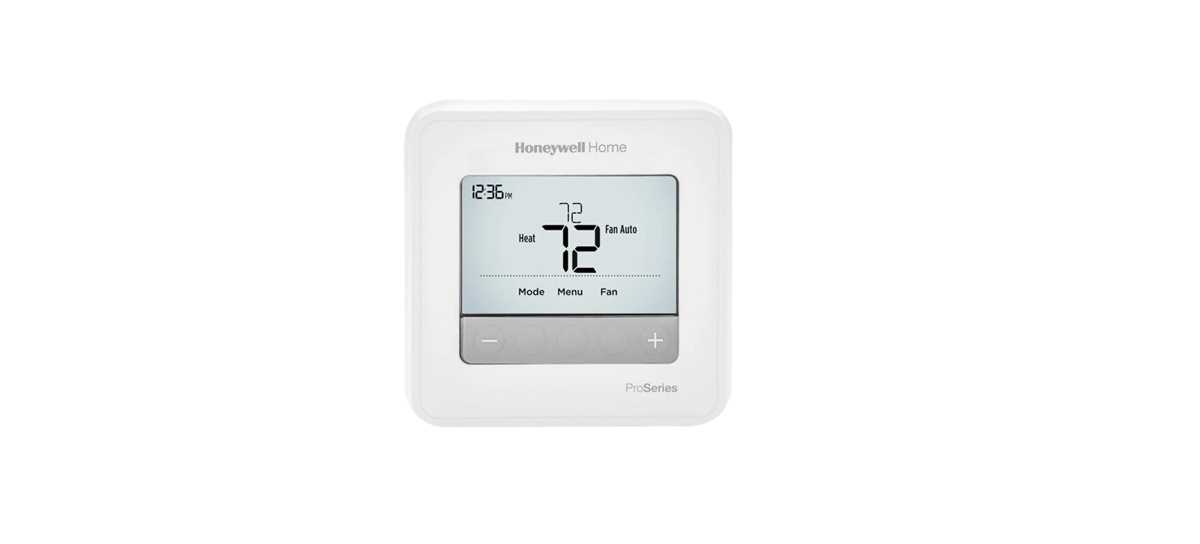
Before connecting your new device, make sure to identify the color codes for each wire. Standard color codes help avoid confusion and ensure proper connections between the control system and the heating or cooling unit. Typically, the red wire connects to the R terminal, while the white wire should go to the W terminal. Double-check your model’s documentation to confirm wire labeling, as it may vary slightly depending on the model.
Next, ensure that the power is turned off at the breaker to prevent electrical shock or short circuits during installation. Start by connecting the common wire (C wire), followed by the heating and cooling wires. Use the screws on the terminals to secure the wires tightly, ensuring that there’s no risk of loose connections, which can cause malfunctions.
If you’re replacing an old system, take a photo of the existing connections to help guide you during the setup of the new device. Keep in mind that many modern systems require an additional wire, known as the C wire, to maintain constant power to the unit. Without this wire, the device might experience operational issues, especially during battery charging.
Once the wires are connected, check for any potential errors on the unit’s screen. If the system doesn’t power up, verify the connections once again and inspect the fuse or breaker associated with the heating and cooling system. This initial setup is crucial to ensuring smooth functionality after installation.
Installing Your Heating and Cooling Control System
For a successful installation, begin by identifying the terminal labels on your control panel. The most common labels include R (power), W (heating), Y (cooling), and C (common). Carefully connect the red wire to the R terminal, which supplies the 24V power, while the white wire should go to the W terminal for heating control. If your unit has cooling capabilities, connect the yellow wire to the Y terminal for the cooling system’s activation.
If your model requires a C wire for continuous power, make sure it’s properly attached to the C terminal, ensuring that your device receives a steady voltage supply for its functions. When all wires are connected securely, check for tightness to avoid loose connections. Verify the proper sequence of wiring before turning the power back on. If you encounter issues, review the connections one more time, making sure each wire matches its labeled terminal on both the unit and the panel.
Understanding the Wiring Color Codes for Honeywell Thermostats
Begin by familiarizing yourself with the color code conventions used for connecting wires to your control system. These codes help avoid mistakes when connecting the device to the heating and cooling system. For example, the red wire (often marked as “R”) typically provides power to the unit, while the white wire is used for heating functions, connected to the “W” terminal.
The yellow wire corresponds to the cooling function and should be connected to the “Y” terminal. This wire is critical for cooling system activation. If your setup includes air conditioning or a heat pump, this color code is necessary for the proper operation of the cooling system.
The green wire is usually reserved for the fan. Connect it to the “G” terminal to ensure the fan operates properly. The fan wire is integral to controlling the air circulation system, whether for heating, cooling, or simply for ventilation purposes.
If you have a C wire in your setup, it is typically blue or black. The “C” terminal provides continuous power to the control unit, ensuring it functions reliably even when the system is not actively heating or cooling. If your unit requires a C wire and you do not have one, it may be necessary to install this additional wire to avoid power interruptions.
Other Important Wiring Color Codes
Some systems might use alternative color codes depending on the brand or model. For instance, the brown or orange wire might be used in systems with multiple stages of heating or cooling. These wires should be connected to their respective terminals, marked “O” for cooling or “B” for heating, depending on the configuration.
When you have multiple stages, ensure you connect the second stage heating (usually marked as “W2”) to a separate terminal, often designated for additional stages. The second-stage cooling wire (if applicable) may be labeled “Y2” and should be connected similarly to manage multi-stage cooling systems.
After making sure all wires are connected correctly, verify that the connections are secure and properly tightened. Double-check that each wire matches the corresponding terminal color code on the system. Once the connections are confirmed, you can proceed with powering up the device and performing a system test to ensure proper operation.