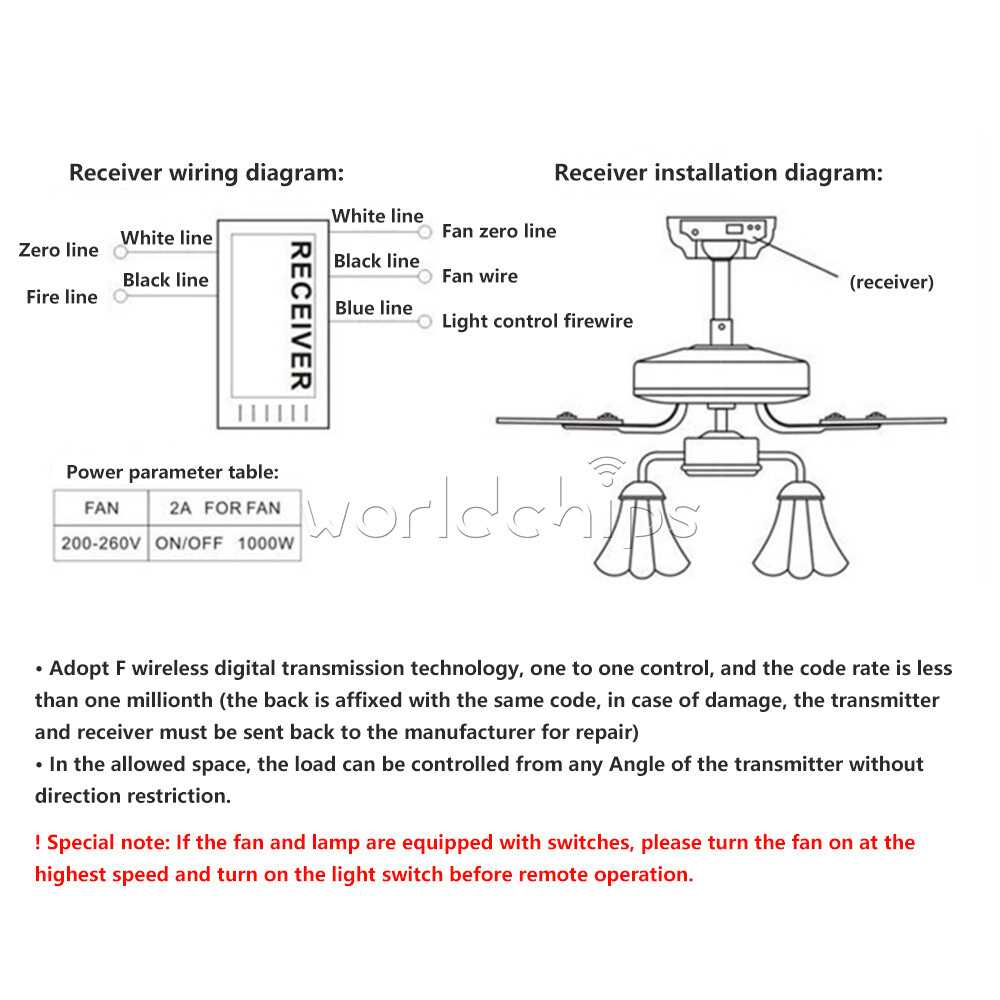
Start by ensuring that all components are ready before beginning the installation process. A reliable power source is needed, and the unit must be disconnected from any live electrical connections to avoid the risk of shock. Confirm that you have all the necessary tools, such as a screwdriver, wire cutters, and wire connectors.
Next, carefully identify the connections required for the device’s functionality. There will typically be multiple wires, including those for powering the unit, controlling the speed, and operating additional features. Proper identification and secure connection of each wire is crucial for the system to function smoothly.
If you’re working with a system that includes a wireless unit, ensure that the receiver is positioned correctly and that the battery for the remote unit is properly inserted. Testing the connections and conducting a final inspection before powering up the system will help ensure everything is connected properly.
Once the connections are confirmed, it’s time to test the system. Turn the power back on and test all functions to ensure that each setting works as expected. If any issues arise, review the connections and consult the manual for troubleshooting tips. Taking time to double-check each step will save you from future repairs and potential safety hazards.
Ceiling Unit Setup with Wireless Operation
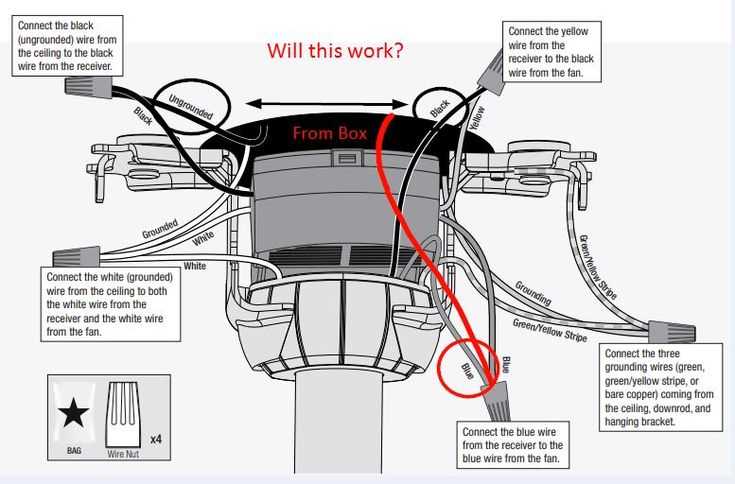
Begin by turning off the power at the main electrical panel. Ensure that the unit is completely disconnected from the power supply to avoid any risk of shock during installation. Gather all necessary tools, such as a screwdriver, wire strippers, and electrical connectors, before proceeding.
Next, locate the power supply wires in the ceiling box. You will typically find a live (hot), neutral, and ground wire. Identify the connections that need to be made to the unit, and carefully strip the ends of the wires to prepare for attachment. Ensure that each wire is properly prepared before connecting to the unit’s terminals.
Install the receiver for the wireless module into the junction box or the ceiling bracket. This receiver allows the unit to communicate with the hand-held transmitter. Make sure the receiver is securely fastened and its wires are properly connected to the power and functional terminals on the unit. Follow the manual’s wiring instructions carefully to ensure the receiver is connected to the correct wires.
Connecting the Power Supply
The next step is to connect the unit to the power supply. The live wire (usually black) will connect to the live terminal on the receiver or the unit, while the neutral wire (white) will connect to the neutral terminal. Ensure that the ground wire (green or bare) is properly connected to the ground terminal to avoid electrical hazards.
After all power supply connections are made, proceed to install the handheld transmitter battery. Ensure the battery is placed correctly, and that the transmitter is working by pressing a few buttons to confirm the system is responding. Once the transmitter is ready, test its range by standing at a reasonable distance from the unit.
Testing and Troubleshooting
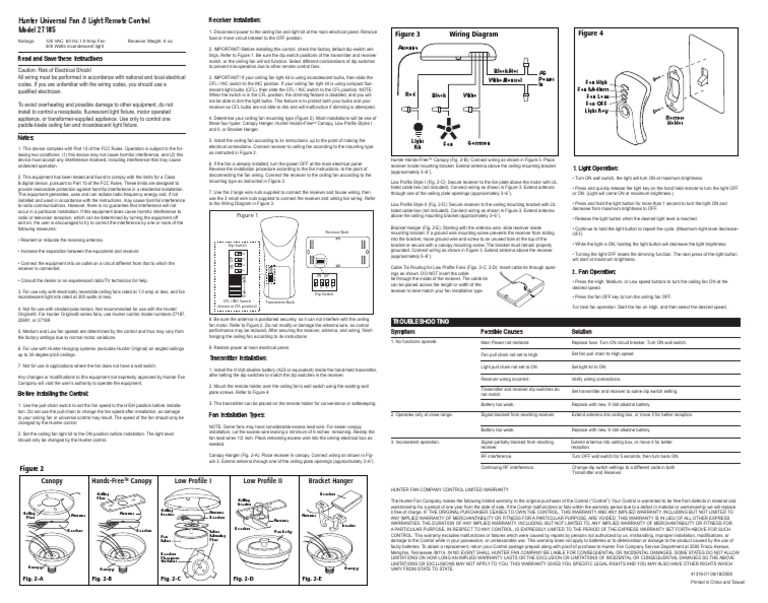
Once the power is turned back on, test the unit’s functions. Check that each setting, such as speed and light control, responds to commands from the wireless transmitter. If any functionality is not working, check the wiring connections once again, particularly those between the receiver and power source. Also, make sure the battery in the transmitter is charged and correctly installed.
If problems persist, consult the troubleshooting section of the manual for additional solutions. In many cases, issues are related to poor connections or interference with the receiver. Once the setup is tested and functioning, ensure that all wires are neatly secured inside the junction box and the system is fully operational before finalizing the installation.
Step-by-Step Guide to Installing Ceiling Unit with Wireless System
First, ensure the power is completely turned off by disconnecting the unit from the electrical supply. Use a circuit tester to verify that no power is flowing before beginning installation. Gather necessary tools, including a screwdriver, wire stripper, electrical tape, and a voltage tester.
Next, connect the live (black) and neutral (white) wires from the ceiling box to the corresponding terminals on the unit. Secure the ground (green or bare) wire to the ground terminal. It is important to ensure each wire is properly stripped and firmly attached to prevent loose connections that could cause malfunction.
Installing the Receiver
Install the receiver module into the mounting bracket of the unit. This device will enable the unit to receive commands from the wireless transmitter. Secure the receiver’s wires according to the installation instructions, making sure to connect the output wires to the appropriate terminals on the unit.
Final Checks and Testing
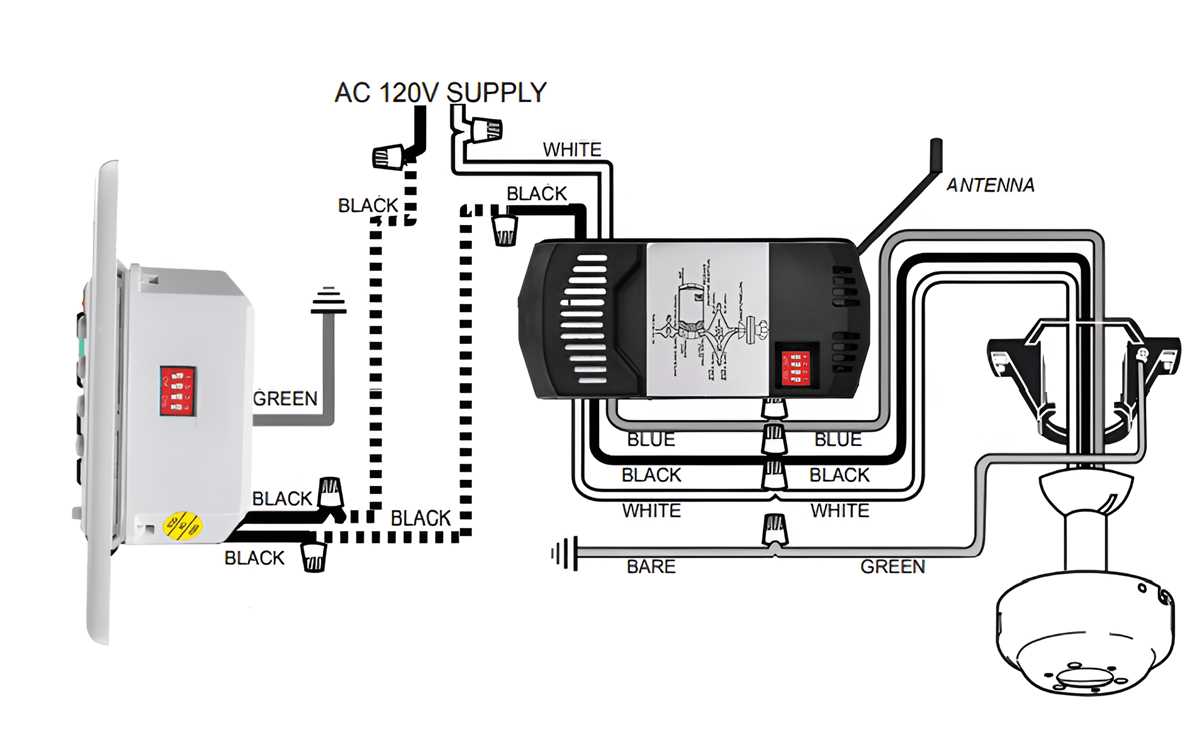
Once all connections are made, attach the transmitter’s battery and confirm its functionality. Turn the power back on and test each feature of the unit using the transmitter. Ensure that all settings such as speed adjustments and lighting work as expected. If any issues arise, recheck the wiring for any loose connections or incorrect placement.