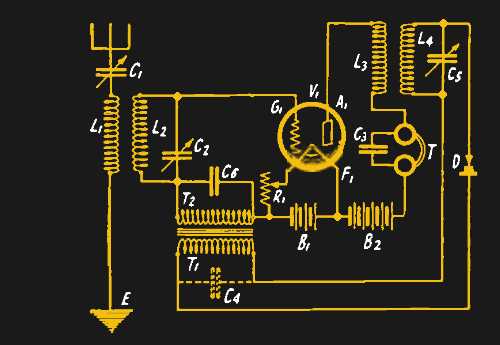
To successfully restore a vintage device, begin by identifying the key connections within the system. These components include the power source, grounding points, and key connections to the output stage. Make sure to check all connections for wear, corrosion, or damage that may prevent proper operation. Replacing worn-out components, such as resistors and capacitors, is often a necessary step for a functioning setup.
Next, ensure that all components are correctly rated for the power requirements. For older setups, mismatched or degraded parts can lead to instability or failure. When selecting replacement components, consider the tolerance ratings, voltage, and current limits to match the original specifications. Doing so will maintain the device’s longevity and performance.
Lastly, a reliable testing process is crucial. After reassembling the system, use a multimeter or oscilloscope to verify that the electrical signals flow as expected. Check for common issues such as signal distortion, interference, or a lack of power output. If any abnormalities appear, retrace your connections and replace any faulty components that may cause the issues.
Reconstructing Vintage Electronics Schematics
When dealing with a vintage setup, the first step is to carefully inspect the layout of the components. It’s vital to map out the connections between the power source, switches, and output devices. Use high-quality connectors and ensure each wire is free from oxidation or corrosion. It’s common to replace old resistors and capacitors, as these components often degrade over time. Measure the resistance and capacitance of each part to confirm they match the original specifications. Replacing them with modern equivalents that offer the same or better tolerances will improve the system’s reliability.
Testing and Troubleshooting
After reconstructing the system, it’s important to test each part individually. Use a multimeter to check for continuity and ensure that no short circuits are present. If issues arise, trace the signal path from the input to the output, looking for weak or broken connections. It’s also recommended to check for any power loss by measuring voltage drops across key points. If the device doesn’t power on, verify that the power supply is correctly connected and that there’s no excessive current draw at any stage.
How to Identify and Fix Common Faults in Old Radio Circuits
If your device isn’t powering up, start by checking the power supply. A common issue is a dead battery or a disconnected power source. Use a multimeter to test the voltage at the terminals. If the battery is fine, inspect the fuse, as it may have blown due to a short circuit. Replace it with the correct amperage fuse, ensuring the new one matches the device’s power rating.
Loose Connections
Loose or corroded connections often cause intermittent issues or complete failure. Inspect all terminals, especially the power and ground connections, for any signs of corrosion or wear. Use a wire brush to clean rusted connections, and ensure they’re tight. Replace any frayed or damaged wires, as they can lead to weak signals or power loss.
Faulty Components
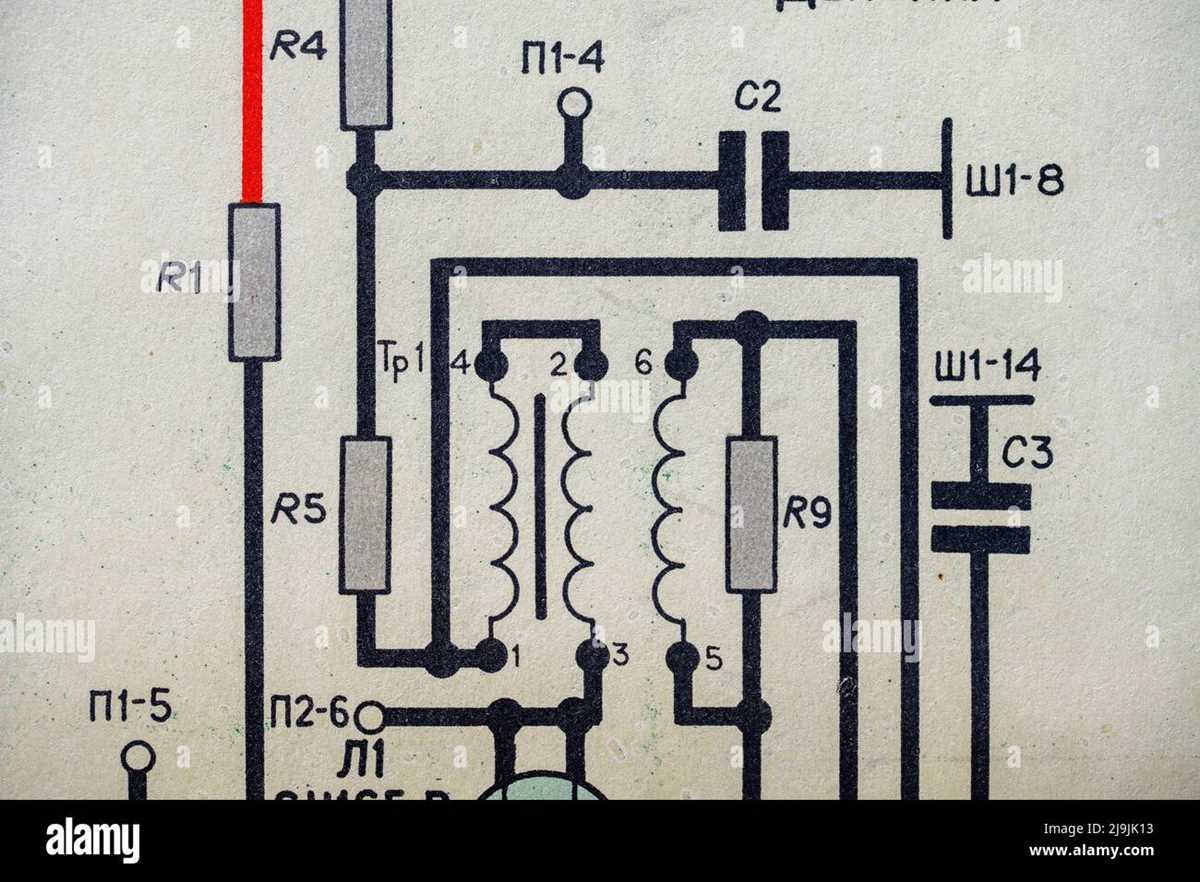
Degraded components such as resistors, capacitors, and diodes are frequent culprits. Over time, these parts can lose their effectiveness. Test resistors and capacitors with a multimeter to check for proper resistance or capacitance. If any components are out of spec, replace them with equivalent parts. Always double-check the component values before installing them to avoid further issues.
- Check resistors for their resistance value.
- Test capacitors for correct capacitance with a multimeter.
- Ensure diodes are functioning by testing for forward voltage.
If the device still doesn’t function correctly after checking connections and replacing components, the issue may lie in the signal path. Inspect the antenna connections and the signal output. Ensure there’s no obstruction or break in the signal path that could lead to poor performance. If the signal is weak, you may need to replace the antenna or improve its connection to the system.
Lastly, test the output stage, including speakers or other output devices. Faulty speakers or malfunctioning output transistors can prevent sound or signal transmission. Measure the voltage across the output terminals to ensure the signal is being passed through correctly. If there’s no voltage or sound, you might need to replace the output device or troubleshoot further to find the underlying issue.