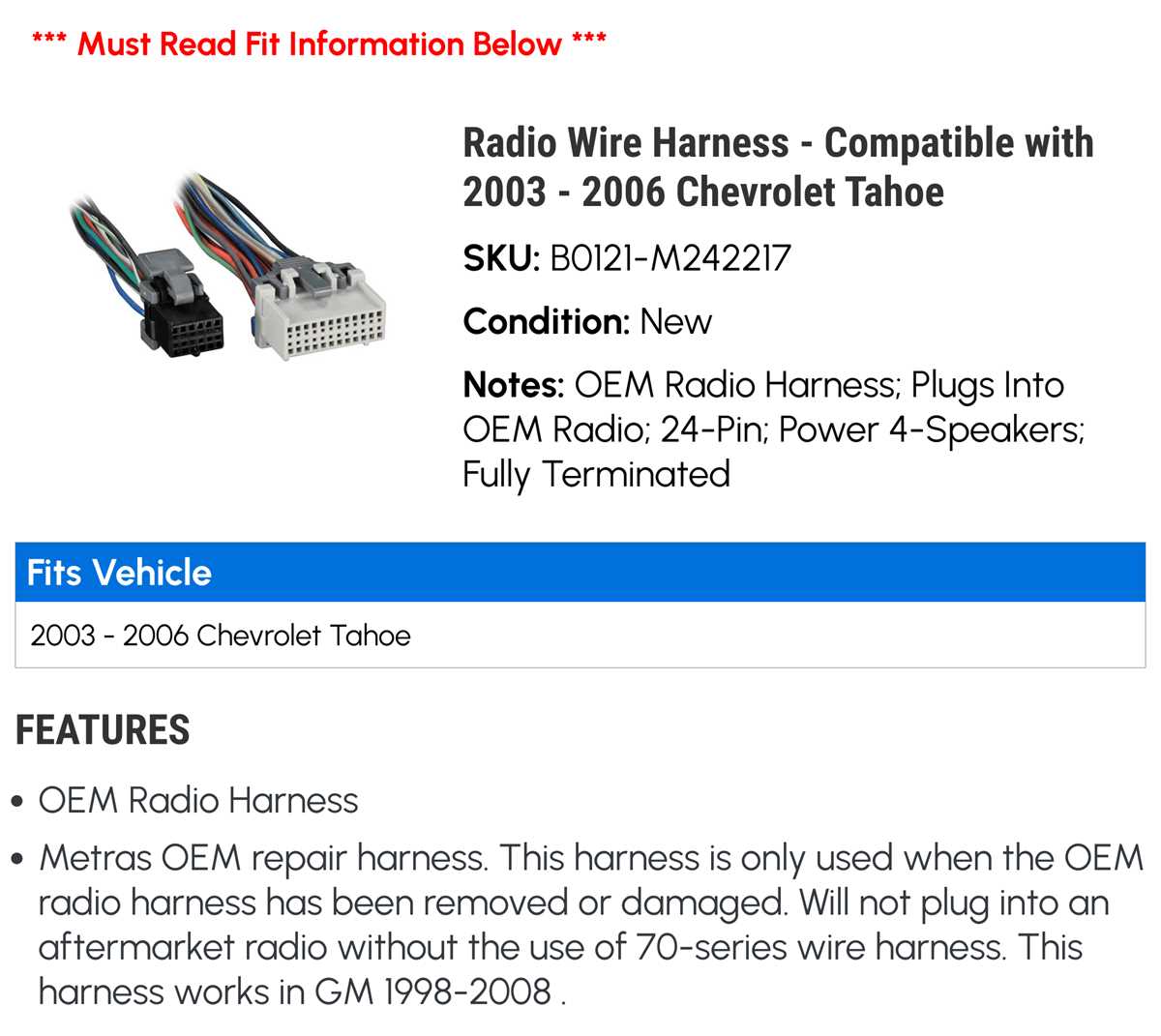
Connect the power lead directly to the fuse box using a 15-amp inline fuse to prevent overloads. Verify that the ground wire attaches securely to a bare metal surface under the dashboard to avoid intermittent cuts in sound output.
Identify speaker terminals by color codes before attaching them to the head unit. The front left speaker typically uses a white and white/black pair, while the rear right channel corresponds to purple and purple/black wires. Double-check continuity with a multimeter to ensure correct matching.
Use harness adapters when replacing the factory unit to maintain factory controls and prevent splicing errors. Pin locations on the connector are numbered, allowing precise alignment of audio, illumination, and antenna connections.
Secure loose wires with cable ties to prevent vibrations from creating intermittent noise or shorts. Route signal lines away from high-current wires to reduce static and humming in the playback system.
In-Car Audio Connection Guide for SUV Installations
Start by confirming the main power feed from the battery terminal. Use a 20-amp fuse in series to protect the unit, and ensure the ground strap is fastened to a clean metal point on the chassis to avoid signal interruptions and static noise.
Label each speaker line according to its color coding before connecting. The front left output typically uses white and white/black, front right uses gray and gray/black, rear left is green and green/black, and rear right is purple and purple/black. This helps prevent phase issues and ensures balanced sound.
Follow these steps for proper integration with the factory harness:
- Disconnect the negative terminal of the battery to prevent shorts.
- Remove the dash panel carefully to access the original connector.
- Match each wire by function: power, illumination, antenna, and speaker outputs.
- Use crimp connectors or soldering for secure and durable joins.
Once all leads are connected, test the system before fully reinstalling the trim. Adjust speaker balance and fade while monitoring for hum or intermittent drops. Secure loose lines with zip ties and route signal lines away from high-current wires to maintain clear audio performance.
Identifying Cable Colors and Functions for In-Car Audio Systems
Start by isolating the main power line from the battery connector. This lead is usually red and must include a 15-amp inline fuse for protection against short circuits. Ensure the grounding strap attaches to unpainted metal to maintain stable current flow.
Check speaker connections carefully. The front left channel generally uses a white and white/black pair, while the front right uses gray and gray/black. Rear outputs are green and green/black for the left and purple and purple/black for the right, allowing correct stereo balance and minimizing phase errors.
Illumination and dimmer circuits often use orange or orange/white wires. Confirm continuity with a multimeter before making permanent connections to avoid blown fuses or nonfunctional backlighting.
Power antenna or amplifier trigger lines are commonly blue or blue/white. Connect these to the corresponding accessory output to ensure automatic deployment of external modules when the system is powered on.
Use the original harness where possible to reduce splicing. Pin numbers on the connector indicate the correct assignment for audio, power, and control signals, helping prevent mismatches and shorts.
Speaker lines should be routed away from high-current leads to prevent interference. Twist or bundle cables carefully and secure with zip ties to minimize vibration noise over time.
Verify each function separately before reinstalling trim panels. Test left and right channels, rear outputs, illumination, and auxiliary connections for consistent operation across all zones.
Mark each connection with labels or colored tape if multiple modules are involved. This simplifies future troubleshooting and ensures replacements can be done without guessing which lead controls which function.