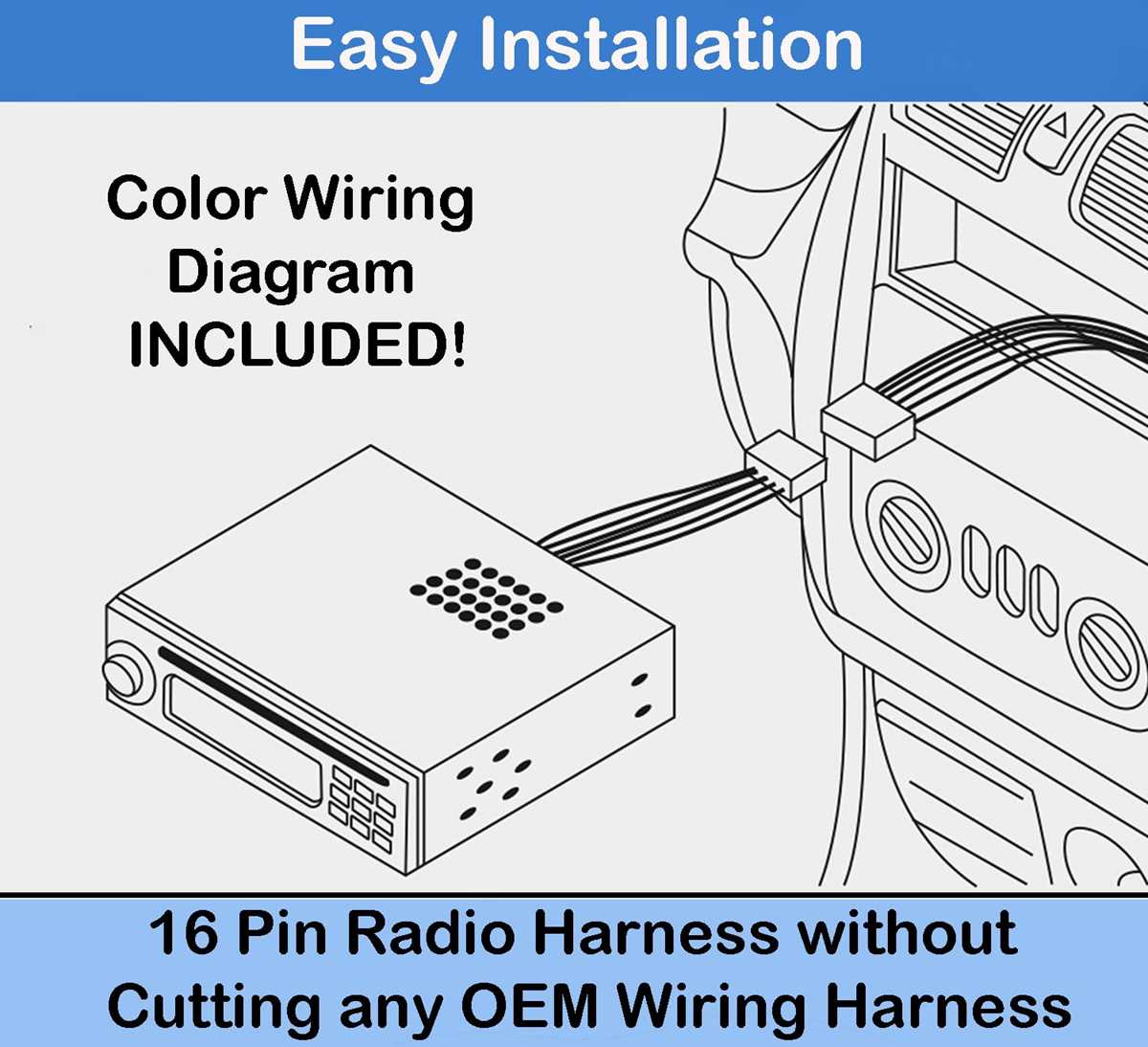
To begin the installation of your new stereo system, identify the power and ground wires from the main harness. The power wire should be connected to the ignition switch, while the ground wire needs to be securely fastened to a metal part of the vehicle. This will ensure the unit receives proper voltage and prevents any electrical interference.
Next, you will need to connect the speaker wires. Typically, the positive and negative terminals of each speaker will be linked to the corresponding outputs on the stereo. Double-check the polarity to prevent any phase issues that could affect sound quality. The most common wiring setup involves four main speaker connections, but some setups may require additional connections for subwoofers or external amplifiers.
For a seamless connection, consider using a wiring harness that matches your stereo system. This simplifies the process and eliminates the need for splicing individual wires. The harness will generally include connectors for power, speakers, and additional features like antennas or steering wheel controls.
Car Stereo Wiring Guide
To start the installation process, first identify the power and ground wires in your unit’s harness. The red wire connects to the ignition or accessory power, while the black wire should be attached to a solid ground point. Always ensure the power wire is properly fused to prevent electrical damage.
The next step involves connecting the speaker terminals. Each speaker will have a positive and negative lead. The positive lead is typically marked with a color like red or white, while the negative is often black or green. Properly match these leads to avoid phase issues and ensure balanced sound output.
Connecting the Antenna and Accessory Wires
After the main power and speaker connections, connect the antenna lead. This wire is generally a thin coaxial cable that should be attached to the antenna port on the unit. The accessory wire (often blue or blue/white) controls the power for external devices like amplifiers or power antennas, so make sure it is linked to the corresponding terminal.
If your system includes additional components like a subwoofer or amplifier, ensure the amplifier’s remote turn-on wire (usually blue/white) is connected to the accessory wire. The subwoofer’s input should be connected to the proper pre-out RCA jacks on the back of the stereo unit to handle low-frequency signals.
Using a Wiring Harness
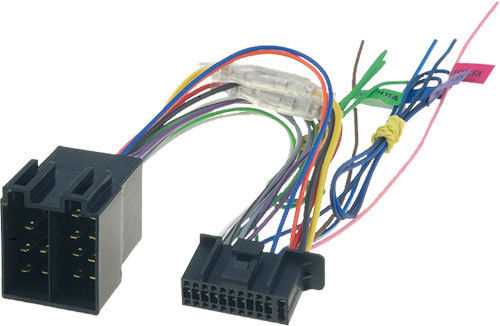
To simplify the process and avoid cutting into your vehicle’s factory harness, use a compatible wiring harness adapter. This harness will allow you to connect the stereo unit without needing to splice the wires, reducing installation time and the risk of incorrect connections.
Once the basic connections are made, check the unit’s ground and ensure all wiring is secure. Loose wires can cause intermittent signals or cause the unit to not power on. Tighten any connections to avoid potential shorts or power loss.
Finally, once everything is connected, test the system by turning on the power and verifying that the sound is coming through all speakers. If you experience issues with volume or balance, check the speaker connections again to make sure they are wired correctly, both in terms of polarity and physical connections.
How to Connect the Power Wires for Car Stereos
Start by identifying the power wire, typically marked in red. This wire should be connected to the ignition or accessory power source in your vehicle, ensuring that the unit powers on when the vehicle is started. Use a fuse holder close to the power source to protect the system from any electrical surges.
The ground wire, often black, should be attached to a clean, solid metal part of the vehicle’s frame. This ensures a stable connection and minimizes noise interference. Make sure the metal surface is free from paint, rust, or debris to guarantee a proper ground connection.
For a more secure connection, consider using a crimp connector rather than twisting wires together. Crimping provides a more reliable and long-lasting connection, reducing the risk of the wires loosening over time due to vibration or moisture.
The yellow wire is typically the constant power source, which keeps the clock and other settings in memory when the ignition is off. This wire should be routed directly to the battery or a constant power supply. It is important not to connect this wire to the ignition circuit to avoid resetting the stereo each time the vehicle is turned off.
Once you’ve connected the power and ground wires, double-check the connections before proceeding. An improperly connected power wire can prevent the stereo from functioning or even cause electrical damage to the system. Ensure that each wire is firmly connected and insulated to prevent short circuits.
After all connections are made, test the system by turning the ignition on. The stereo should power up immediately, and the settings should remain intact after the vehicle is turned off. If there are any issues, recheck the power connections and ensure the fuse is intact and correctly positioned.