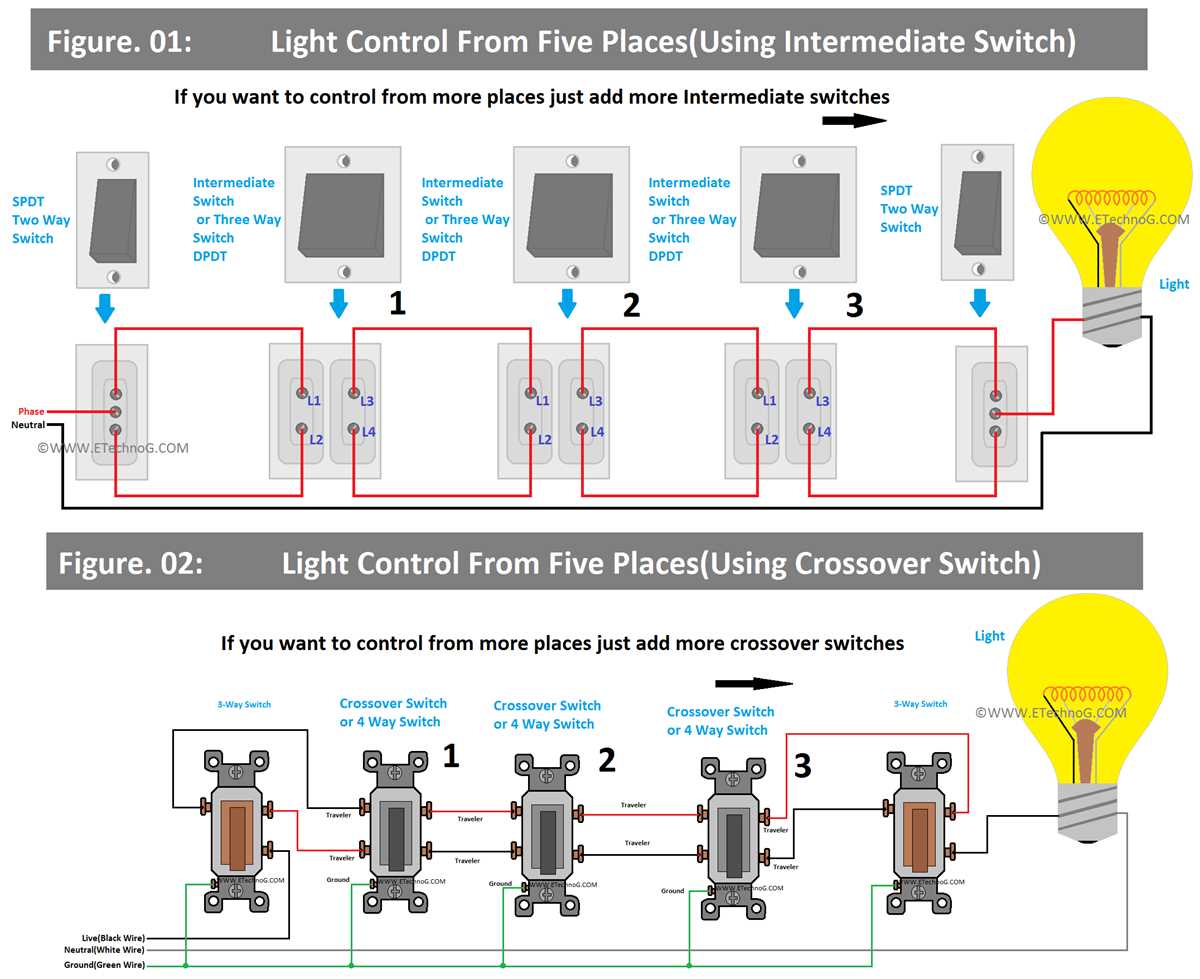
Connect the main power line to the common terminal using a 14-gauge insulated cable rated for 120 volts. Ensure the connection is tight to prevent arcing or voltage drops.
Identify the traveler terminals and attach the paired leads running between the two control points. Maintain consistent color coding, typically red and black, for easier troubleshooting.
Mount the device securely inside the electrical box and leave at least half an inch of wire slack for adjustments. Avoid contact with metal edges to prevent insulation damage.
Verify the load line connection to the fixture or junction box. A secure connection ensures full current flow and prevents flickering or intermittent operation.
Test the circuit by toggling each control point individually. The fixture should respond consistently from both locations; inconsistent operation indicates a misconnection or loose lead.
Label each conductor clearly for future maintenance. Use heat-shrink tubing or colored electrical tape to mark traveler and common wires to prevent confusion during repairs.
Check for proper grounding at both control points and the fixture. A continuous ground path improves safety and reduces the risk of electric shock.
Inspect all terminals after initial operation and retighten if necessary. Proper torque ensures stability under vibration and long-term reliability of the connections.
Step by Step Guide to Controlling Fixtures from Two Locations in Home Circuits
Connect the incoming power line to the common terminal using a 14-gauge insulated conductor. Make sure the connection is firm to avoid voltage drops and ensure stable operation.
Identify the traveler posts on both devices and attach the paired leads linking the two control points. Maintain consistent color coding, usually red and black, for accurate tracing.
- Red traveler connects the top terminal on the first device to the top on the second
- Black traveler connects the bottom terminals of both devices
Secure the units inside the junction boxes with at least half an inch of wire slack for adjustments. Keep wires away from metal edges to prevent damage to insulation.
Attach the output lead to the fixture ensuring a solid connection. Verify that the conductor is fully seated under the terminal screw to prevent flickering or intermittent flow.
- Toggle each control point individually
- Observe the fixture response from both locations
- Adjust any loose connections before final cover installation
Check grounding continuity at both control points and the fixture box. A continuous path enhances safety and reduces risk of electric shock during use.
After initial testing, inspect all terminals and retighten as needed. Proper torque maintains reliability under vibration and long-term usage.
Identifying Common and Traveler Terminals on the Control Device
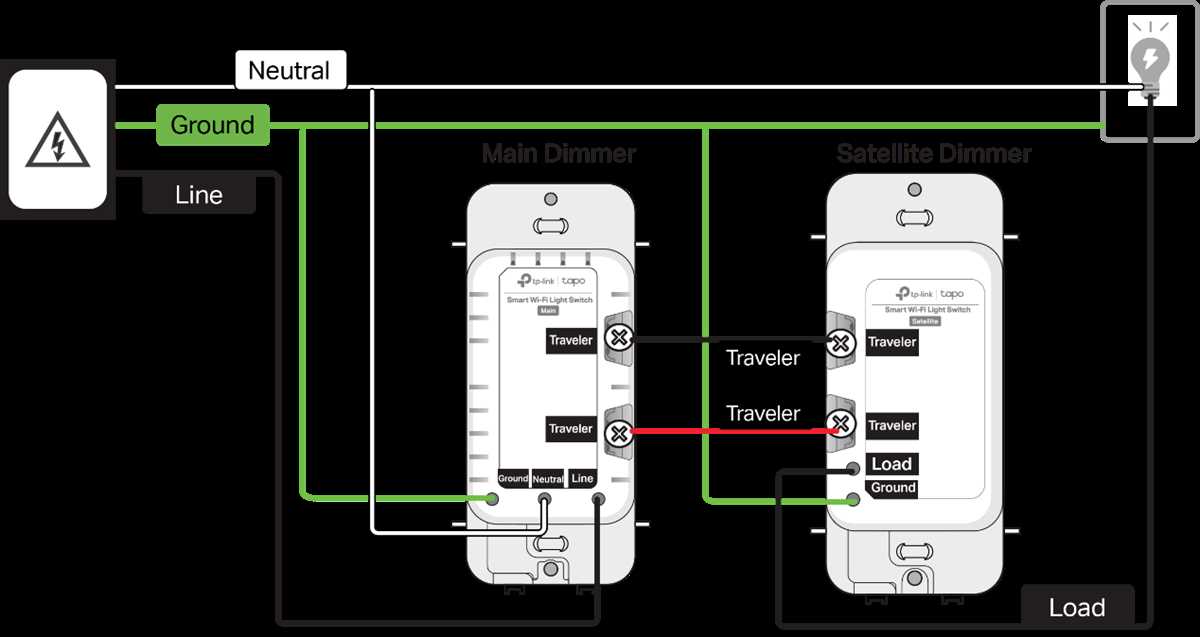
Locate the common terminal first as it handles the incoming power or load line. It is usually marked with a darker screw or labeled “COM” on the device housing.
Observe the two traveler posts on the remaining side of the unit. These terminals carry current between the paired control points and are typically brass-colored or labeled with small markings.
Use a continuity tester to confirm which terminal connects to the common line. When the device is toggled, the tester should indicate a path only between the common and one of the traveler posts.
Label each lead before detaching to prevent misconnection. Use colored tape or a permanent marker to mark the incoming and outgoing conductors for accurate reconnection.
Check for consistent spacing between the traveler posts and the common. Uneven spacing or reversed placement can lead to improper engagement and intermittent operation.
Inspect terminals for corrosion or loose screws before making connections. Clean any buildup with a wire brush and tighten screws to manufacturer specifications to ensure reliable contact.
After identifying each point, test the assembly by connecting the circuit temporarily. Confirm that toggling either control point properly energizes and de-energizes the fixture without flicker or delay.