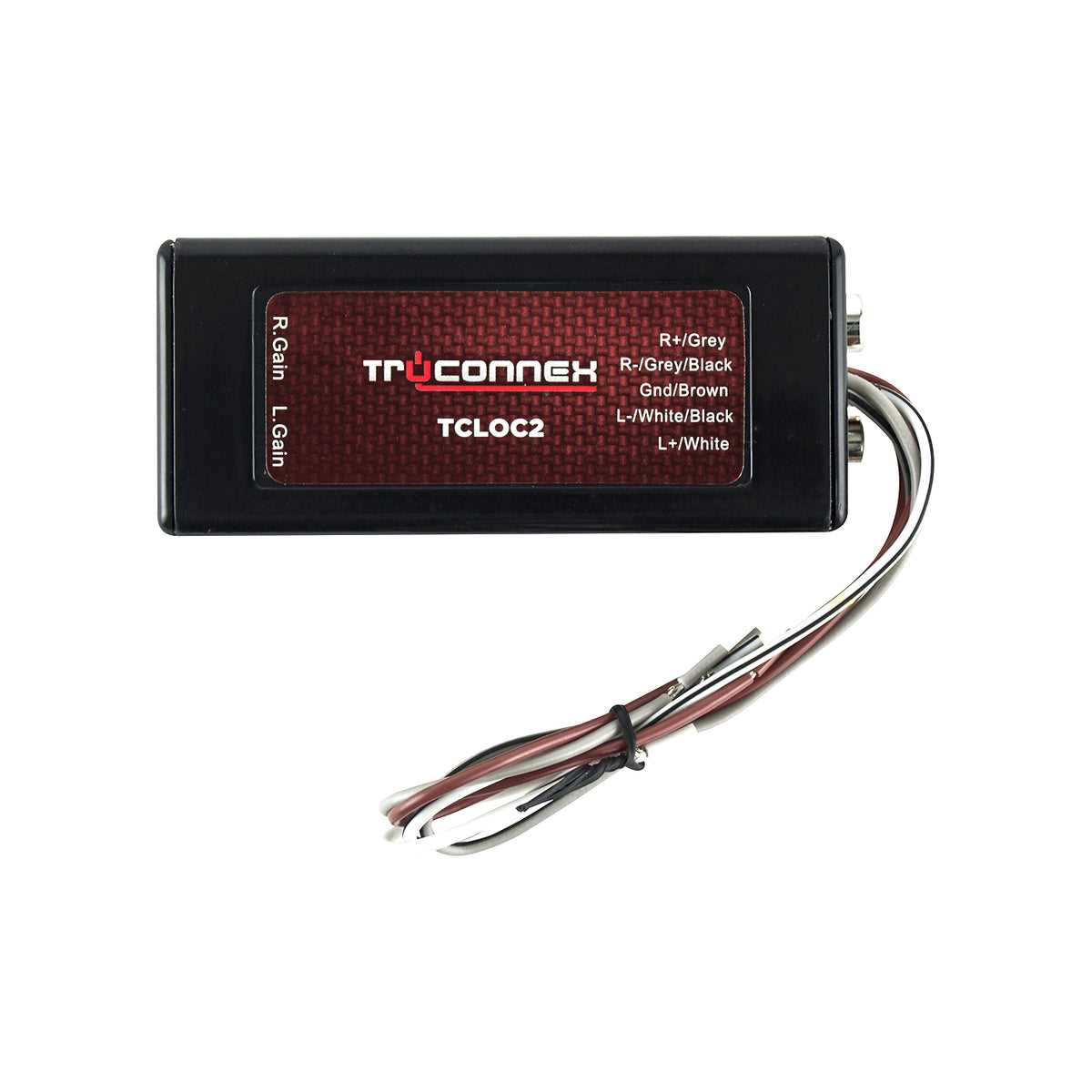
To integrate an audio signal converter into your car’s system, begin by identifying the correct adapter for your setup. Choose one that can connect your vehicle’s factory sound system to aftermarket equipment, such as amplifiers or subwoofers. This ensures your new equipment will receive a clean signal from the existing system.
Next, carefully examine the connectors and wiring needed to hook up the adapter to the vehicle’s audio output. You’ll typically work with power, ground, and signal connections, ensuring all cables are properly attached to prevent distortion or power loss. If your vehicle has a built-in amplifier, the connection might require an additional step to ensure compatibility.
Once the connections are made, use a multimeter to verify the power and signal flow. This will help you avoid any issues like sound distortion or weak output. After confirming the correct setup, test the system by playing audio through the car’s stereo, checking for any inconsistencies in sound quality or volume.
Metra Wiring Guide for Connecting Audio Signal Adaptors
Start by gathering the required tools for the connection process. Ensure you have a wiring harness, a power source, and a multimeter for testing. The most important step is to identify the input wires, which typically include left and right audio signals, and the ground connection. These wires will link to the adapter that converts the existing signal to one that can be used with your upgraded sound system.
Next, identify the wire color codes for your vehicle’s existing system. Standard color coding will help you correctly match each wire to the corresponding connection on the adapter. Common codes are usually: ground (black), left audio (green or gray), and right audio (purple or white). Ensure you are using the correct harness for your car’s brand and model for optimal results.
Once the wires are connected, secure them with crimp connectors or solder the joints for long-lasting reliability. Avoid relying on tape as it can come loose over time. Afterward, connect the adapter’s input to the vehicle’s system, ensuring a solid fit to prevent signal interference. Tighten each connection, and double-check the wiring against the manual to avoid errors.
Finally, after the physical connections are made, test the system by powering it up and checking the audio output. If you encounter any issues with sound quality, use the multimeter to measure the voltage and troubleshoot potential power problems or loose connections. Ensure all signals are clear, and verify that no electrical interference is occurring from improperly secured wires.
Preparing the Audio Signal Adapter and Wiring Tools
Begin by gathering the necessary tools before you start the installation. You’ll need a crimping tool, wire cutters, a soldering iron, and electrical tape. A multimeter will also be essential for testing the connections once everything is hooked up. If you’re working with a vehicle that has an aftermarket stereo, check for compatibility with your new equipment to ensure a smooth installation process.
Next, carefully prepare the audio signal adapter. If you’re using an adapter with a built-in harness, check that all the wires are in place and that the harness matches the color codes of your vehicle’s system. Make sure the adapter is rated for your vehicle’s power and signal requirements. If it’s not, you may need a different model for optimal performance.
Identifying Wires and Connections
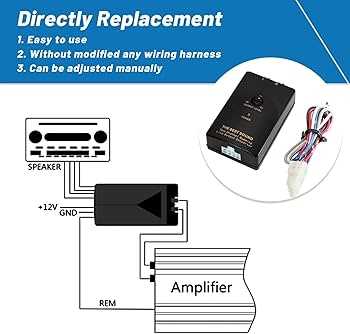
Once you have the tools and the adapter ready, it’s time to focus on the wiring. Identify the wire color codes for your system, as each wire will correspond to a different function. Typically, power wires are marked in red or black, while signal wires may be color-coded green, white, gray, or purple. Refer to your vehicle’s manual for the exact pin-out of the audio connectors, and double-check the adapter’s manual to confirm the wiring layout.
Before making any connections, strip approximately 1/2 inch of insulation off each wire. If using crimp connectors, ensure they are the right size to fit both the wire and the terminal. For stronger connections, solder the wires together rather than relying on crimping alone. Use heat shrink tubing or electrical tape to insulate any exposed wires to prevent short circuits.
Testing the Adapter and Connections
Before finalizing the connections, it’s vital to test the adapter with a multimeter. Verify that each wire is sending the proper voltage and that the adapter is properly grounded. This ensures there are no loose connections or incorrect voltage levels that could cause malfunctions. Once you confirm that everything is functioning correctly, move on to the final steps of installation.
Remember that the quality of your connections will directly affect the performance of your audio system. Poorly made connections can lead to issues like distorted sound or complete signal loss. So, take your time during this step and make sure all wires are securely and properly connected.
Finally, after testing the system, secure all connections with wire ties or clips to keep the wires organized and prevent any strain on the connectors. This will reduce the risk of loose connections in the future, ensuring long-term stability and performance.