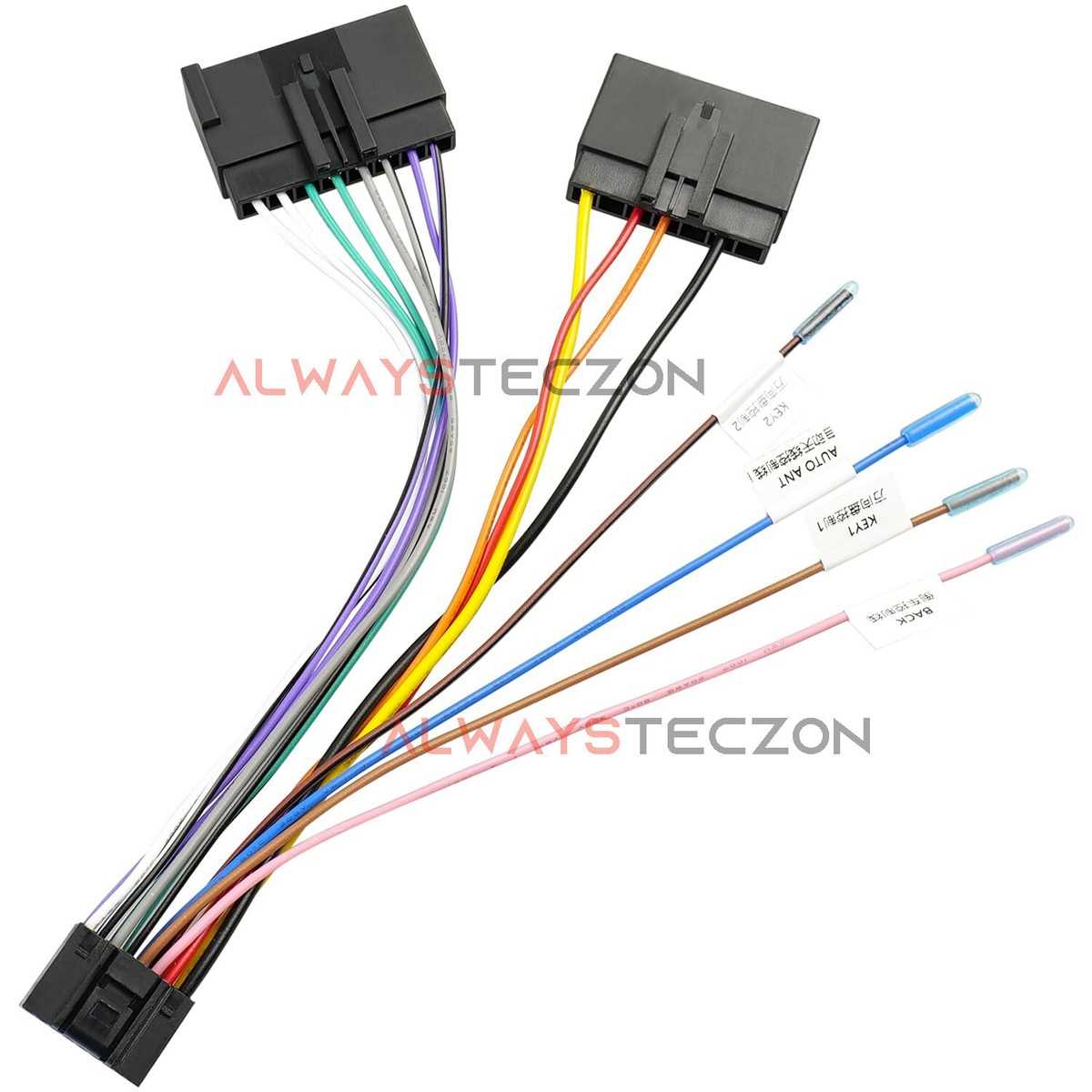
Use color-coded leads to match each signal and power line when replacing the factory entertainment system. The yellow wire provides constant 12V power, red connects to switched ignition power, and black is the ground. Incorrect connections can blow fuses or damage components.
Identify speaker pairs carefully. Front left and right speakers usually have white and gray wires with stripes indicating negative terminals. Rear speakers follow green and purple schemes. Confirm polarity before crimping or soldering connections to avoid phase issues that reduce sound quality.
Test connections before securing the assembly. Use a multimeter to check for continuity and voltage at each terminal. Verify that the aftermarket unit powers on only when the ignition is active and that each speaker outputs signal as expected.
Route cables away from heat sources and moving parts. Avoid sharp bends and areas near the heater core or pedals. Secure harnesses with zip ties to prevent vibrations that can loosen terminals over time.
Label each connector during disassembly to simplify reassembly. Matching labels prevent confusion and reduce the risk of miswiring when integrating additional components like amplifiers or navigation modules.
Pickup Audio Module Installation and Connection Guide
Match all color-coded leads to the corresponding terminals on the aftermarket unit. Yellow connects to constant 12V, red to ignition-switched power, and black to chassis ground. Proper identification prevents blown fuses and signal loss.
Confirm speaker outputs before final assembly. Front channels use white and gray wires, rear channels follow green and purple schemes. Ensure negative terminals are correctly paired to maintain proper sound phase and avoid distortion.
Route all cables away from heat and moving parts. Avoid the heater core, pedals, and sharp edges. Use clips or zip ties to secure the bundle, minimizing vibrations that could loosen connections over time.
Testing Connections Before Final Mounting
Use a multimeter to check voltage and continuity at each connection. Verify that the head unit powers only when ignition is on and that each speaker produces a clear signal. Correct testing reduces troubleshooting later.
Label each plug and wire during disassembly. Matching labels simplify reassembly and prevent mistakes when integrating additional components like amplifiers or subwoofers.
Final Assembly and Safety Checks
Secure the module in its bracket without forcing terminals. Tighten screws evenly and double-check connections. Test all functions, including power, audio output, and controls, before replacing trim panels to ensure reliable operation.
Identifying Pin Functions and Color Codes for the Stereo Harness

Start by matching the power leads. Yellow wires carry constant 12V, red leads receive ignition-switched power, and black connects to the chassis ground. Correct identification prevents short circuits and ensures reliable startup.
Confirm speaker connections individually. Front left uses white and white/black wires, front right uses gray and gray/black, rear left employs green and green/black, rear right relies on purple and purple/black. Proper pairing maintains correct polarity and sound staging.
Locate accessory outputs for amplifiers or external modules. Blue and blue/white wires control remote-on triggers. Misidentifying these can cause erratic power to connected components or prevent amplification circuits from activating.
Test illumination and control signals. Orange/white wires typically regulate dash lighting for brightness adjustment, while other small gauge wires manage steering wheel interface or mute functions. Verify continuity with a multimeter before assembly.
Label each plug and terminal during integration. Mark pins with tape or permanent marker to match the aftermarket unit, reducing installation errors and simplifying future upgrades or troubleshooting.
Secure and protect connections after verification. Use shrink tubing or insulated connectors for exposed pins, and route cables away from heat sources or moving parts. Organized routing prevents signal loss, interference, and long-term wear.