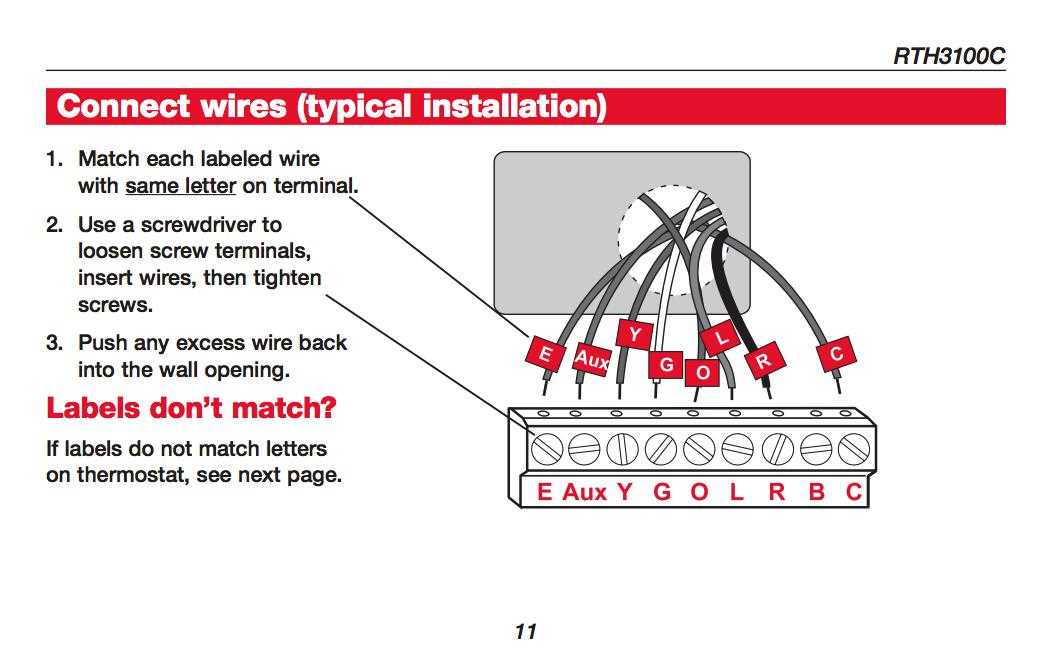
Connect each colored lead to its corresponding terminal according to your HVAC system model to prevent short circuits and ensure proper temperature control. Most systems use standard color codes where red powers the control board, white activates heat, and yellow triggers cooling.
Label each conductor before detaching the old controller to avoid confusion during installation. Multi-stage units often require blue or green wires for fan or auxiliary heat functions. Keep a photo of the original connections for reference.
Check voltage at the control terminals with a multimeter before finalizing connections. Standard low-voltage systems operate around 24V AC. Incorrect connections can blow fuses or damage relays in your HVAC unit.
Secure all wires under terminal screws and avoid loose strands to maintain reliable signal transmission. Ensure no bare conductors touch each other or metal surfaces. Proper insulation prevents short circuits and keeps the system stable during operation.
Step-by-Step Guide for Controller Connections
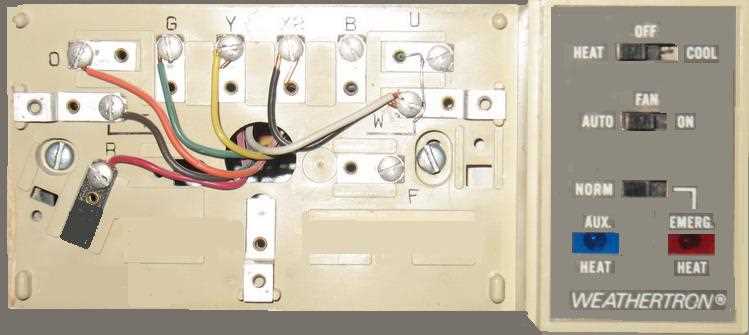
Match each colored lead to its terminal based on the HVAC model to avoid short circuits and ensure proper operation. Red usually supplies power, white triggers heat, and yellow engages the cooling system. Confirm labels on both the old device and the new unit before detaching any conductors.
For multi-stage systems, include auxiliary and fan connections carefully. Blue often powers the common line, green controls the fan, and additional wires may manage auxiliary heating stages. Photographing the original setup helps prevent mistakes and speeds up installation.
Test voltage and continuity at each terminal before securing screws. Low-voltage circuits generally operate around 24 volts AC. Tighten connections and trim exposed strands to prevent accidental contact, which could cause system faults or blown fuses.
Wiring Standard Single-Stage Units
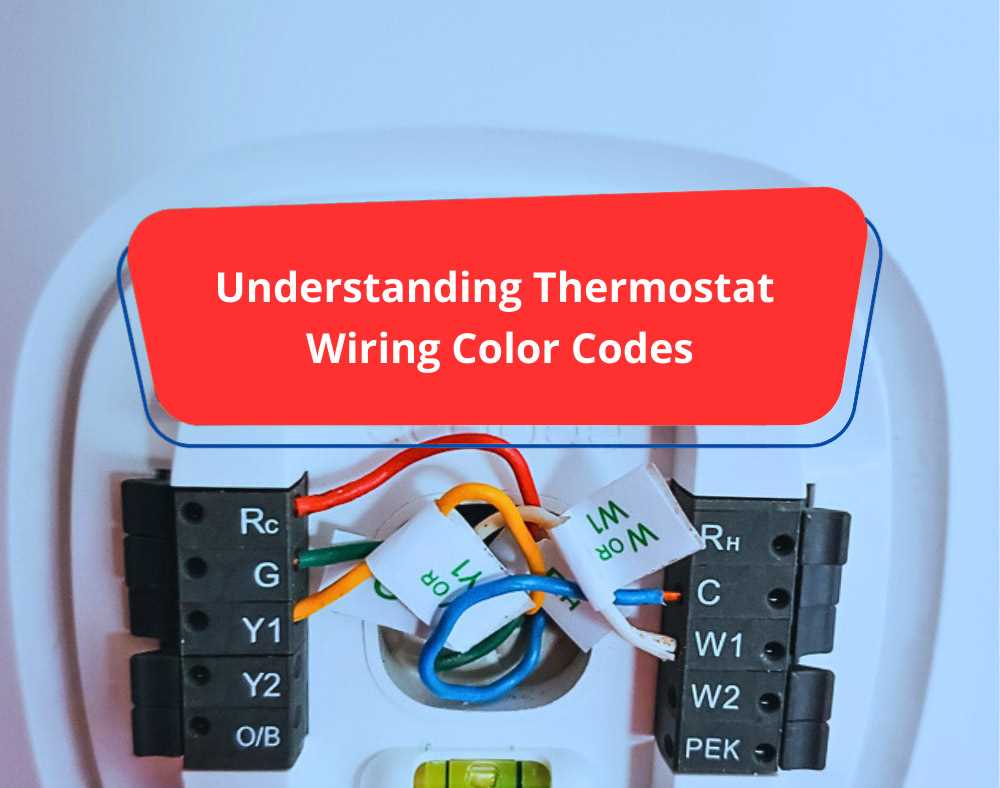
Connect the red lead to the R terminal to supply 24V AC power from the control board. This connection is critical for energizing the device and allowing the control signals to operate correctly.
Attach the white conductor to the W terminal to activate the heating element. Ensure the wire is fully inserted and the screw is tightened to avoid intermittent heating cycles or signal loss.
Use the Y terminal for cooling by connecting the yellow lead. Verify that the cooling system responds to a test signal before securing the panel, confirming correct operation of the compressor and fan relay.
Green wires should be secured to the G terminal to control the fan independently. For single-stage units, this allows manual operation of the blower without engaging heat or cooling, which helps with system balancing and airflow checks.
Check for a C wire connection if the unit requires continuous power for digital displays or smart features. This common lead completes the circuit and prevents low-voltage interruptions during operation.
After completing all connections, inspect each terminal for loose strands and ensure there are no exposed wires touching the metal base. This prevents shorts, tripped breakers, and ensures stable performance during heating or cooling cycles.