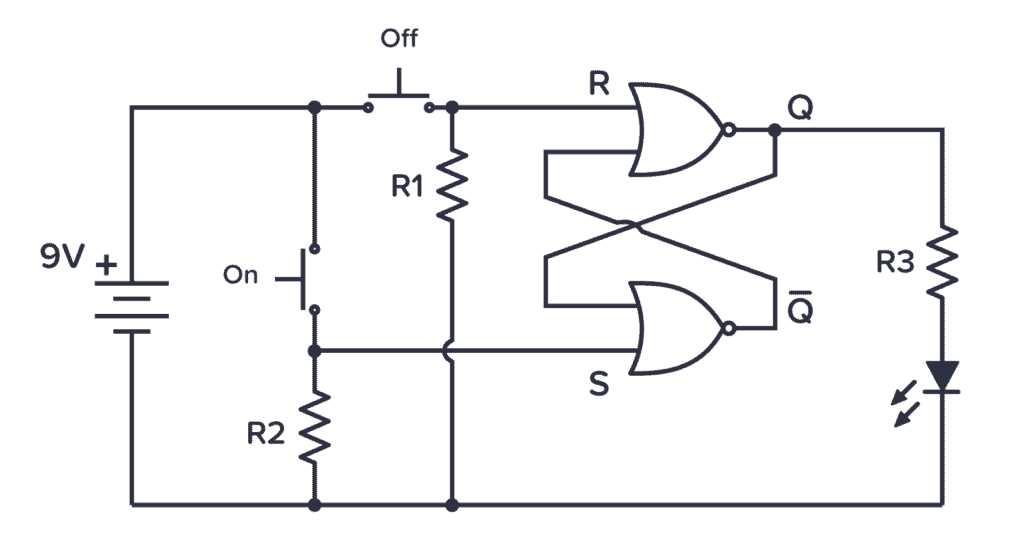
Use accurate identification of control elements to ensure proper operation of devices in electrical layouts. Each contact type, whether single-pole or double-pole, has a defined role that determines current flow and device response. Correctly noting the open and closed positions prevents misconnection and operational failures.
Follow manufacturer ratings and position standards to match each actuator to its intended load. Color coding, terminal markings, and mechanical orientation provide reliable guidance for installation and maintenance. Overlooking these details can lead to voltage drops, overheating, or circuit faults.
Maintain a reference chart of actuator types for frequent troubleshooting. Knowing which contact configuration controls which component allows rapid diagnostics and avoids unnecessary component replacement. Record all layout changes to ensure consistency across maintenance cycles.
Understanding Control Device Representations in Electrical Schematics
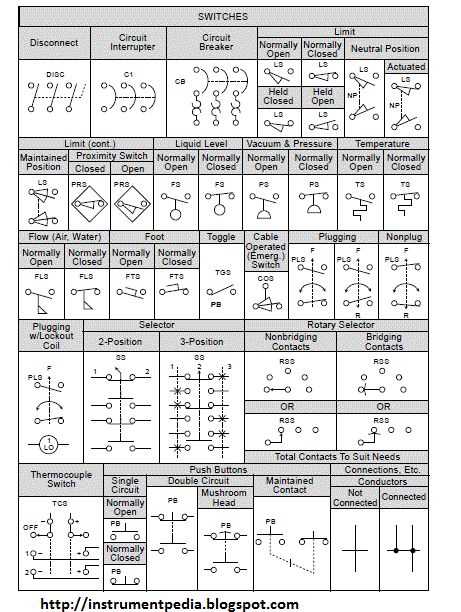
Identify each actuator type by its schematic depiction to ensure correct installation and operation. Single-pole elements control one path of current while double-pole types manage two independent paths simultaneously. Misidentifying these can cause overloads or incomplete activation of connected components.
Note contact positions and their default states in the representation. Normally open contacts close when activated, while normally closed contacts open, affecting current flow and system response. Always verify the position against manufacturer specifications before connecting.
Recognize specialized depictions such as momentary and maintained actuators. Momentary types return to their default position when released, suitable for push-button controls. Maintained types retain the activated state until manually reset, often used in toggle or rotary controls.
Terminal Markings and Connection Points
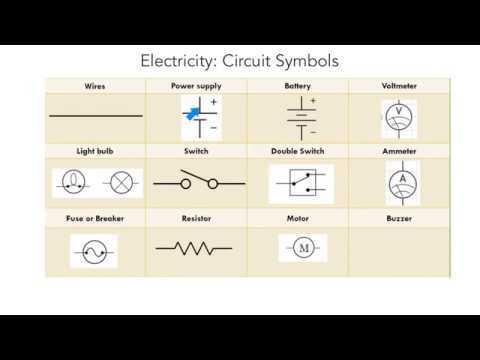
Observe the designated connection nodes in each representation. Terminal markings indicate the precise points where conductors attach, minimizing the risk of short circuits or misrouting current. Misplacement can lead to incorrect activation or device damage.
Use reference tables to correlate each depiction with its real-world equivalent. Include color codes, mechanical orientation, and load ratings to avoid incorrect substitutions. This practice supports accurate troubleshooting and prevents costly replacements.
Practical Tips for Layout Verification
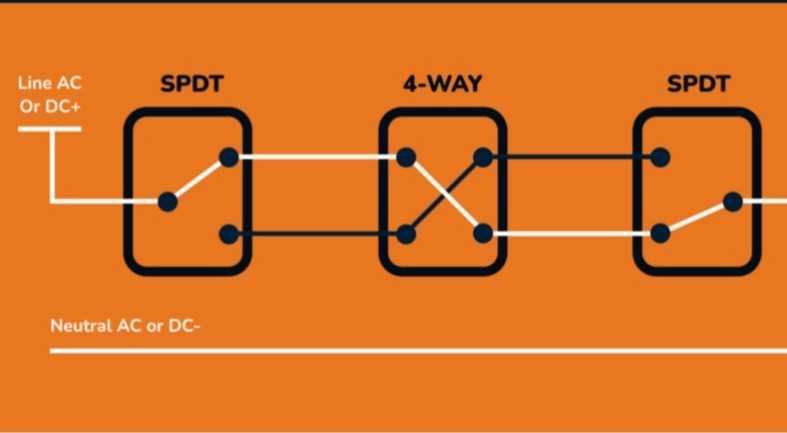
Cross-check schematic depictions with actual actuator assemblies before energizing the system. Ensure all contact types, positions, and terminal labels match the intended design. Confirming these details prevents operational errors and enhances long-term reliability of the electrical setup.
Identifying Common Types of Actuators and Their Functions
Single-pole single-throw devices provide a simple on/off control for a single path of current. They are widely used in basic lighting or power control applications and should be installed according to the rated voltage and current specifications to prevent overheating.
Double-pole single-throw types manage two separate circuits simultaneously. These are often applied in scenarios where both live and neutral lines need interruption, such as safety isolations or dual-load controls. Proper identification of terminals is critical to avoid short circuits.
Toggle and momentary designs serve different operational needs. Toggle actuators maintain their state until manually changed, suitable for persistent circuit activation, while momentary types return automatically, ideal for pulse-triggered devices such as buzzers or relays.
Rotary and push-button controls offer multi-position management. Rotary devices allow selection between multiple outputs, while push-buttons provide temporary engagement. Understanding their mechanical and electrical function ensures correct application in complex control systems and prevents unintended load activation.