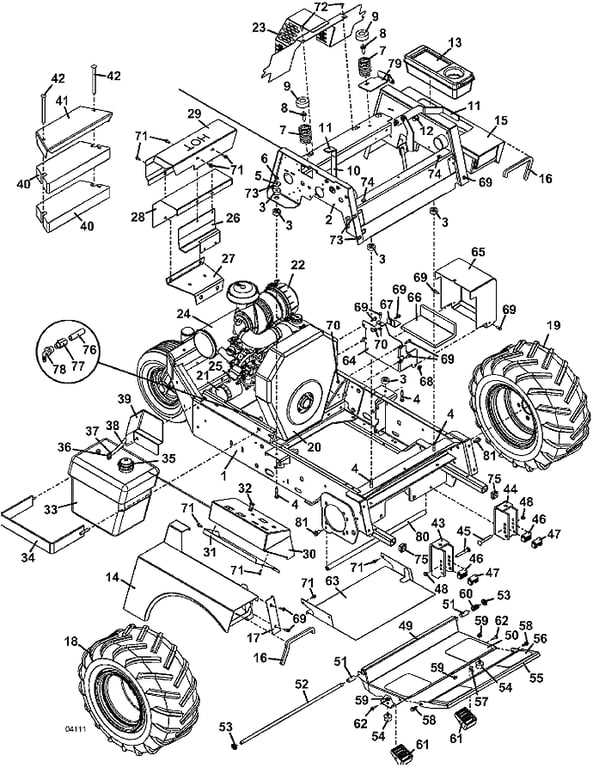
Use a labeled schematic to identify belt routing, spindle stacks, and hydraulic linkages before removing hardware. For most zero-turn cutters in the 52–72 inch range, the deck drive uses two V-belts with distinct lengths; verify width (commonly 5/8″) and measure span with the tensioner released to avoid ordering the wrong size.
A clear layout accelerates service tasks such as blade carrier swaps and idler arm replacement. Spindle housings typically fasten with four Grade 8 bolts torqued between 55–65 ft-lb, while blade bolts often call for 90–120 ft-lb depending on shaft diameter. Cross-check the fastener callouts on the schematic to match washer stacks and spacer orientation.
Hydro drive identification benefits from a component map that shows pump ports, return lines, and filter placement. Many zero-turn units run 15W-50 synthetic oil in the transaxle circuit with a service interval near 400 hours. The visual reference helps trace flow direction and prevents hose reversal after seal or filter service.
Electrical layouts reduce troubleshooting time by pinpointing relay positions, PTO switch paths, and seat interlock loops. Follow wire colors and connector keys shown on the chart, then confirm continuity at the clutch lead; typical resistance falls near 2.5–3.0 Ω. This approach cuts repeat teardown and keeps the cutter operating as designed.
Zero-Turn Cutter Assembly Schematic
Use the machine’s exploded schematic to verify belt routing before removing hardware: follow arrow markers for rotation, match pulley diameters by position, and confirm tensioner arm preload listed beside the belt path to prevent misalignment on reassembly.
Each exploded view groups components by subsystem–cutting deck, drive train, hydraulics, and electrical harness–so trace callout numbers to the legend for fastener grade and length. Spindle shafts typically reference bearing orientation with shaded faces; install the sealed side toward debris exposure and torque mounting bolts to the value printed near the hub icon rather than relying on generic charts.
Hydraulic layouts identify hose diameters and fitting angles; cross-check these against frame clearance notes to avoid kinks during full steering lock. Wiring layouts show connector pin counts and color bands; match the band sequence exactly to prevent reversed polarity at safety interlocks. Deck width variants appear as suffix letters–confirm the suffix against the serial range before ordering replacements to ensure compatibility.
How to Identify and Locate Specific Grasshopper Mower Components Using the Parts Diagram
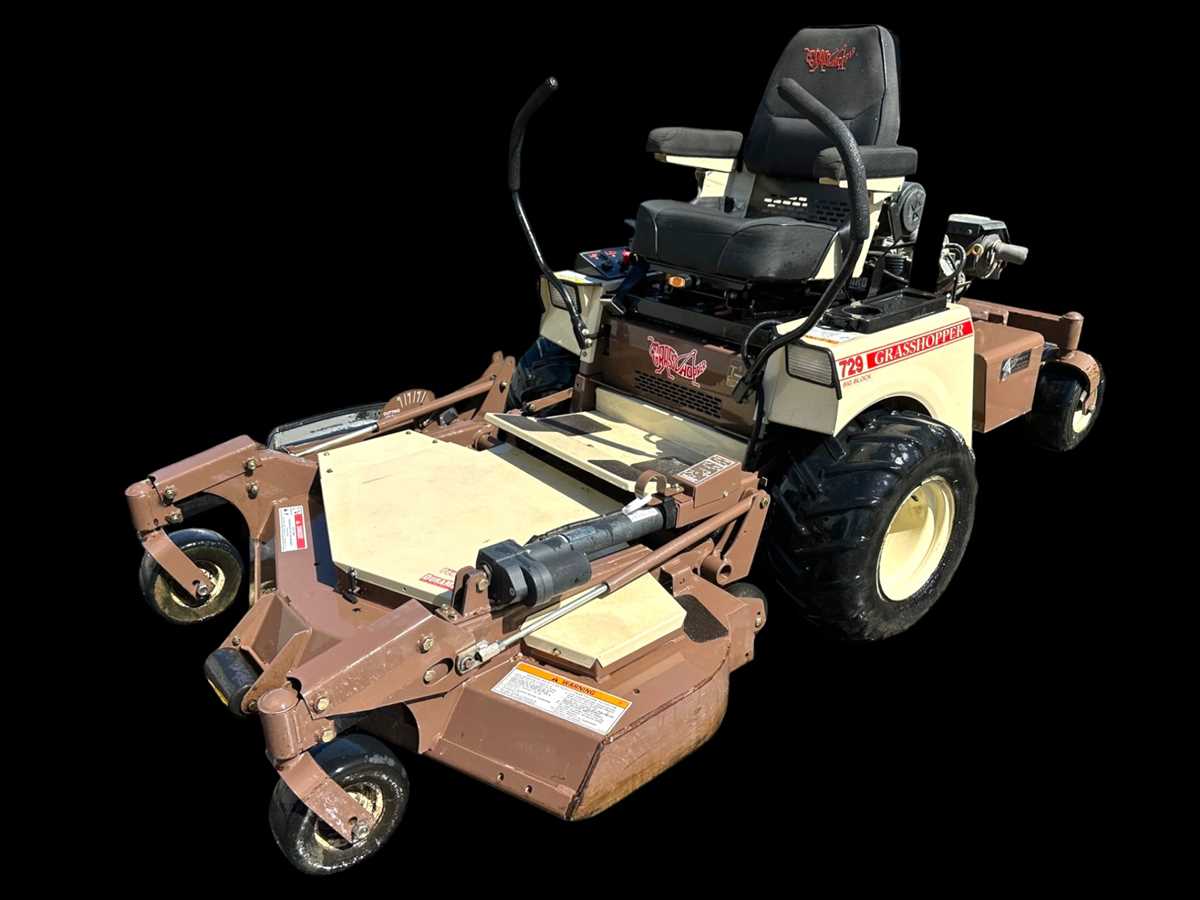
Match the reference number printed beside each callout to the indexed list before touching any hardware; this links a visual marker to an exact item name, size, and quantity.
Use the exploded view to trace assemblies from top to bottom: frame rails first, then brackets, then fasteners. This reveals stacking order and prevents reversed installation.
Check the orientation arrows and dashed outlines around rotating elements such as spindles and idlers; these marks indicate direction, spacing washers, and hidden retainers.
Confirm serial-range notes attached to each illustration. Mid-year revisions often change pulley diameters, belt lengths, or bearing types, and the callout text specifies the valid range.
Zoom into subassemblies by following alphanumeric group labels (for example, “C-3”); each group isolates a functional cluster like the cutting unit housing or steering linkage.
Cross-verify hardware tables tied to the image. Bolt grade, thread pitch, and torque notes sit beside the drawing and prevent mismatched fasteners.
Trace routing lines for belts and cables across multiple views. Continuous lines show the exact path around guides and tensioners, avoiding misalignment.
Locate wear items by scanning for quantity markers greater than one; repeated callouts usually signal bushings, seals, or blades that require matched replacement.
Use shading differences to separate left-hand and right-hand variants. Mirrored components share a label suffix, which the index clarifies.
Print the page and circle each callout as it is found on the machine; this checklist approach reduces missed items during disassembly and reassembly.
Using a Component Map to Select Correct Replacement Units and Assemblies
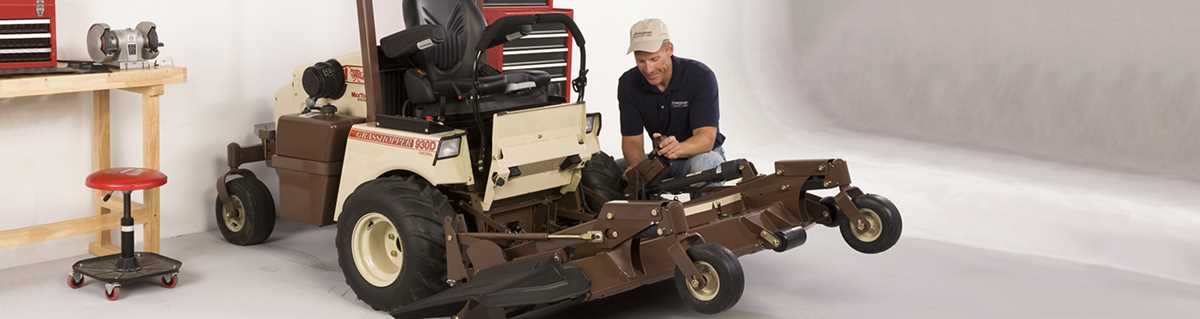
Match the exact unit revision first: read the serial range on the identification plate and filter the exploded view by that range before choosing any replacement element or module.
Use the schematic to trace load paths and interfaces rather than guessing by appearance. Confirm shaft diameters, thread pitch, keyway size, belt profile, and electrical connector style directly from callouts. Cross-check torque values and fastener grades listed beside each node to avoid mismatched hardware. When a module is shown as a grouped block, select the full subassembly if wear affects multiple linked elements; the callout brackets indicate shared tolerances.
Verify compatibility through revision notes embedded in the chart. Superseded item numbers point to updated materials or geometry; follow those arrows instead of sourcing older stock. For driveline and deck sections, align rotation direction and offset measurements from the view to prevent vibration. Finish by comparing exploded-view quantities with what the unit actually carries, accounting for left/right mirrors shown with suffix markers.