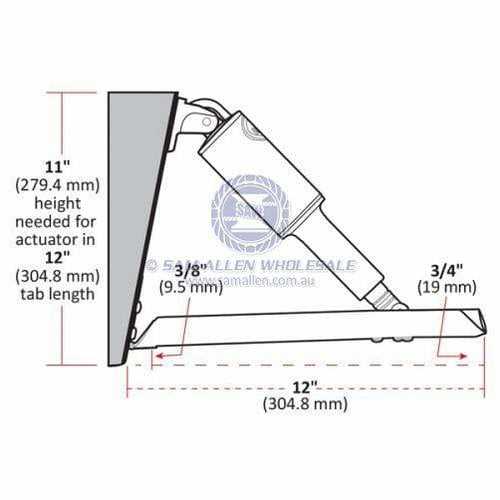
Connect each actuator cable according to the color-coded labels to prevent reverse polarity and ensure smooth movement of the control surfaces. Verify that each line is matched to its corresponding connector on the control panel.
Check voltage readings at the terminals before finalizing connections to confirm proper signal flow. Standard marine voltages range from 12V to 24V, and mismatched connections can trigger system faults or reduce motor lifespan.
Secure all fasteners and protective covers to prevent corrosion and maintain consistent electrical contact. Use dielectric grease on exposed pins to minimize oxidation in a marine environment.
Label each cable and record pin assignments for future maintenance or troubleshooting. Accurate documentation reduces the risk of miswiring during system upgrades or replacements and supports reliable operation.
Electrical Connections and Control Panel Pin Guide for Boats
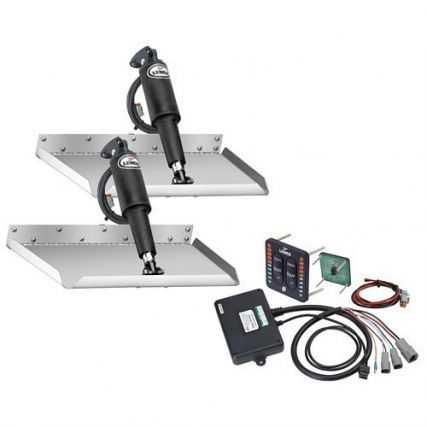
Match each actuator lead to its corresponding terminal on the control panel to prevent reversed signals and uneven surface adjustments. Red wires typically carry positive voltage, while black wires are negative or ground connections.
Verify continuity across pins using a multimeter before powering the system. This ensures that each cable reaches the correct contact point and avoids short circuits that could damage the motors or the control board.
Install protective covers over exposed connectors to minimize corrosion from saltwater and moisture. Apply marine-grade dielectric grease to pins for added protection against oxidation and intermittent electrical faults.
Document the color-to-pin assignments in a log or schematic for future maintenance. Clear labeling helps quickly identify each line when troubleshooting uneven surface response or during system upgrades.
Secure all cable clamps and strain reliefs to prevent movement that could loosen connections. Vibrations from the boat can gradually compromise connections if not firmly anchored.
Check voltage levels at each terminal while operating the control panel to confirm that actuators respond correctly to user inputs. Observing proper voltage ranges ensures that each surface moves smoothly without stuttering or lag.
Periodically inspect terminals and pins for signs of wear or corrosion. Maintaining clean contacts maintains consistent signal transmission and prolongs the lifespan of both the actuators and the control panel electronics.
Identifying Color Codes and Function of Each Cable for Accurate Installation
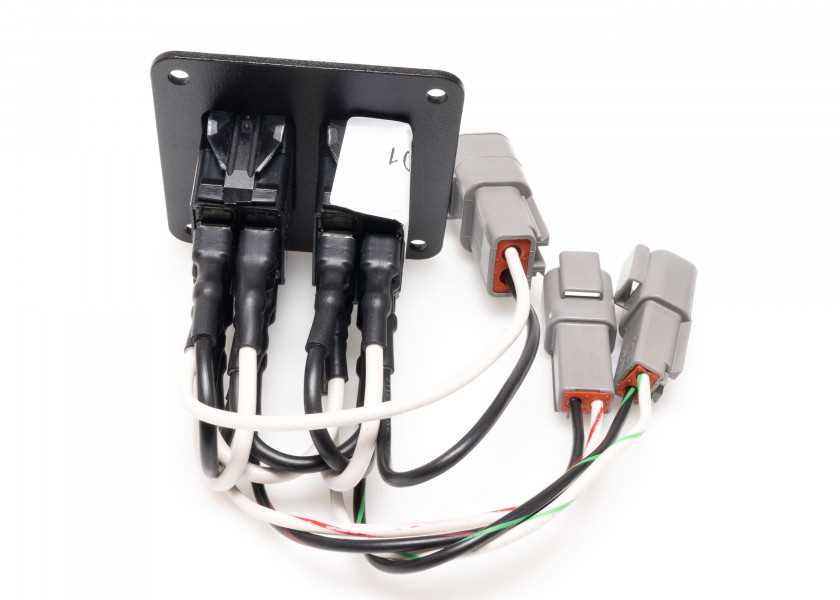
Match each cable color to its designated function before connecting to the control panel. Red lines usually carry positive power, black lines provide ground, and blue or yellow lines handle signal inputs for directional control.
Confirm pin placement with a multimeter to ensure continuity and correct polarity. Misidentifying a line can cause reverse movement or prevent actuators from responding to commands.
Document the color assignments on a printed chart or digital note for reference during maintenance. Clear labeling minimizes errors during replacements or troubleshooting in harsh marine conditions.
Pay attention to shielded cables that carry low-voltage signals. These lines often have striped or solid markings and must be isolated from high-current conductors to prevent interference.
Check connectors for corrosion or loose pins before installation. Proper pin alignment ensures each cable delivers voltage or signals reliably to the actuators and control panel.
Test each cable individually by applying temporary power and observing actuator movement. Verify that red, black, and signal lines correspond correctly to up, down, and neutral positions for smooth operation.
Secure and route cables to avoid tension or abrasion. Using clamps or flexible conduits prevents damage from vibrations, water exposure, or mechanical stress during navigation, ensuring long-term system reliability.